Script: Recording Interactive Terminal Sessions, Generating High-Fidelity Timing Logs, and Auditing Privileged Production Shells
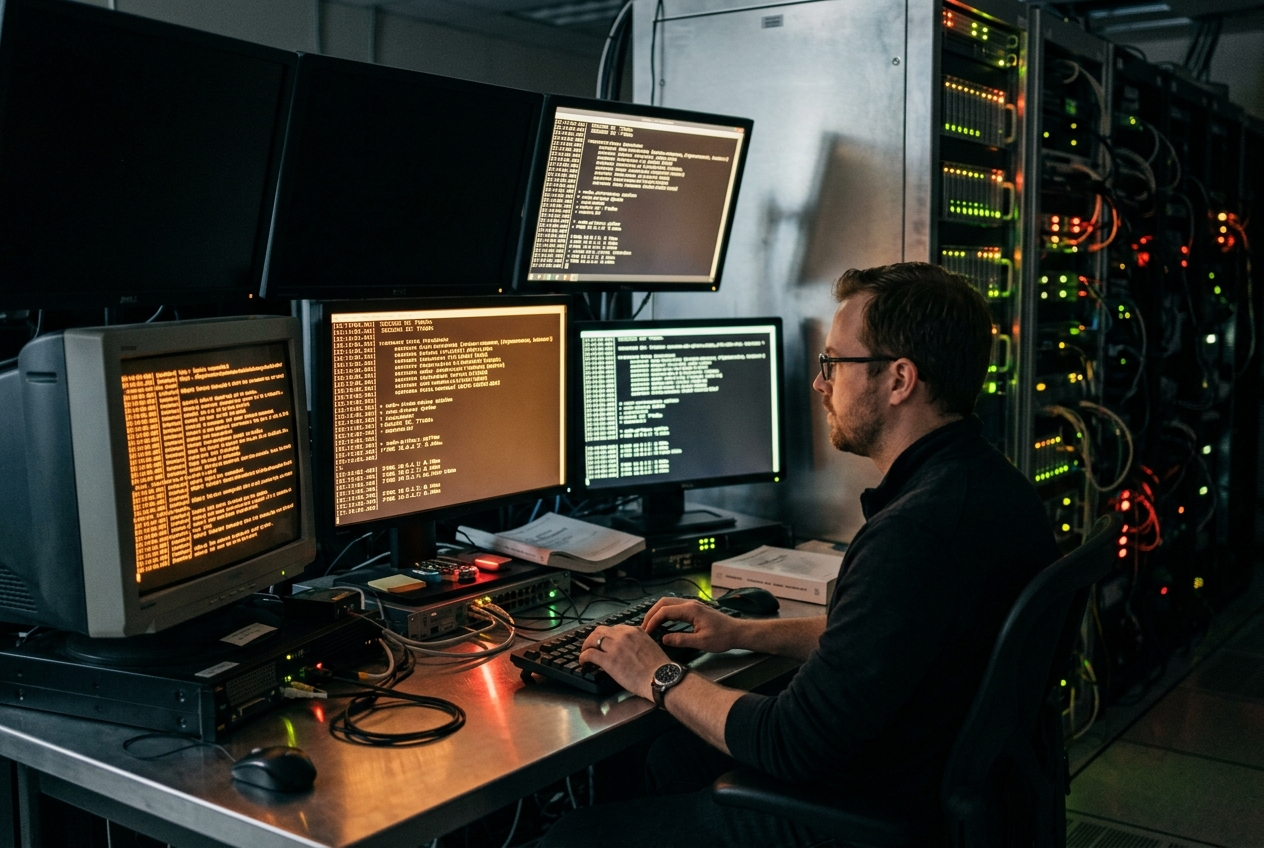
For the next forty-five frantic minutes, you operate on pure adrenaline. You inspect overloaded processes, adjust kernel parameters on the fly, manually patch corrupted database replication journals, and reroute network traffic away from dead nodes. Slowly, the monitoring dashboard shifts from violent crimson back to steady emerald green. The alarms fall silent, the backlog clears, and normal service resumes. You exhale, snap the laptop shut, and collapse back into bed.
By nine o’clock on Monday morning, however, the relief vanishes. You are ushered into a glass-walled boardroom where compliance officers, auditors, and engineering leadership await. They do not merely want a broad summary of the outage; they require a forensic, character-by-character account of every instruction executed, every error emitted by the operating system, and the precise sub-second chronology of every intervention made. Standard shell history (~/.bash_history) is practically useless: it discards output, truncates arguments, ignores sub-second timing, and vanishes entirely if an SSH session disconnects abruptly.
To protect both production systems and your own sanity during high-stakes interventions, Unix provides an unobtrusive yet formidable built-in flight recorder: script(1).
script -f -q --timing=recovery_session.tm recovery_session.log
Launching this single command creates an immediate operational safety net. From the moment you press Enter, script quietly captures every keystroke and screen update to disk in real time (-f), records timing down to the millisecond (--timing), and silences intrusive banners (-q), leaving behind an immutable, byte-perfect recording that can later be audited or replayed like a video.
1. What It Does in Plain English
When administrators attempt to log terminal sessions, their first instinct is often standard output redirection (such as command > output.log 2>&1 or piping into tee). This approach quickly breaks down when working with interactive software. Tools like text editors, password prompts, interactive database shells, and full-screen dashboards demand a real interactive terminal. When forced into a standard file redirect, they fail with errors or refuse to display interactive interfaces.
The script utility solves this by acting as a transparent proxy. Maintained as part of the core util-linux suite, script sits between your keyboard and your shell. It allocates an emulated terminal environment, hands it to your session, and silently transcribes everything that passes through: keystrokes, command output, terminal escape colours, tab-completions, and millisecond timestamps.
2. Core Flags & Operational Syntax
While script can be run with no arguments at all—defaulting to creating a file named typescript—mastering its operational flags ensures robust data integrity and compliance readiness.
| Flag / Option | GNU Long Flag | Functional Description |
|---|---|---|
-a |
--append |
Appends session logs to an existing typescript file rather than overwriting it. |
-c <command> |
--command=<command> |
Runs a specific command non-interactively inside the allocated terminal and exits immediately. |
-e |
--return |
Preserves and returns the child process's exact exit code to the parent shell. |
-f |
--flush |
Flushes session buffers to disk storage immediately after every single write operation. |
-q |
--quiet |
Suppresses standard informational initialization and exit banners. |
-t[<file>] |
--timing[=<file>] |
Records timing telemetry data to standard error or a dedicated timing file. |
-B |
--logging-format |
Configures the underlying log structure (such as classic or advanced multi-stream logging). |
The Essential Quick-Start Command
When stepping into an emergency or conducting sensitive maintenance, initialise logging with line-by-line disk persistence:
script -f -q --timing=recovery_session.tm recovery_session.log
Expected Terminal Output:
[sre-admin@db-node-01 ~]$
Once launched, your shell functions exactly as normal. You can open text editors, run administrative tools with sudo, and monitor system stats. When you conclude your work, typing exit or pressing Ctrl+D closes the session, leaving behind two clean files: recovery_session.log (the full raw visual stream) and recovery_session.tm (the sub-second timing intervals).
3. Theoretical Foundations: How Pseudoterminals Work Under the Hood
To understand why script succeeds where regular stream redirection fails, one must examine the Linux Pseudoterminal (PTY) architecture.
The PTY Multiplexer Subsystem
Standard I/O redirection operators (> and |) operate via unidirectional kernel pipes. When a program executes under pipe redirection, the standard C library's isatty(3) function queries the file descriptor using a terminal ioctl call. When directed to a pipe, this call returns ENOTTY ("Inappropriate ioctl for device").
As a security precaution, utilities such as sudo or passwd disable keyboard echo and refuse to read credentials over raw pipes. Similarly, screen-oriented applications like htop or text editors terminate because they cannot query terminal dimensions or configure raw input modes via termios(3).
The script utility circumvents this through dynamic PTY multiplexing:
- Master-Slave Allocation:
scriptopens the master multiplexer device/dev/ptmxviaopenpty(3). - Device Registration: It calls
grantpt(3)andunlockpt(3)to configure access permissions on the corresponding slave node within the virtual filesystem (e.g./dev/pts/4). - Session Creation: The utility forks the process. The child session creates a new process group via
setsid(2), attaches/dev/pts/4as its controlling terminal, and duplicates the slave file descriptor across standard input, standard output, and standard error. - Shell Execution: The child invokes the user's default shell (
$SHELL). - Multiplexing Loop: The parent
scriptprocess switches the host terminal into raw mode and manages an event loop. Whenever you type,scriptlogs the keystroke and forwards it to the PTY master; whenever the program responds,scriptprints it to your physical screen and commits it to the log file.
Signal Handling and Dynamic Terminal Geometry
A critical task of script is handling terminal resize events transparently:
SIGWINCH(Window Dimension Synchronization): When an operator resizes their terminal window, the operating system emits aSIGWINCHsignal.scripttraps this signal, queries the new window geometry, and applies it to the master PTY. The child process receives an identical signal, preventing text formatting and cursor positioning from breaking inside interactive applications.SIGCHLD(Child Process Lifecycle): When the child shell exits, the kernel deliversSIGCHLDtoscript. The utility reclaims the exit status code, restores the original terminal settings, and shuts down cleanly.
Telemetry Formats: Classic vs. Modern Multi-Stream
Historically, script logged timing via a simple two-column format containing elapsed seconds and byte counts. Modern versions of util-linux introduce a multi-stream format that categorises inputs, outputs, and signals:
# Legacy Timing Format:
<elapsed_seconds_since_last_event> <byte_count>

# Advanced Multi-Stream Format (util-linux >= 2.35):
<stream_type> <elapsed_seconds> <byte_count>
Where <stream_type> identifies the nature of the event:
- O: Output data emitted by the running programs.
- I: Input data typed directly on the keyboard.
- S: Signal notifications (such as terminal window resize events).
4. Five Real-World Production Use Cases
Use-Case 1: Auditing High-Stakes Database Migrations (SOC2 / ISO 27001)
Operational Scenario: An infrastructure engineering team must execute a manual, multi-phase PostgreSQL database schema transformation involving table partitioning and foreign key re-indexing on a live production instance. Regulatory standards require non-repudiable audit trails that tie administrator commands directly to database responses.
Execution Command:
script --flush \
       --append \
       --timing=/var/log/audit/pg_migration_$(date +%Y%m%d_%H%M%S).tm \
       /var/log/audit/pg_migration_$(date +%Y%m%d_%H%M%S).log
Realistic Terminal Output:
Script started, file is /var/log/audit/pg_migration_20260820_071500.log
[postgres@db-primary-01 ~]$ psql -d core_commerce -U db_admin
psql (16.3, server 16.3)
Type "help" for help.

core_commerce=> BEGIN;
BEGIN
core_commerce=*> ALTER TABLE customer_orders ATTACH PARTITION customer_orders_2026_q3
core_commerce-*> FOR VALUES FROM ('2026-07-01') TO ('2026-10-01');
ALTER TABLE
core_commerce=*> COMMIT;
COMMIT
core_commerce=> \q
[postgres@db-primary-01 ~]$ exit
exit
Script done, file is /var/log/audit/pg_migration_20260820_071500.log
Line-by-Line Technical Analysis:
1. Script started...: script sets up the PTY master, creates the log and timing files, and records the start timestamp.
2. psql -d core_commerce...: The administrator starts an interactive PostgreSQL session. Because script provides a full PTY, tab-completion, query history, and line editing work seamlessly.
3. ALTER TABLE customer_orders...: The SQL transaction is executed and logged alongside the server's immediate confirmation message (ALTER TABLE).
4. Script done...: Upon exiting the shell, script flushes any remaining buffers to disk, finalises file descriptors, and terminates.
What the Administrator Does Next: Compute cryptographic hashes of the resulting logs and upload them to an immutable compliance storage bucket:
sha256sum /var/log/audit/pg_migration_20260820_071500.* > /var/log/audit/pg_migration_20260820_071500.sha256
aws s3 cp /var/log/audit/pg_migration_20260820_071500.* s3://prod-compliance-audit-vault/2026-08/ --sse aws:kms
Use-Case 2: Deterministic Forensic Reconstruction via scriptreplay
Operational Scenario: A microservice deployment script encountered intermittent deadlocks during rollout. The site reliability team needs to replay the exact deployment sequence at adjusted speeds to inspect race conditions and transient errors without modifying any production systems.
Execution Command:
scriptreplay --timing=incident_debug.tm \
             --typescript=incident_debug.log \
             --divisor=2 \
             --maxdelay=0.5
Realistic Terminal Output:
[sre-oncall@k8s-control-01 ~]$ ./rollout_engine.sh --cluster=us-east-1 --canary
[INFO] 2026-08-20T07:22:11Z Initiating rolling upgrade for deployment 'payment-gateway'...
[INFO] 2026-08-20T07:22:12Z Scaling canary replica set to 25%...
[ERROR] 2026-08-20T07:22:14Z RPC timeout: etcd quorum read failure on endpoint 10.240.0.12:2379
[WARN] 2026-08-20T07:22:14Z Circuit breaker tripped. Retrying in 500ms...
[FATAL] 2026-08-20T07:22:15Z Split-brain detected. Aborting rollout. Exit Code: 71
[sre-oncall@k8s-control-01 ~]$
Line-by-Line Technical Analysis:
1. scriptreplay: Invokes scriptreplay(1) to read timing intervals from incident_debug.tm and feed text from incident_debug.log back to your display.
2. --divisor=2: Doubles the playback speed, cutting pauses in half to accelerate forensic review.
3. --maxdelay=0.5: Limits long pauses (such as when an engineer stopped to read documentation) to a maximum of 500 milliseconds.
4. [ERROR] ... RPC timeout: Reproduces the exact visual sequence and timing of the system failure as it happened live.
What the Administrator Does Next: Identify the exact pause where the network timeout occurred to correlate with packet drop metrics in monitoring dashboards:
awk '$2 > 1.5 {print "Pause detected: " $1 "s at byte count: " $2}' incident_debug.tm
Use-Case 3: Headless TTY Spoofing in CI/CD Automation Pipelines
Operational Scenario: An automated continuous deployment pipeline fails because a legacy command-line deployment tool insists on running inside an interactive terminal, throwing inappropriate ioctl for device inside non-interactive containers.
Execution Command:
script --quiet \
       --return \
       --command="deploy_cluster_artifacts --environment=staging --enforce-interactive" \
       /dev/null
Realistic Terminal Output:
[+] Allocating cloud infrastructure instances... [DONE]
[+] Provisioning dynamic TLS certificates...     [DONE]
[+] Applying Helm manifests to target namespace... [DONE]
Deployment sequence completed successfully. All health checks passed.
Line-by-Line Technical Analysis:
1. --quiet: Suppresses startup and completion banners, keeping pipeline logs tidy.
2. --return: Ensures proper error handling. If deploy_cluster_artifacts fails with exit code 1, script catches the exit code and exits with 1. Without -e / --return, script would exit with 0 (indicating the wrapper ran successfully), causing the CI runner to register a false pass.
3. --command="...": Instructs script to allocate an ephemeral PTY, pass the command string to the shell, and exit immediately when finished.
4. /dev/null: Discards the log file, using script purely as an on-demand virtual terminal wrapper.
What the Administrator Does Next: Embed the command safely inside an automated build script:
if script -q -e -c "deploy_cluster_artifacts" /dev/null; then
    echo "Pipeline step succeeded: Proceeding to integration tests."
else
    echo "Pipeline step failed: Halting build." && exit 1
fi
Use-Case 4: Real-Time Read-Only Session Mirroring over POSIX Named Pipes
Operational Scenario: A senior systems architect needs to demonstrate an emergency recovery procedure to remote colleagues in real time without giving them interactive shell access or sharing credentials.
script -f"] -->|"Write (Raw I/O Stream)"| B["Named Pipe (FIFO)/tmp/ops_mirror.pipe"]
B -->|"Read (Broadcast)"| C["Observer Terminalcat < FIFO"]Execution Commands:
On the Operator's Terminal (pts/1):
mkfifo /tmp/ops_mirror.pipe
chmod 600 /tmp/ops_mirror.pipe
script --flush --quiet /tmp/ops_mirror.pipe
On the Observer's Terminal (pts/2):
cat /tmp/ops_mirror.pipe
Realistic Terminal Output (Observed on pts/2 in Real Time):
Line-by-Line Technical Analysis:
1. mkfifo /tmp/ops_mirror.pipe: Creates a First-In, First-Out (FIFO) named pipe special file on the system.
2. chmod 600: Restricts read and write permissions strictly to the current user to prevent local snooping.
3. script --flush ...: Bypasses standard user-space buffering, writing terminal updates into the pipe the instant they appear.
4. cat /tmp/ops_mirror.pipe: The observer's terminal reads the stream from the pipe. Because the observer interacts only with the read end of the pipe, they can watch every action live but cannot send keystrokes or alter commands.
What the Administrator Does Next: Remove the named pipe once the demonstration concludes:
rm -f /tmp/ops_mirror.pipe
Use-Case 5: Telemetry Sanitization & ANSI Escape Sequence Stripping for SIEM Ingestion
Operational Scenario: Typescript files contain terminal colour codes (\e[32m), cursor positioning sequences (\e[2J), and backspace characters (0x08). Ingesting raw files into SIEM platforms like Elasticsearch or Splunk corrupts search indexing. The log files must be sanitised into clean plain text.
Execution Command:
col --strip-backspaces \
    --no-backspaces \
    < /var/log/audit/incident_session.log \
    | sed -E 's/\x1B\[[0-9;]*[a-zA-Z]//g' \
    | tr -d '\r' \
    > /var/log/audit/incident_session_sanitized.txt
Input Data (Raw Typescript Sample containing ANSI sequences):
^[[?2004h[admin@srv-01 ~]$ ls -la /etc/passwd^M
-rw-r--r-- 1 root root 2842 Aug 20 04:12 ^[[0m^[[01;31m/etc/passwd^[[0m^M
^[[?2004l^[[?2004h[admin@srv-01 ~]$ exi^H^Hxit^M
Sanitized Output (incident_session_sanitized.txt):
[admin@srv-01 ~]$ ls -la /etc/passwd
-rw-r--r-- 1 root root 2842 Aug 20 04:12 /etc/passwd
[admin@srv-01 ~]$ exit
Line-by-Line Technical Analysis:
1. col --strip-backspaces --no-backspaces: Uses col(1) to process backspace control characters (0x08 / ^H). If an operator typed exi, backspaced twice, and typed it, col canonicalises the line to clean exit.
2. sed -E 's/\x1B\[[0-9;]*[a-zA-Z]//g': Strips out ANSI escape codes responsible for terminal colours, bold text, and cursor positioning.
3. tr -d '\r': Removes raw carriage return characters (0x0D / ^M) injected by the terminal line discipline.
What the Administrator Does Next: Ship the clean text file to your centralised log forwarder:
vector --config /etc/vector/vector_siem_sink.toml --watch-file /var/log/audit/incident_session_sanitized.txt
5. Failure Modes, Security Pitfalls & Defensive Engineering
Operating session recorders in production environments introduces specific failure modes that require defensive controls.
| Operational Hazard | Root Cause & Failure Mechanism | Recommended Defensive Mitigation |
|---|---|---|
| Unencrypted Secret Leakage | PTYs capture raw input streams. Passing credentials via command-line arguments writes them straight to disk. | Use stdin prompts, environment variables, or secure configuration files with 0600 permissions. |
| Unflushed Buffer Loss | Standard I/O buffering holds up to 8KB in memory; a sudden network drop or kernel panic discards the crucial final commands. | Always pass the -f (--flush) flag to force line-by-line disk persistence. |
| Terminal Geometry Mismatch | Recording in an 80x24 window and replaying in a 200x50 window causes cursor-jumping escape sequences to misalign. | Match terminal dimensions during replay, or use modern advanced multi-stream formats to capture resize signals. |
1. Cleartext Credential Exposure
When password prompts execute (like sudo or database logins), the terminal line discipline turns off the ECHO flag so typed passwords do not appear on screen. However, if an administrator passes credentials directly inside command-line arguments (such as mysql -pSecret123 or curl -H "Authorization: Bearer token"), script captures the text verbatim into the log file.
To prevent credential leaks, always supply secrets via standard input prompts, restricted environment variables, or secret management tools:
# VULNERABLE:
script -q session.log -c "mysql -u admin -pMyPassword db_prod"

# SECURE:
export MYSQL_PWD=$(vault kv get -field=password secret/db)
script -f -q session.log -c "mysql -u admin db_prod"
2. Data Loss via Unbuffered I/O Failures
By default, the standard C library uses memory block buffering (often 4KB to 8KB) when writing output to regular files. If a server suddenly crashes, loses power, or drops an SSH connection during troubleshooting, memory-resident buffers will never reach persistent storage. The final commands typed right before the crash—frequently the most critical diagnostic data—will be lost.
Always pass the -f (--flush) flag during incident triage to force script to sync every write operation directly to disk.
3. Replay Geometry and Screen Boundary Corruption
When recording an interactive visual utility (such as nano, top, or tmux), the application calculates rendering positions based on the terminal's specific row and column dimensions. If you replay that session using scriptreplay inside a terminal window with different dimensions (such as replaying an 80-column recording in a 160-column terminal), cursor repositioning escape codes will jump to the wrong screen coordinates, resulting in scrambled text.
Before replaying, match your terminal window dimensions to the recorded environment, or use the advanced multi-stream logging format (--logging-format=advanced) available in modern util-linux releases to record and adapt to window resize events dynamically.
6. Today's Takeaway
The script utility transforms the ephemeral, high-pressure world of interactive terminal sessions into a durable, auditable record. To see this in action on your own machine right now in under five minutes, open a terminal and run:
script -f -q --timing=demo.tm demo.log
Type a few commands—try uptime, uname -a, and date—then type exit. Once you are back in your standard shell, run scriptreplay demo.tm demo.log. Watching your terminal replay your exact typing cadence and command output demonstrates just how straightforward reliable session recording can be.