Nmcli: Provisioning Enterprise Network Profiles, Orchestrating 802.3ad Bonding Topologies, and Enforcing Dynamic Interface Configuration in Production
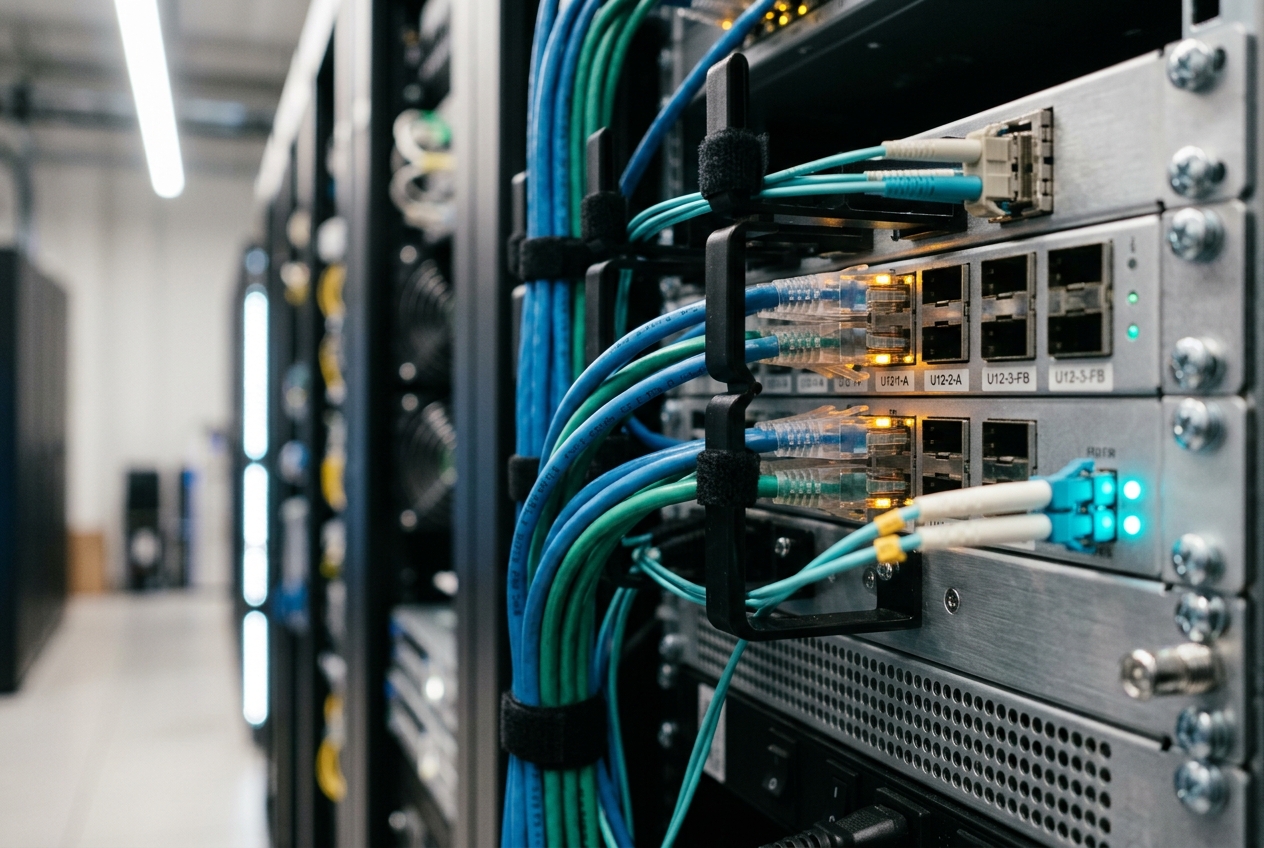
Logging into the out-of-band serial console reveals a chaotic scene familiar to anyone who has ever wrestled with production Linux servers: half-applied network scripts, ghost routes, and manual tweaks made during a previous outage that vanished into thin air the moment the machine rebooted. A routine kernel upgrade triggered a renegotiation on the physical network cards, flushing static route tables and leaving network bonding adapters completely frozen.
Decades of Unix tradition taught systems engineers to manage network interfaces by editing static text files scattered across /etc/sysconfig/network-scripts/ or /etc/network/interfaces. But in modern enterprise environments, relying on disconnected configuration files and ad-hoc shell commands is an invitation to downtime. When an outage costs thousands of pounds every minute, you need an authoritative, transactional tool that provides immediate clarity over your network state.
The fastest way to cut through the confusion and inspect every active connection across your system is a single, clean command:
nmcli -p -f NAME,UUID,TYPE,DEVICE,STATE connection show --active
Running this diagnostic query immediately exposes the ground truth of your active network topology:
===============================================================================
                          Active Connection Profiles
===============================================================================
NAME                UUID                                  TYPE      DEVICE  STATE
-------------------------------------------------------------------------------
System-Bond0        8d2f1b44-a50e-43ef-8339-4467c6999a01  bond      bond0   activated
Bond0-Slave-Eth0    109e3a3e-67a3-481d-9276-88022b7a950a  ethernet  eth0    activated
Bond0-Slave-Eth1    2a537f5b-9d41-4770-b1be-b695123d2cb2  ethernet  eth1    activated
VLAN100-Production  b39fae61-6893-41bb-bc98-b8089dc1230e  vlan      bond0.100 activated
This command is powered by nmcli—the native, non-interactive command-line interface for NetworkManager. It bridges the gap between low-level Linux kernel networking and modern infrastructure automation.
1. What It Does in Plain English
At its core, nmcli gives administrators a single, predictable control plane to create, modify, activate, inspect, and troubleshoot network interfaces on modern Linux systems. Rather than directly hacking kernel routing tables or hand-editing distribution-specific text files that demand disruptive service restarts, nmcli talks directly to an event-driven management engine. It allows you to build sophisticated network architectures—including high-throughput bonded interfaces, isolated VLANs, and multi-homed routing topologies—using clean, declarative commands that apply instantly and survive reboots.
(CLI Invocations, CI/CD Pipelines, Ansible, Terraform)"] -->|"D-Bus IPC Protocol"| B["NetworkManager Daemon
(State Machine, Connection Profiles, Policies)"] B -->|"Netlink API (RTM_NEWLINK, RTM_NEWADDR)"| C["Linux Kernel
(Bonds, Bridges, VLANs, Forwarding Information Base)"] B -->|"Keyfile Storage Backend"| D["Persistent Keyfiles
(/etc/NetworkManager/system-connections/*.nmconnection)"]
Behind this clean interface sits a robust architecture. NetworkManager runs as a persistent system daemon (NetworkManager.service) exposing a rich D-Bus IPC interface under the org.freedesktop.NetworkManager namespace. When you run an nmcli command, the utility translates your instruction into a D-Bus method call.
The daemon processes the request against its internal state engine, writes the configuration to persistent storage under /etc/NetworkManager/system-connections/, and issues Netlink system calls to instruct the Linux kernel to create virtual interfaces, adjust routing tables, and update packet scheduling policies.
A crucial design principle is the strict separation between hardware devices (physical or virtual interfaces like eth0 or bond0) and connection profiles (logical configuration bundles specifying IP addresses, route metrics, VLAN IDs, and security certificates). Multiple profiles can target a single hardware device, allowing you to switch a server between different network environments seamlessly with zero residual state.
2. Core Flags & Practical Syntax
When writing automation scripts or diagnosing issues under pressure, mastering nmcli's output formatting flags is essential:
| Flag | Parameter Form | Operational Purpose |
|---|---|---|
-t |
--terse |
Removes decorative headers and padding, generating delimiter-separated output ideal for pipelines (awk, cut, jq). |
-p |
--pretty |
Formats output into clean, aligned tables designed for human reading. |
-f |
--fields <f1,f2,...> \| ALL |
Restricts output strictly to chosen fields, preventing script breakage when versions change. |
-g |
--get-values <f1,f2,...> |
Returns raw property values separated by colons without printing column headers. |
-m |
--mode tabular \| multiline |
Switches between compact tabular rows and detailed multiline attribute dumps. |
-w |
--wait <seconds> |
Specifies how long to block synchronously waiting for an operation to finish before returning to shell. |
-a |
--ask |
Prompts interactively for missing credentials or passwords in manual terminal sessions. |
3. Five Production-Grade Use Cases
Use Case 1: High-Availability 802.3ad LACP Bonding
Operational Scenario
A mission-critical compute node requires aggregate network throughput and physical link redundancy across two 25GbE network interfaces (eth0 and eth1). The upstream switch pair is configured with a dynamic Link Aggregation Control Protocol (IEEE 802.3ad) port-channel. The bond must use a 100ms Media Independent Interface (miimon) monitoring loop, employ layer 2+3 hashing (layer2+3) for balanced traffic distribution, and introduce transit delays to guard against rapid link flaps.
(802.3ad Dynamic LACP)"] SW -->|"Port 1/1"| NIC1["Physical NIC
(eth0)"] SW -->|"Port 2/1"| NIC2["Physical NIC
(eth1)"] NIC1 --> BOND["Master Bond Interface
(bond0)
LACP Mode 4, miimon=100, layer2+3"] NIC2 --> BOND
Implementation Script
#!/usr/bin/env bash
set -euo pipefail

# 1. Instantiate the Master Bond Profile
nmcli connection add \
    type bond \
    con-name "infra-bond0" \
    ifname bond0 \
    bond.options "mode=802.3ad,miimon=100,xmit_hash_policy=layer2+3,lacp_rate=fast,updelay=200,downdelay=200" \
    ipv4.method disabled \
    ipv6.method disabled \
    connection.autoconnect yes

# 2. Attach Physical Slave Interface: eth0
nmcli connection add \
    type ethernet \
    con-name "infra-bond0-slave-eth0" \
    ifname eth0 \
    master bond0 \
    connection.autoconnect yes

# 3. Attach Physical Slave Interface: eth1
nmcli connection add \
    type ethernet \
    con-name "infra-bond0-slave-eth1" \
    ifname eth1 \
    master bond0 \
    connection.autoconnect yes

# 4. Synchronously Activate Aggregation Fabric
nmcli --wait 15 connection up "infra-bond0"
nmcli --wait 10 connection up "infra-bond0-slave-eth0"
nmcli --wait 10 connection up "infra-bond0-slave-eth1"
Realistic Terminal Output
Connection 'infra-bond0' (e8c459f2-2b3b-4190-8a45-5d9c28892110) successfully added.
Connection 'infra-bond0-slave-eth0' (4b3a32dc-a764-4e4f-b677-1a051834cb21) successfully added.
Connection 'infra-bond0-slave-eth1' (9f14de13-8cfb-4a5c-897b-f91b79e83002) successfully added.
Connection successfully activated (master waiting for slaves) (D-Bus active path: /org/freedesktop/NetworkManager/ActiveConnection/14)
Connection successfully activated (D-Bus active path: /org/freedesktop/NetworkManager/ActiveConnection/15)
Connection successfully activated (D-Bus active path: /org/freedesktop/NetworkManager/ActiveConnection/16)
Line-by-Line Technical Analysis
- Lines 1–3: NetworkManager creates the connection profiles, writes persistent keyfiles to disk, assigns unique UUIDs, and registers the master-slave hierarchy.
- Line 4: The
bond0virtual master device is instantiated in the Linux kernel. The daemon marks the interface as active and ready to attach subordinate links. - Lines 5–6: Netlink calls issue
RTM_SETLINKinstructions to bindeth0andeth1tobond0. The kernel's bonding driver immediately starts negotiating LACP frames with the upstream switches at 1-second intervals.
What the Admin Does Next
Verify the negotiated kernel bonding state by checking /proc/net/bonding/bond0 to ensure that the Aggregator ID matches across both physical ports:
cat /proc/net/bonding/bond0 | grep -E "(Bonding Mode|Transmit Hash Policy|Slave Interface|Aggregator ID)"
Use Case 2: 802.1Q Tagged VLAN Trunking
Operational Scenario
Building on the bond0 aggregation link, you must isolate database management traffic into IEEE 802.1Q tagged VLAN 100. The sub-interface must attach to bond0, receive static dual-stack IPv4 and IPv6 addresses (10.100.0.50/24 and 2001:db8:100::50/64), and automatically assign itself to the internal firewalld security zone.
Implementation Script
#!/usr/bin/env bash
set -euo pipefail

# 1. Instantiate the 802.1Q Tagged VLAN Sub-interface
nmcli connection add \
    type vlan \
    con-name "bond0.vlan100-mgmt" \
    ifname bond0.100 \
    dev bond0 \
    id 100 \
    vlan.flags 1 \
    802-3-ethernet.mtu 1500 \
    connection.zone "internal" \
    ipv4.method manual \
    ipv4.addresses "10.100.0.50/24" \
    ipv4.gateway "10.100.0.1" \
    ipv6.method manual \
    ipv6.addresses "2001:db8:100::50/64" \
    ipv6.gateway "2001:db8:100::1" \
    connection.autoconnect yes

# 2. Commit Profile Activation
nmcli --wait 10 connection up "bond0.vlan100-mgmt"
Realistic Terminal Output
Connection 'bond0.vlan100-mgmt' (a382c401-447a-4c22-921e-d80a3233ef89) successfully added.
Connection successfully activated (D-Bus active path: /org/freedesktop/NetworkManager/ActiveConnection/17)
Line-by-Line Technical Analysis
- Line 1: The client creates the VLAN profile, linking parent interface
bond0with VLAN ID100. The parametervlan.flags 1ensures VLAN header reordering is preserved at kernel ingress. - Line 2: NetworkManager registers
bond0.100as a child device ofbond0, injects the static IP assignments into the kernel Forwarding Information Base (FIB), and dispatches a D-Bus event tofirewalldto place the interface into the protectedinternalzone.
What the Admin Does Next
Verify that the VLAN encapsulation and firewall zone assignments are active:
ip -d link show bond0.100 && firewall-cmd --get-active-zones
Use Case 3: Multi-Homed Routing and Per-Connection DNS Policies
Operational Scenario
An edge server houses two network interfaces: eth0, which handles public internet traffic via DHCP, and eth1, which connects to an internal corporate network (192.168.10.0/24).
The critical challenge is preventing default gateway collision. The server must route general internet egress through eth0, while directing internal corporate traffic (10.0.0.0/8 and 172.16.0.0/12) across eth1. Furthermore, internal domain queries (*.corp.internal) must route exclusively to internal DNS servers (192.168.10.2) without leaking public DNS lookups.
Primary Default Gateway
Route-Metric: 50
Public DNS: 1.1.1.1"] SVR -->|"Corporate Traffic"| ETH1["Interface eth1
Never-Default: true
Route-Metric: 400
Corporate Routes: 10.0.0.0/8, 172.16.0.0/12
Corp DNS: *.corp.internal -> 192.168.10.2"] ETH0 --> INET["Public Internet (0.0.0.0/0)"] ETH1 --> CORP["Internal Corporate Subnets"]
Implementation Script
#!/usr/bin/env bash
set -euo pipefail

# 1. Configure the Public Interface (Primary Gateway)
nmcli connection modify "System-eth0" \
    ipv4.route-metric 50 \
    ipv4.dns "1.1.1.1 8.8.8.8" \
    ipv4.dns-priority 50 \
    ipv4.never-default no

# 2. Configure the Multi-Homed Corporate Subnet (Secondary Interface)
nmcli connection modify "System-eth1" \
    ipv4.route-metric 400 \
    ipv4.never-default yes \
    ipv4.routes "10.0.0.0/8 192.168.10.1, 172.16.0.0/12 192.168.10.1" \
    ipv4.dns "192.168.10.2" \
    ipv4.dns-search "corp.internal" \
    ipv4.dns-priority -10 \
    ipv4.ignore-auto-dns yes

# 3. Reload and Apply Profiles Atomically
nmcli connection up "System-eth0"
nmcli connection up "System-eth1"
Realistic Terminal Output
Connection 'System-eth0' (73e6b7d2-9c12-4043-98fe-0a3f78b1092e) successfully updated.
Connection 'System-eth1' (c22e89fa-1184-4d89-b003-7cf5109b83ab) successfully updated.
Connection successfully activated (D-Bus active path: /org/freedesktop/NetworkManager/ActiveConnection/18)
Connection successfully activated (D-Bus active path: /org/freedesktop/NetworkManager/ActiveConnection/19)
Line-by-Line Technical Analysis
- Line 1: Adjusts
System-eth0's default route metric to50. Lower metrics take precedence during kernel route selection. - Line 2: Flags
System-eth1withipv4.never-default yes, guaranteeing that DHCP offers oneth1will never overwrite the system's default internet gateway. It injects explicit static routes for10.0.0.0/8and172.16.0.0/12through192.168.10.1, whileipv4.dns-priority -10assigns the internal DNS resolver highest priority for thecorp.internaldomain search domain. - Lines 3–4: NetworkManager recalculates the routing policy database (RPDB) and dynamically updates
/run/NetworkManager/resolv.conf.
What the Admin Does Next
Inspect the kernel routing table to ensure the primary default route and corporate subnets are weighted correctly:
ip route show
Anticipated Verification Output
default via 203.0.113.1 dev eth0 proto static metric 50
10.0.0.0/8 via 192.168.10.1 dev eth1 proto static metric 400
172.16.0.0/12 via 192.168.10.1 dev eth1 proto static metric 400
192.168.10.0/24 dev eth1 proto kernel scope link src 192.168.10.50 metric 400
203.0.113.0/24 dev eth0 proto kernel scope link src 203.0.113.50 metric 50
Use Case 4: Declarative Profile Governance and Persistent Keyfiles
Operational Scenario
In enterprise environments automated via Ansible or cloud-init, repeatedly executing individual CLI commands can introduce race conditions. The ideal workflow is to write an immutable NetworkManager keyfile directly to /etc/NetworkManager/system-connections/infra-storage.nmconnection.
The file must enforce strict POSIX permissions (0600), define an explicit boot priority (connection.autoconnect-priority 100), configure static addresses and jumbo frames (mtu=9000), and instruct NetworkManager to reload its registry without restarting the daemon.
Implementation Script
#!/usr/bin/env bash
set -euo pipefail

KEYFILE_PATH="/etc/NetworkManager/system-connections/infra-storage.nmconnection"

# 1. Write Declarative Keyfile to Storage
cat <<'EOF' > "${KEYFILE_PATH}"
[connection]
id=infra-storage
uuid=c5e75c80-36a3-4a15-bbf7-10495fbc9a88
type=ethernet
interface-name=eth2
autoconnect=true
autoconnect-priority=100

[ethernet]
mtu=9000

[ipv4]
address1=192.168.200.10/24
method=manual
route-metric=200

[ipv6]
addr-gen-mode=default
method=disabled
EOF

# 2. Enforce Mandatory Security Permissions (Root-only access)
chmod 0600 "${KEYFILE_PATH}"
chown root:root "${KEYFILE_PATH}"

# 3. Instruct NetworkManager to Reload Its Configuration from Disk
nmcli connection reload

# 4. Bring the Declaratively Defined Connection Up
nmcli --wait 10 connection up "infra-storage"
Realistic Terminal Output
Connection successfully activated (D-Bus active path: /org/freedesktop/NetworkManager/ActiveConnection/20)
Line-by-Line Technical Analysis
- Keyfile Structure: The file adheres to the INI-style
nm-settings-keyfilespecification. The settingautoconnect-priority=100ensures that if multiple profiles matcheth2, this storage profile takes precedence during boot.mtu=9000provisions jumbo frames for high-bandwidth storage workloads. - Permission Enforcement: NetworkManager automatically rejects any keyfile with permissions broader than
0600. Securing the file ensures the daemon ingests it safely. - Command Execution:
nmcli connection reloadprompts the daemon to rescan storage directories and load new profiles into memory without disrupting active network connections.
What the Admin Does Next
Confirm that NetworkManager parsed the keyfile correctly by inspecting the active settings:
nmcli -s -f connection,ethernet,ipv4 connection show "infra-storage"
Use Case 5: Headless Diagnostics, State Telemetry, and Live Event Monitoring
Operational Scenario
You are investigating intermittent packet loss and link negotiation failures on a remote host during software deployments. The task requires querying physical hardware transceiver telemetry, inspecting DHCP lease parameters, and attaching a live event listener to monitor real-time network transitions.
Implementation Script
#!/usr/bin/env bash
set -euo pipefail

TARGET_DEV="eth0"

echo "=== [1. Querying Interface Telemetry for ${TARGET_DEV}] ==="
nmcli -t -f GENERAL.DEVICE,GENERAL.TYPE,GENERAL.HWADDR,GENERAL.STATE,GENERAL.SPEED,IP4.ADDRESS,IP4.GATEWAY,IP4.DNS,DHCP4.OPTION device show "${TARGET_DEV}"

echo -e "\n=== [2. Attaching to NetworkManager D-Bus Event Stream (5-Second Sample)] ==="
# Monitor runtime connection and device transitions via D-Bus signals
timeout 5s nmcli monitor || true
Realistic Terminal Output
=== [1. Querying Interface Telemetry for eth0] ===
GENERAL.DEVICE:eth0
GENERAL.TYPE:ethernet
GENERAL.HWADDR:52:54:00:A1:B2:C3
GENERAL.STATE:100 (connected)
GENERAL.SPEED:10000 Mb/s
IP4.ADDRESS[1]:192.0.2.140/24
IP4.GATEWAY:192.0.2.1
IP4.DNS[1]:192.0.2.254
DHCP4.OPTION[1]:requested_domain_search = 1
DHCP4.OPTION[2]:expiry = 1718889600
DHCP4.OPTION[3]:ntp_servers = 192.0.2.10 192.0.2.11
DHCP4.OPTION[4]:ip_address = 192.0.2.140

=== [2. Attaching to NetworkManager D-Bus Event Stream (5-Second Sample)] ===
eth0: device state change: activated -> deactivating (reason 'sleeping', sys-iface-state: 'managed')
eth0: device state change: deactivating -> disconnected (reason 'sleeping', sys-iface-state: 'managed')
NetworkManager state is now ASLEEP
Line-by-Line Technical Analysis
- Section 1 Output: The terse flag (
-t) extracts unpadded key-value pairs.GENERAL.STATE:100confirms a healthy, carrier-active connection. TheDHCP4.OPTIONkeys provide immediate visibility into assigned NTP servers and lease expiration timestamps. - Section 2 Output:
nmcli monitorlistens directly to D-Bus signal broadcasts emitted byorg.freedesktop.NetworkManager. It captures exact state changes as they happen, revealing here that the interface disconnected due to an ACPI sleep event.
What the Admin Does Next
Embed automated health checks into your deployment pipelines to guarantee physical interfaces negotiate full link speeds before deploying workloads:
LINK_SPEED=$(nmcli -g GENERAL.SPEED device show eth0)
if [[ "${LINK_SPEED}" != *"10000 Mb/s"* ]]; then
    echo "ERROR: Interface negotiated at degraded speed: ${LINK_SPEED}" >&2
    exit 1
fi
4. What Can Go Wrong: Failure Modes, Root Causes & Remediation
When reconfiguring production network interfaces, subtle misconfigurations can lead to dropped packets or complete lockouts.
• Cause: Uncontrolled DHCP metric precedence
• Fix: Set ipv4.never-default and route metrics"] Failures --> F2["Remote Management Lockout
• Cause: Reconfiguring active SSH interface directly
• Fix: Deploy asynchronous rollback safety timers"] Failures --> F3["Keyfile Permission Rejections
• Cause: Permissions broader than 0600 ignored
• Fix: Enforce chmod 0600 and check journalctl"]
Failure Mode 1: Subnet Collisions and Default Route Overwrite
The Hazard
Bringing up a secondary network interface that receives its configuration via DHCP can accidentally inject a default route (0.0.0.0/0) into the kernel routing table. This overwrites your primary internet gateway, severing active SSH connections and isolating the server.
Technical Root Cause
NetworkManager automatically installs default gateway routes provided by DHCP unless explicitly instructed otherwise by connection profile properties.
Prevention and Recovery
Explicitly isolate auxiliary connections by raising their route metric and disabling default route acquisition:
# Prevent dynamic gateway injection and raise the route metric weight
nmcli connection modify "Secondary-Interface" \
    ipv4.never-default yes \
    ipv4.route-metric 1024 \
    ipv6.never-default yes \
    ipv6.route-metric 1024

# Re-apply configuration
nmcli connection up "Secondary-Interface"
Failure Mode 2: Remote Management Lockout During Interface Reconfiguration
The Hazard
Modifying link settings, VLAN IDs, or IP configurations on the interface you are currently using for SSH can drop your session mid-execution, leaving the system unreachable.
Prevention and Recovery (The Safety-Timer Pattern)
Wrap risky remote network changes in an automated safety-timer subshell. If connectivity is lost and you cannot confirm success, the system automatically reverts to a safe baseline:
# Apply a risky network change with an automatic safety rollback
(
    echo "Applying volatile interface transformation..."
    nmcli connection up "Target-Volatile-Profile"

    # Arm rollback trap: wait 180 seconds, then revert to baseline profile
    ( sleep 180 && nmcli connection up "Baseline-Safe-Profile" ) >/dev/null 2>&1 &
    ROLLBACK_PID=$!

    echo "Transformation applied. If connection is stable, cancel rollback with: kill ${ROLLBACK_PID}"
)
If your session drops, the background timer will restore the previous working configuration after three minutes, restoring access without requiring an emergency data centre callout.
Failure Mode 3: Keyfile Permission Traps and Daemon Parsing Rejection
The Hazard
You deploy a new .nmconnection keyfile using an automation script, but running nmcli connection reload fails to load the profile, and it does not appear in nmcli connection show.
Technical Root Cause
To protect sensitive credentials and pre-shared keys, NetworkManager enforces strict file mode checks. If a keyfile is world-readable (such as 0644) or owned by a non-root user, the daemon logs a security violation and ignores the file entirely.
| Keyfile Permission | Daemon Action | Operational Result |
|---|---|---|
0644 (World-readable) |
REJECTED | Silently ignored; error logged to systemd journal |
0600 (Root read/write only) |
ACCEPTED | Parsed, validated, and made available for activation |
Prevention and Recovery
Enforce strict permissions on the keyfile directory and review daemon logs for validation warnings:
# Enforce strict ownership and root-only permissions
chown root:root /etc/NetworkManager/system-connections/*.nmconnection
chmod 0600 /etc/NetworkManager/system-connections/*.nmconnection

# Reload and check daemon journal logs for confirmation
nmcli connection reload
journalctl -u NetworkManager -n 20 --no-pager
5. Authoritative Technical References
To explore the architecture of NetworkManager, keyfile specifications, and Linux kernel networking in greater depth, consult these authoritative resources:
- NetworkManager Reference Manual (GNOME Developer Documentation) — Official API documentation for
nmcliclient execution and D-Bus interfaces. - NetworkManager.conf Configuration Manual — Core configuration documentation for the NetworkManager daemon.
- nm-settings-keyfile Specification — Schema specification for declarative
.nmconnectionconfiguration files. - Linux Kernel Bonding Driver Architecture — Upstream documentation detailing link aggregation modes, transmit hash algorithms, and MII monitoring.
- ArchWiki NetworkManager Architecture Guide — Comprehensive breakdown of dispatchers, plugin architectures, and backend integrations.
6. Today's Takeaway
The most effective step you can take right now is to stop treating network management as a collection of fragile text files and start using nmcli as an authoritative control plane.
Open a terminal on your Linux machine and run:
nmcli -t -f DEVICE,TYPE,STATE,CONNECTION device status
In less than five seconds, this returns a clean, machine-readable overview of every physical interface, virtual bridge, and active profile on your system. By incorporating nmcli's declarative keyfiles, routing metrics, and scriptable flags into your standard workflow, you can eliminate configuration drift and manage enterprise network topologies with total confidence.