Iscsiadm: Discovering SAN Portals, Managing Persistent Block Sessions, and Orchestrating Enterprise LUN Provisioning in Production
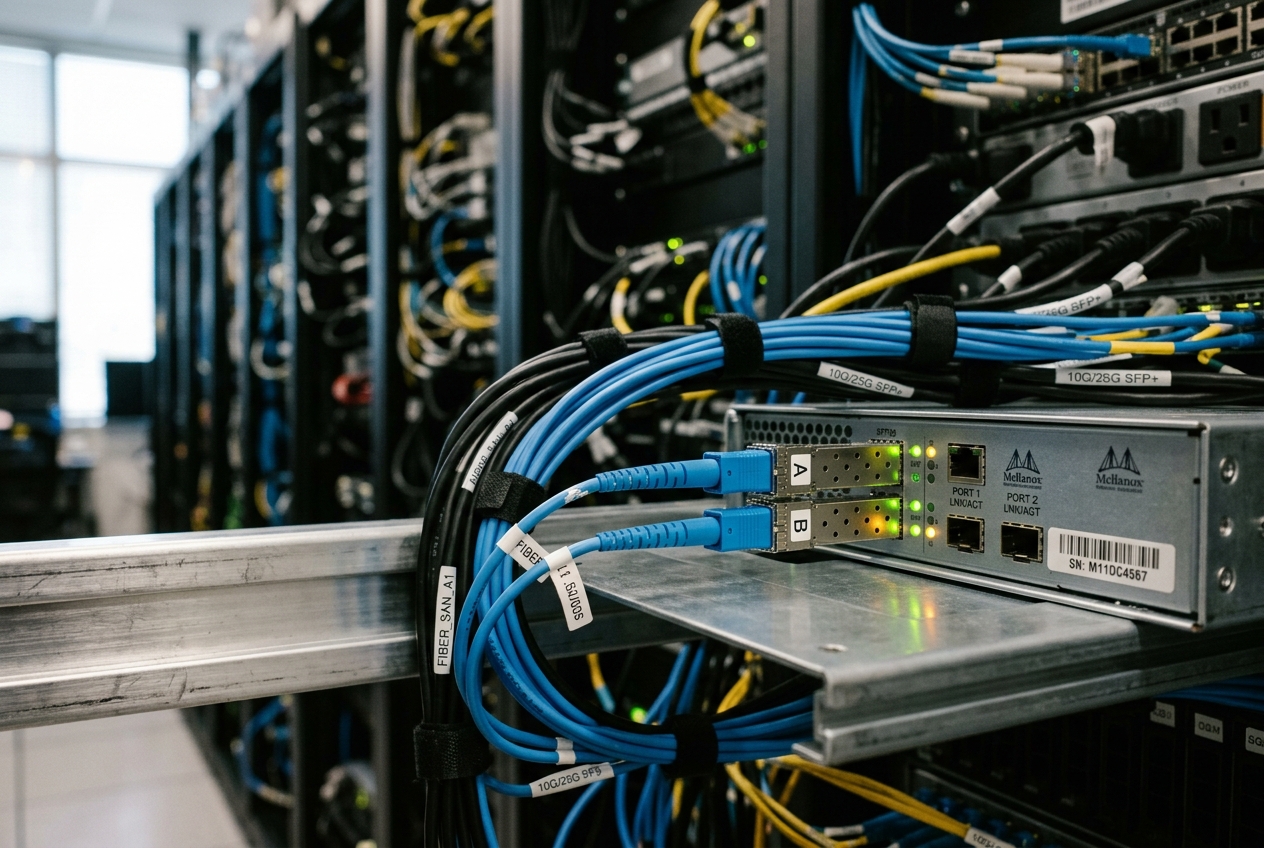
Your usual diagnostic reflex—hammering out lsblk or df -h—fails immediately. The commands hang indefinitely, trapped waiting on disk inputs that never return. You are staring at a locked terminal in the dark, the business is losing transactions with every passing second, and you need to figure out which storage links are alive and which have severed without rebooting the entire fleet.
This is where the single most important diagnostic command in Linux storage networking comes in. Before touching filesystems or pulling power cables, you query the running sessions with first-level verbosity:
iscsiadm -m session -P 1
Target: iqn.2026-08.com.storage:tier1.allflash.pg01 (non-flash)
    Current Portal: 192.168.100.50:3260,1
    Persistent Portal: 192.168.100.50:3260,1
        Interface:
        Iface Name: default
        Iface Transport: tcp
        Iface Initiatorname: iqn.2026-08.org.linux:initiator.compute-node-04
        SID: 1
        State: LOGGED_IN
Within a fraction of a second, this single invocation cuts through the frozen kernel queues to tell you whether your host is still talking to its storage arrays, which network paths are healthy, and whether your sessions are active or dead in the water. Welcome to iscsiadm—the control plane engine that tames enterprise storage networks.
1. What It Does in Plain English
At its core, iscsiadm is the command-line administration tool that allows a standard Linux server to transform everyday Ethernet network cables into virtual hard-drive cables. It manages the discovery, authentication, session establishment, parameter tuning, and dynamic lifecycle of remote block storage targets delivered over IP networks via the iSCSI protocol.
By abstracting the complex negotiations between local Linux kernel SCSI drivers and remote storage area network (SAN) arrays, iscsiadm makes remote storage arrays located across the data centre appear to your operating system as if they were local, raw physical disks plugged directly into the motherboard (such as /dev/sda or /dev/sdb).
2. Architectural Foundations: The Daemon, Kernel Transport, and DB Hierarchy
To operate iscsiadm effectively when systems fail, an engineer must understand the dual-plane architecture governing the Open-iSCSI initiator subsystem. The architecture cleanly separates user-space control operations from high-throughput kernel-space data paths.
/var/lib/iscsi/nodes/
/var/lib/iscsi/send_targets/")] CLI <-->|"IPC / Netlink"| Daemon Daemon -->|"Read / Write"| DB end subgraph KernelSpace["Kernel Space"] Transport["scsi_transport_iscsi
(Transport Abstraction)"] TCP["iscsi_tcp
(Software TCP Stack)"] Offload["Hardware Offload
(e.g., qedf, bnx2i)"] Midlayer["SCSI Midlayer
(/sys/class/iscsi_session/)"] Block["Linux Block Layer
(/dev/sdX)"] Daemon -->|"Netlink Control Socket"| Transport Transport --> TCP Transport --> Offload TCP --> Midlayer Offload --> Midlayer Midlayer --> Block end
The Control Plane (iscsid and /var/lib/iscsi)
The user-space management daemon, iscsid, coordinates login negotiations, security parameter exchanges, session heartbeats, and error recovery. When an engineer executes iscsiadm, the command does not directly manipulate kernel memory; rather, it performs two distinct functions:
1. It queries and modifies the persistent flat-file configuration database stored in /var/lib/iscsi/. This directory contains separate trees for discovered targets (send_targets/), configured target nodes (nodes/), interface bindings (ifaces/), and active session states (isns/).
2. It communicates with iscsid across local Unix domain sockets and Netlink IPC channels to instruct the daemon to issue protocol data units (PDUs) for discovery, login, logout, or session parameter re-synchronization.
The Data Plane (scsi_transport_iscsi and iscsi_tcp)
Once user-space negotiation completes successfully, session parameters and cryptographic keys are passed down to the kernel storage layer via the Linux Kernel SCSI Subsystem. The scsi_transport_iscsi kernel module creates virtual SCSI host adapters and manages the SCSI transport class.
The software driver iscsi_tcp serializes raw SCSI command descriptor blocks (CDBs) and data into standard TCP/IP packets over standard kernel sockets, while hardware offload drivers (like QLogic or Broadcom iSCSI HBAs) offload this serialization entirely to dedicated ASICs.
Sysfs Virtual Filesystem Abstraction
When a session is established, the kernel exposes its topological hierarchy under /sys/class/iscsi_session/, /sys/class/iscsi_connection/, and /sys/class/iscsi_host/. Each active iSCSI session receives a synthetic descriptor (for instance, session1), which contains sysfs attributes representing operational metrics:
/sys/class/iscsi_session/session1/
  targetname          -> iqn.2026-08.com.storage:enterprise.san.lun01
  tpgt                -> 1
  state               -> LOGGED_IN
  data_pdu_in_order   -> 1
  datadgst_en         -> 0
  initial_r2t_en      -> 1
  device/
    target1:0:0/
      1:0:0:0/
        block/sda/
Understanding this hierarchy allows administrators to verify whether a stall originates in the TCP network transport, the iSCSI state machine, or the mid-layer SCSI command queue.
3. Core Flags and Syntax Reference
The syntax of iscsiadm is organized around operating modes (-m or --mode), which define the operational context, followed by targeting flags and action directives (-o or --op).
| Flag / Option | Operational Scope | Technical Purpose |
|---|---|---|
-m discoverydb / -m discovery |
Discovery Mode | Queries target portals using SendTargets or iSNS, writing records to the database. |
-m node |
Node Management Mode | Operates upon persistent target node records stored in /var/lib/iscsi/nodes/. |
-m session |
Session Mode | Inspects, rescans, or terminates active, in-kernel iSCSI connections. |
-m iface |
Interface Mode | Binds iSCSI traffic to dedicated physical NICs, VLANs, or hardware offload engines. |
-p <ip:port> |
Portal Specifier | Designates the IPv4/IPv6 address and TCP port (default 3260) of the storage target. |
-T <targetname> |
Target Name Specifier | Specifies the unique iSCSI Qualified Name (IQN) or Enterprise Number (EUI). |
-l / --login |
Session Lifecycle | Instructs iscsid to initiate authentication and establish an active kernel session. |
-u / --logout |
Session Lifecycle | Gracefully terminates an active session and removes associated block devices. |
-R / --rescan |
Bus Maintenance | Rescans the transport bus of an active session to detect LUN expansion or allocation. |
-o <op> |
Database Operator | Directs CRUD operations on the node database (new, update, delete, show). |
For complete parameter semantics and advanced options, consult the official man7.org iscsiadm(8) Linux Manual Page.
4. Five Production-Grade Engineering Scenarios
Scenario 1: SAN Discovery & Database Materialization across Isolated Storage Fabrics
Context
A newly deployed database hypervisor must discover and attach to high-density flash storage hosted on an isolated, non-routed storage subnet (10.250.40.0/24). We must discover all advertised target portals using SendTargets discovery and instantiate persistent records inside /var/lib/iscsi/nodes/ without establishing unvetted logins.
Execution
iscsiadm -m discoverydb \
  --type sendtargets \
  --portal 10.250.40.101:3260 \
  --discover
Terminal Output
10.250.40.101:3260,1 iqn.2026-08.com.storage:san.db-cluster.lun-pool-alpha
10.250.40.102:3260,2 iqn.2026-08.com.storage:san.db-cluster.lun-pool-alpha
10.250.40.103:3260,3 iqn.2026-08.com.storage:san.db-cluster.lun-pool-beta
Analytical Breakdown
iscsiadm -m discoverydb: Invokes discovery mode utilizing the persistent local database engine rather than a transient, one-time network sweep.--type sendtargets: Dictates the discovery protocol mechanism. The initiator queries the target's primary discovery portal using the text-based SendTargets command over an initial TCP handshake.--portal 10.250.40.101:3260: Specifies the initial IP address and listening port of the storage array's discovery interface.--discover: Commands the localiscsiddaemon to execute the discovery PDU exchange, parse all Target Portal Group Tags (TPGTs, indicated by,1,,2,,3), and write flat-file node record structures directly into/var/lib/iscsi/nodes/iqn.2026-08.com.storage:san.db-cluster.lun-pool-alpha/10.250.40.101,3260,1/default.
Subsequent Operational Action
The storage engineer verifies directory creation in /var/lib/iscsi/nodes/ and proceeds to enforce authentication rules before attempting session activation.
Scenario 2: Enforcing Mutual (Bidirectional) CHAP Cryptographic Authentication
Context
Corporate security mandates strict isolation on the storage fabric. The storage array requires mutual (bidirectional) Challenge Handshake Authentication Protocol (CHAP). The target must authenticate the initiator (forward CHAP), and the initiator must independently authenticate the target storage controller (reverse CHAP) to prevent rogue portal spoofing and Man-in-the-Middle (MitM) attacks.
Execution
# Set authentication mode to CHAP
iscsiadm -m node \
  -T iqn.2026-08.com.storage:san.db-cluster.lun-pool-alpha \
  -p 10.250.40.101:3260 \
  -o update \
  -n node.session.auth.authmethod -v CHAP

# Configure Forward CHAP (Storage authenticates Initiator)
iscsiadm -m node \
  -T iqn.2026-08.com.storage:san.db-cluster.lun-pool-alpha \
  -p 10.250.40.101:3260 \
  -o update \
  -n node.session.auth.username -v "init_client_principal"

iscsiadm -m node \
  -T iqn.2026-08.com.storage:san.db-cluster.lun-pool-alpha \
  -p 10.250.40.101:3260 \
  -o update \
  -n node.session.auth.password -v "K9#mX9$vL2_securePasswd"

# Configure Reverse CHAP (Initiator authenticates Storage Target)
iscsiadm -m node \
  -T iqn.2026-08.com.storage:san.db-cluster.lun-pool-alpha \
  -p 10.250.40.101:3260 \
  -o update \
  -n node.session.auth.username_in -v "target_array_principal"

iscsiadm -m node \
  -T iqn.2026-08.com.storage:san.db-cluster.lun-pool-alpha \
  -p 10.250.40.101:3260 \
  -o update \
  -n node.session.auth.password_in -v "R7!pZ4*qW8_targetSecret"
Terminal Output
(Execution completes silently with return code 0, persisting updates to disk.)
Verify the written cryptographic state:
iscsiadm -m node \
  -T iqn.2026-08.com.storage:san.db-cluster.lun-pool-alpha \
  -p 10.250.40.101:3260
# BEGIN RECORD 2.1.8
node.name = iqn.2026-08.com.storage:san.db-cluster.lun-pool-alpha
node.tpgt = 1
node.startup = manual
node.session.auth.authmethod = CHAP
node.session.auth.username = init_client_principal
node.session.auth.password = ********
node.session.auth.username_in = target_array_principal
node.session.auth.password_in = ********
node.session.timeo.replacement_timeout = 120
...
# END RECORD
Analytical Breakdown
-m node: Focuses changes on the persistent node database records.-o update: Directs the database engine to modify key-value pairs in the specified record file without modifying other attributes.-n node.session.auth.authmethod -v CHAP: Enforces cryptographic challenge-response validation during the iSCSI login phase.node.session.auth.username&password: Parameters for Forward CHAP authentication presented by the Linux initiator to the storage target.node.session.auth.username_in&password_in: Parameters for Reverse (Mutual) CHAP. During the login PDU exchange, the target must solve an MD5 cryptographic challenge matching this secret before the initiator's kernel allows session progression.
Subsequent Operational Action
Review comprehensive authentication directives via the Red Hat Enterprise Linux Storage Administration Guide, then proceed to session login.
Scenario 3: Interface Binding (iface) & Session Timeout Hardening for Network Flaps
Context
A Linux server has dual 25GbE network interfaces (ens1f0 and ens1f1). The default Linux routing table would route both iSCSI paths through a single default gateway, breaking path diversity.
We must bind the Open-iSCSI subsystem to a specific network interface (iface) and tune failover timeouts. By default, replacement_timeout is set to 120 seconds, which causes application I/O to freeze for two full minutes during a transient cable disconnect before failing over. We will tune this to 15 seconds and configure aggressive noop-out keep-alive probes to detect silent network black-holes.
Execution
# 1. Define and bind a custom iSCSI interface to physical NIC ens1f0
iscsiadm -m iface -I iface-storage01 -o new
iscsiadm -m iface -I iface-storage01 -o update -n iface.net_ifacename -v ens1f0
iscsiadm -m iface -I iface-storage01 -o update -n iface.transport_name -v tcp

# 2. Tune failover timeouts and keepalive probes for the target node
iscsiadm -m node \
  -T iqn.2026-08.com.storage:san.db-cluster.lun-pool-alpha \
  -p 10.250.40.101:3260 \
  -o update \
  -n node.session.timeo.replacement_timeout -v 15

iscsiadm -m node \
  -T iqn.2026-08.com.storage:san.db-cluster.lun-pool-alpha \
  -p 10.250.40.101:3260 \
  -o update \
  -n node.conn[0].timeo.noop_out_interval -v 5

iscsiadm -m node \
  -T iqn.2026-08.com.storage:san.db-cluster.lun-pool-alpha \
  -p 10.250.40.101:3260 \
  -o update \
  -n node.conn[0].timeo.noop_out_timeout -v 5

# 3. Establish persistent session bound to the defined interface
iscsiadm -m node \
  -T iqn.2026-08.com.storage:san.db-cluster.lun-pool-alpha \
  -p 10.250.40.101:3260 \
  -I iface-storage01 \
  --login
Terminal Output
Logging in to [iface: iface-storage01, target: iqn.2026-08.com.storage:san.db-cluster.lun-pool-alpha, portal: 10.250.40.101,3260] (multiple)
Login to [iface: iface-storage01, target: iqn.2026-08.com.storage:san.db-cluster.lun-pool-alpha, portal: 10.250.40.101,3260] successful.
Analytical Breakdown
iscsiadm -m iface -I iface-storage01 -o new: Allocates an interface configuration record inside/var/lib/iscsi/ifaces/iface-storage01.iface.net_ifacename = ens1f0: Binds the socket creation explicitly to theens1f0network device usingSO_BINDTODEVICE, completely bypassing standard IP routing tables to ensure deterministic physical path isolation.node.session.timeo.replacement_timeout = 15: Instructs the kernel SCSI transport layer to wait precisely 15 seconds after a TCP disconnect occurs. During this window, I/O requests are held in a queue. If the connection cannot be re-established within 15 seconds, the kernel terminates the queue and fails outstanding I/O commands up to Device Mapper Multipath, prompting sub-second path failover.node.conn[0].timeo.noop_out_interval = 5&noop_out_timeout = 5: Instructsiscsidto transmit an iSCSINOP-OutPDU (an application-level ping) every 5 seconds. If the storage array does not acknowledge the ping with aNOP-Inwithin 5 seconds, the initiator declares the underlying TCP connection broken and immediately initiates recovery routines.
Subsequent Operational Action
Verify kernel session attachment and examine dmesg to confirm SCSI device instantiation:
dmesg | tail -n 8
[ 4120.104921] scsi host4: iSCSI Initiator over TCP/IP
[ 4120.354112] scsi 4:0:0:0: Direct-Access     PURE     FlashArray       8820 PQ: 0 ANSI: 6
[ 4120.355102] sd 4:0:0:0: Attached scsi generic sg2 type 0
[ 4120.356230] sd 4:0:0:0: [sdb] 2097152000 512-byte logical blocks: (1.07 TB/1.00 TiB)
[ 4120.357112] sd 4:0:0:0: [sdb] Write Protect is off
[ 4120.358204] sd 4:0:0:0: [sdb] Write cache: enabled, read cache: enabled, doesn't support DPO or FUA
[ 4120.360120] sd 4:0:0:0: [sdb] Attached SCSI disk
Scenario 4: Non-Disruptive Online LUN Expansion and Sysfs SCSI Rescanning
Context
A 1.00 TiB database volume hosted on /dev/sdb has been expanded on the SAN management console to 2.50 TiB. The volume is mounted in production under high transactional load. The operating system must detect the newly added blocks and update the block layer geometry without dropping I/O, restarting iscsid, or rebooting the host.
Execution
# 1. Trigger an in-band iSCSI transport rescan across all active sessions
iscsiadm -m session --rescan
Terminal Output
Rescanning session [sid: 1, target: iqn.2026-08.com.storage:san.db-cluster.lun-pool-alpha, portal: 10.250.40.101,3260]
Analytical Breakdown
iscsiadm -m session --rescan: Directs thescsi_transport_iscsikernel module to issue a non-blocking SCSIREPORT LUNSandINQUIRYcommand across the active transport session.- The kernel receives the revised capacity metadata from the SAN controller and triggers the mid-layer SCSI disk driver (
sd) to update its internal capacity table.
Verify the kernel expansion directly via sysfs and dmesg:
dmesg | tail -n 4
[ 5890.112903] sd 4:0:0:0: [sdb] 5242880000 512-byte logical blocks: (2.68 TB/2.50 TiB)
[ 5890.113010] sdb: detected capacity change from 1073741824000 to 2684354560000
Alternative low-level manual sysfs trigger (useful if isolating a single specific device):
echo 1 > /sys/class/scsi_device/4:0:0:0/device/rescan
Subsequent Operational Action
With the raw SCSI capacity updated from 1.00 TiB to 2.50 TiB, the administrator expands the overlying filesystem (or LVM volume group) live:
# For XFS Filesystems:
xfs_growfs /mnt/database_data

# For EXT4 Filesystems:
resize2fs /dev/sdb
Scenario 5: Quiesced Decommissioning, Graceful Session Teardown, and Database Purging
Context
A legacy storage array is being decommissioned. An administrator must safely flush outstanding I/O buffers, unmount filesystems, terminate the active kernel sessions, and completely remove the obsolete portal records from the local discovery database to prevent boot-time connection hangs.
Execution
# 1. Unmount the filesystem and verify no processes hold open file handles
umount /mnt/legacy_storage
sync

# 2. Flush block device buffers and delete the SCSI device from the kernel midlayer
echo 1 > /sys/block/sdb/device/delete

# 3. Gracefully log out of the active iSCSI session
iscsiadm -m node \
  -T iqn.2026-08.com.storage:san.db-cluster.lun-pool-alpha \
  -p 10.250.40.101:3260 \
  --logout

# 4. Completely purge the node record from /var/lib/iscsi/nodes/
iscsiadm -m node \
  -T iqn.2026-08.com.storage:san.db-cluster.lun-pool-alpha \
  -p 10.250.40.101:3260 \
  -o delete

# 5. Purge the discovery record from /var/lib/iscsi/send_targets/
iscsiadm -m discoverydb \
  -p 10.250.40.101:3260 \
  -o delete
Terminal Output
Logging out of session [sid: 1, target: iqn.2026-08.com.storage:san.db-cluster.lun-pool-alpha, portal: 10.250.40.101,3260]
Logout of [sid: 1, target: iqn.2026-08.com.storage:san.db-cluster.lun-pool-alpha, portal: 10.250.40.101,3260] successful.
Analytical Breakdown
echo 1 > /sys/block/sdb/device/delete: Removes the SCSI representation from the kernel prior to cutting transport connectivity. This guarantees that dirty buffers are cleanly written and prevents the kernel from emitting persistent SCSI sense errors.--logout: Transmits an iSCSILogout RequestPDU. The target acknowledges with aLogout Response, closing the TCP connection cleanly and tearing down the kernel transport context.-o delete: Deletes the persistent configuration directories from/var/lib/iscsi/nodes/and/var/lib/iscsi/send_targets/. Without this step, system startup scripts (such asiscsi.service) would attempt to log in to the decommissioned portals on every system boot, delaying the boot sequence by several minutes due to connection timeouts.
Subsequent Operational Action
Verify that the node database is clean:
iscsiadm -m node
iscsiadm: No records found
5. Enterprise Integration: Device-Mapper Multipath and Systemd Dependencies
In production enterprise architectures, raw iSCSI block devices (/dev/sdX) should rarely be mounted directly. Storage arrays expose identical LUNs across multiple redundant controllers and network fabrics. iscsiadm must be paired with Device Mapper Multipath (multipathd) to aggregate multiple paths into a single resilient virtual device (/dev/mapper/mpathX).
10.250.40.101"] PortalB["Portal B (Fabric 2)
10.250.40.102"] PathA["Host Path A (/dev/sdb)"] PathB["Host Path B (/dev/sdc)"] Multipath["Device Mapper Multipath
(/dev/mapper/mpatha)"] App["Filesystem / Application
(e.g., Mount /data)"] Array --> PortalA Array --> PortalB PortalA -->|"iSCSI Session 1"| PathA PortalB -->|"iSCSI Session 2"| PathB PathA --> Multipath PathB --> Multipath Multipath --> App
Critical Multipath Parameters for iSCSI
When pairing Open-iSCSI with multipathd, ensure /etc/multipath.conf handles path failure recovery correctly:
defaults {
    user_friendly_names yes
    find_multipaths yes
    enable_foreign none
}

devices {
    device {
        vendor "PURE"
        product "FlashArray"
        path_grouping_policy "group_by_prio"
        path_checker "tur"
        fast_io_fail_tmo 10
        dev_loss_tmo 30
        no_path_retry 18
    }
}
fast_io_fail_tmo 10: Specifies the time in seconds that the multipath driver will wait before failing outstanding I/O when a single path encounters link degradation. This value must be slightly lower thannode.session.timeo.replacement_timeoutin the iSCSI node database.no_path_retry 18: If all iSCSI paths fail simultaneously, multipath queues I/O operations (18 retries at polling intervals) rather than failing them immediately to the filesystem, preventing read-only filesystem remounts during rolling storage controller upgrades.
Refer to the Device Mapper Multipath Kernel Documentation for advanced queueing policies.
Systemd Network Mount Coordination
To prevent boot panics and unmount stalls at shutdown, filesystems residing on iSCSI volumes must declare strict network dependencies in /etc/fstab:
/dev/mapper/mpatha-part1 /var/lib/mysql xfs _netdev,defaults,noatime 0 0
The _netdev mount option is mandatory. It prevents systemd from attempting to mount the filesystem before the network stack and iscsid are operational during boot, and ensures the filesystem is cleanly unmounted before network and iSCSI services are terminated during system shutdown. Consult the ArchWiki Open-iSCSI Guide for distribution-specific systemd service chains.
6. What Can Go Wrong: Diagnostic Troubleshooting & Failure Modes
1. The "Uninterruptible Sleep (D-state) Black Hole"
- The Danger: When network connectivity fails and
node.session.timeo.replacement_timeoutis set to its default (120seconds) or set to high values without multipathing, kernel worker threads attempting disk I/O block indefinitely inTASK_UNINTERRUPTIBLE. Processes cannot be killed withSIGKILL(kill -9), system load averages skyrocket, and the machine will hang during a soft reboot. - Root Cause: The kernel iSCSI transport layer locks the SCSI command queue while waiting for a recovery that never arrives.
- Remediation: Force immediate session teardown without waiting for daemon negotiations:
bash
  # Force an aggressive kernel session drop
  echo 1 > /sys/class/iscsi_session/session1/force_logout
Adjust configuration templates in/etc/iscsi/iscsid.confto permanently lowernode.session.timeo.replacement_timeoutto15seconds across all future discoveries.
2. Silent CHAP Negotiation Failures (Error Code 15 / 24)
- The Danger: The administrator runs
iscsiadm -m node -l, and the command aborts with:iscsiadm: initiator reported error (24 - iSCSI login failed due to authorization failure) - Root Cause: Mismatched initiator names or trailing whitespace in CHAP secrets. By default, storage arrays validate the incoming initiator IQN against access control lists (ACLs) before evaluating CHAP secrets. If
/etc/iscsi/initiatorname.iscsidoes not match the SAN target configuration exactly, authentication is rejected. - Remediation:
1. Inspect the local IQN:
bash
     cat /etc/iscsi/initiatorname.iscsi
2. Verify thatnode.session.auth.usernameandnode.session.auth.passworddo not contain unescaped shell characters. 3. Increaseiscsidlogging verbosity in/etc/iscsi/iscsid.confby setting:text iscsid.startup = /usr/sbin/iscsid -d 84. Review authorization logs:bash journalctl -u iscsid.service -e
7. Today's Takeaway
Mastery over iscsiadm is the dividing line between an administrator who panics during storage link degradation and a systems architect who designs deterministic, self-healing infrastructure. In the next five minutes, execute iscsiadm -m session -P 1 on your staging or production nodes to verify your active session topology. Inspect /var/lib/iscsi/nodes/ to audit your timeout parameters, ensure that node.session.timeo.replacement_timeout is tuned to align with your multipath failover policies rather than the stock 120-second default, and confirm that all remote storage mounts in /etc/fstab are safeguarded with the _netdev flag.