Ipmitool: Managing Out-of-Band Baseboard Controllers, Auditing Server Chassis Sensor Telemetry, and Orchestrating Remote Power Operations in Production
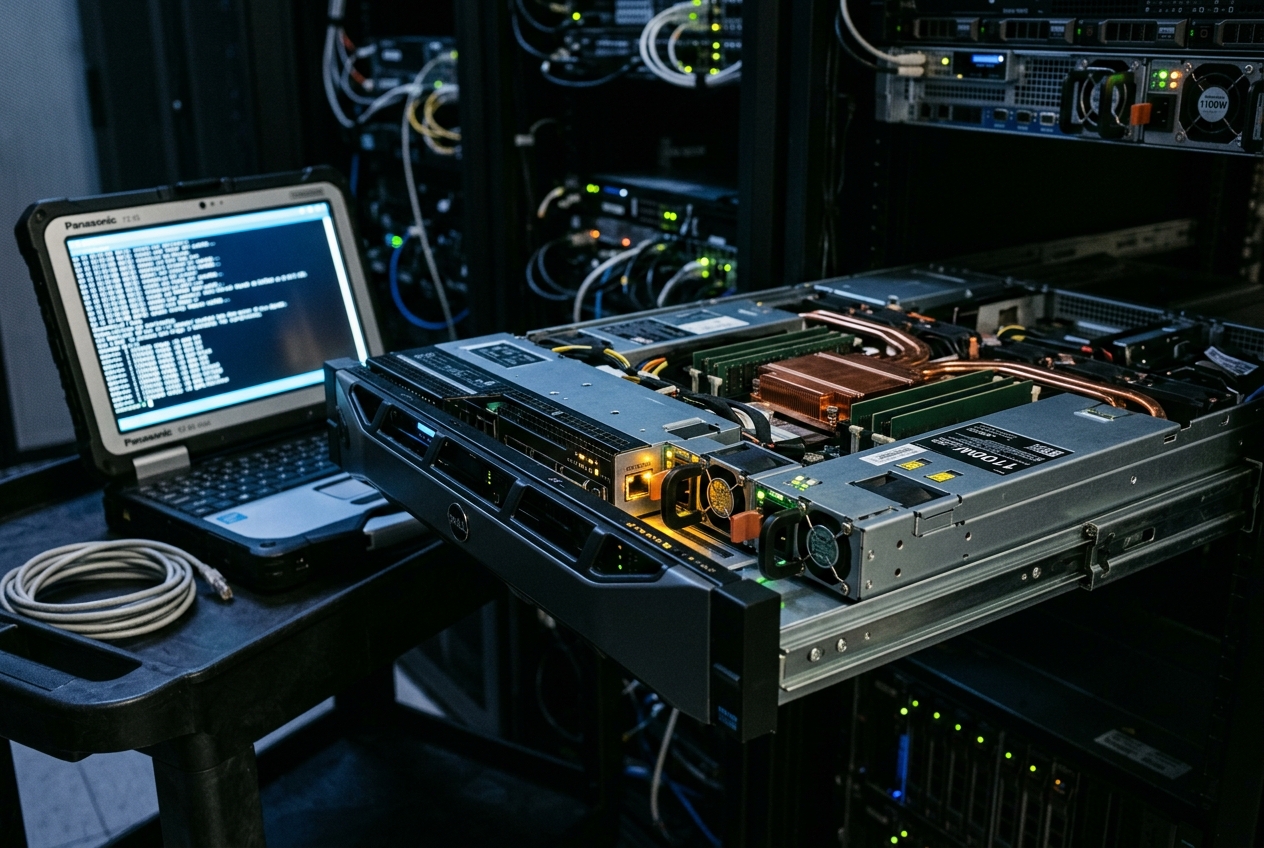
The operating system’s kernel has suffered a total lockup, freezing every software service and rendering standard remote administration tools entirely useless. To an inexperienced operator, this scenario is a waking nightmare that demands an emergency dispatch—an agonizing, hours-long wait for on-site data centre technicians to walk the floor and manually pull the plug.
Yet beneath the silent silicon of the frozen motherboard sits an independent, miniature computer that never sleeps. Powered by auxiliary electrical standby lines even when the main processors are dead, this tiny watchdog—known as the Baseboard Management Controller (BMC)—is wide awake and quietly listening on an isolated management network. By reaching for ipmitool, a systems engineer bypasses the crashed operating system entirely, commanding the underlying hardware directly, reading physical temperature sensors, and restoring service within seconds.
If you are logged into a Linux server and want to know immediately whether this out-of-band management hardware is present and responding, the single most useful verification command inspects the controller directly:
sudo ipmitool bmc info
Executing this command queries the internal service processor over the motherboard's system bus and returns its operational vital signs:
Device ID                 : 32
Device Revision           : 1
Firmware Revision         : 2.88
IPMI Version              : 2.0
Manufacturer ID           : 674 (Dell Inc.)
Manufacturer Sub-ID       : 0
Product ID                : 0 (0x0000)
Device Available          : yes
Provides Device SDRs      : yes
Additional Device Support :
    Sensor Device
    SDR Repository Device
    SEL Device
    FRU Inventory Device
    IPMB Event Receiver
    IPMB Event Generator
    Chassis Device
Aux Firmware Rev Info     :
    0x00
    0x00
    0x00
    0x00
This baseline check confirms that the service processor is healthy (Device Available : yes), identifies the hardware vendor and firmware version, and verifies that the chassis is equipped to provide sensor telemetry, event logs, and remote power orchestration.
What It Does in Plain English
The ipmitool utility is an open-source command-line interface designed to monitor, configure, and manage physical bare-metal servers independently of whatever operating system is installed on them. It communicates directly with the Baseboard Management Controller (BMC)—an autonomous service processor mounted directly onto the server motherboard—using the industry-standard Intelligent Platform Management Interface (IPMI) Specification.
Because the BMC runs its own embedded firmware and draws standby power the moment the server is plugged into the wall, ipmitool operates across an out-of-band management plane. Through this dedicated channel, systems engineers can audit thermal sensors, inspect fan speeds and power supply health, read hardware crash logs, redirect firmware boot targets, launch remote serial consoles, and force hardware power cycles—even when the server is powered down, stuck in BIOS initialization, or suffering a catastrophic kernel panic.
Core Flags & Operational Syntax
Executing ipmitool requires defining the transport interface, target addressing, authentication parameters, and the subsystem command verbs:
-I <interface>: Specifies the communication interface. Common options areopen(for local, in-band execution via Linux kernel drivers) andlanplus(for remote, out-of-band network communication using authenticated IPMI 2.0 / RMCP+ encryption).-H <hostname/ip>: Specifies the IP address or hostname of the remote BMC.-U <username>: Supplies the administrative username configured on the BMC.-P <password>: Provides the administrative password directly on the command line (or-f <password_file>to read credentials safely from a file without exposing them in process lists).-L <privilege_level>: Enforces the session privilege ceiling (CALLBACK,USER,OPERATOR,ADMINISTRATOR).-C <cipher_suite>: Selects the cryptographic cipher suite for encryption, integrity, and authentication (e.g.,-C 17for SHA256 authentication and AES encryption).-v/-vv/-vvv: Increases output verbosity, displaying raw packet payloads for protocol debugging.
Conceptual Architecture & Subsystem Fundamentals
To utilize ipmitool effectively in production environments, administrators must understand the hardware, driver, and protocol boundaries separating host computing from out-of-band management.
(/dev/ipmi0, ipmi_msghandler)"] Kernel -->|System Interface Driver: KCS / BT| SystemInterface["Memory-Mapped I/O Registers"] end subgraph OutOfBand["Out-of-Band Network Management"] RemoteAdmin["Remote SRE Workstation"] -->|CLI Invocation| ToolRemote["ipmitool -I lanplus"] ToolRemote -->|UDP Port 623: RMCP+| MgmtNetwork["Air-Gapped Management VLAN"] MgmtNetwork -->|Dedicated Physical Link| OOBNic["Dedicated BMC Network Interface"] end SystemInterface --> BMCController["Baseboard Management Controller (BMC)
(Autonomous ARM SoC / Standby Power Rail)"] OOBNic --> BMCController subgraph HardwareSensors["Motherboard Instrumentation"] BMCController -->|I2C / SMBus| SDRStore["Sensor Data Repository (SDR)
Temperatures, Fans, Voltages"] BMCController -->|Non-Volatile Buffer| SELStore["System Event Log (SEL)
Hardware Crash & ECC Fault Records"] BMCController -->|PMBus / GPIO| PowerRays["Power Distribution Board
Primary DC Rails (+12V, +5V, +3.3V)"] end
The Baseboard Management Controller (BMC)
At the heart of bare-metal management is the BMC—an independent System-on-Chip (often an ARM-based processor such as the ASPEED AST2500 or AST2600 series) integrated into the server mainboard. The BMC functions as a self-contained computer inside the server:
- Independent Firmware: It runs its own specialized operating system (such as OpenBMC or an embedded real-time OS), completely separated from the host's Linux or hypervisor environment.
- Standby Auxiliary Power: It draws power from the power supply’s auxiliary rail (
+5VSB), maintaining constant power even when the main processors, system memory, and PCIe buses are shut down. - Hardware-Level Access: It connects directly to motherboard telemetry buses, including Inter-Integrated Circuit ($\text{I}^2\text{C}$), System Management Bus (SMBus), and Power Management Bus (PMBus), allowing it to poll sensors and assert hardware control lines.
In-Band vs. Out-of-Band Communication
ipmitool connects to the management controller via two primary pathways:
In-Band Local Communication
When executed directly on the host machine using -I open, ipmitool does not traverse the network. Instead, it interacts with device nodes provided by the Linux Kernel OpenIPMI Subsystem (/dev/ipmi0 or /dev/ipmidev/0). The kernel's ipmi_msghandler and ipmi_si drivers route commands across physical motherboard register interfaces such as Keyboard Controller Style (KCS) or Block Transfer (BT).
Out-of-Band (OOB) Network Communication
When run remotely across the network using -I lanplus, ipmitool encapsulates IPMI 2.0 messages inside Remote Management Control Protocol (RMCP+) packets over UDP port 623. The BMC answers via its own dedicated physical Ethernet port, operating independently of the host operating system's network configuration, link aggregation bonds, or firewall rules.
RMCP+ Security and Cipher Suites
Under IPMI 2.0, network authentication relies on the Remote Authenticated Key-Exchange Protocol (RAKP). RAKP negotiates three distinct cryptographic layers:
- Authentication Algorithm: Verifies user identity (e.g.,
RAKP-HMAC-SHA1,RAKP-HMAC-SHA256). - Integrity Algorithm: Prevents packet tampering (e.g.,
HMAC-SHA256-128,HMAC-SHA1-96). - Confidentiality Algorithm: Encrypts the payload stream (e.g.,
AES-CBC-128).
Standardized combinations of these algorithms are identified as Cipher Suites. In modern enterprise environments, Cipher Suite 17 (-C 17) is the recommended standard, pairing SHA256 authentication with AES-CBC encryption.
Five Real-World Production Use Cases
Use Case 1: Real-Time Thermal & Hardware Sensor Auditing
Scenario
A distributed machine learning compute node experiences intermittent CPU throttling under heavy training loads. Systems engineers need to audit motherboard thermal diodes and voltage rails in real time to determine whether inadequate cooling or power rail droop is causing the processors to down-clock.
Exact Commands
To list all active sensors across the chassis:
ipmitool -I lanplus -H 10.240.12.45 -U sysadmin -f /etc/ipmi.secret -C 17 sdr list full
To extract detailed telemetry and threshold boundaries for a specific CPU socket:
ipmitool -I lanplus -H 10.240.12.45 -U sysadmin -f /etc/ipmi.secret -C 17 sensor get "CPU0 Temp"
Realistic Terminal Output
Locating sensor record 'CPU0 Temp'...
Sensor ID              : CPU0 Temp (0x50)
 Entity ID             : 3.1 (Processor)
 Sensor Type (Analog)  : Temperature
 Sensor Reading        : 88 (+/- 1) degrees C
 Status                : Non-Critical
 Nominal Reading       : 50.000
 Normal Minimum        : 20.000
 Normal Maximum        : 75.000
 Upper non-recoverable : 100.000
 Upper critical        : 95.000
 Upper non-critical    : 85.000
 Lower non-recoverable : 0.000
 Lower critical        : 5.000
 Lower non-critical    : 10.000
 Positive Hysteresis   : 2.000
 Negative Hysteresis   : 2.000
 Minimum sensor range  : Unspecified
 Maximum sensor range  : Unspecified
 Event Message Control : Per-threshold
 Readable Thresholds   : lnr lcr lnc unc ucr unr
 Settable Thresholds   : lnr lcr lnc unc ucr unr
 Threshold Read Mask   : lnr lcr lnc unc ucr unr
 Assertion Events      : unc+
 Event Asserted Flags  : unc+
| Temperature Threshold | Threshold Code | Operational Hardware Trigger |
|---|---|---|
| 100°C | Upper Non-Recoverable (unr) |
Mandatory emergency hardware shutdown to prevent silicon damage |
| 95°C | Upper Critical (ucr) |
Severe throttling, CPU PROCHOT assertion, aggressive clock down-regulation |
| 88°C | Current Sensor Reading | Assertion Flag Active (unc+), running 3°C above warning threshold |
| 85°C | Upper Non-Critical (unc) |
Warning threshold crossed; fans ramped to 100% duty cycle |
| 50°C | Nominal Reading | Baseline expected operating temperature under standard production load |
| 20°C | Normal Minimum | Typical data centre intake / idle baseline temperature |
Line-by-Line Output Deconstruction
Sensor ID : CPU0 Temp (0x50): The physical identifier and hexadecimal address assigned to the CPU Socket 0 thermal diode in the Sensor Data Repository.Sensor Reading : 88 (+/- 1) degrees C: The live operating temperature reported by the BMC's analog-to-digital converter.Status : Non-Critical: Indicates an alert state has been triggered, though not yet at emergency shutdown levels.Upper non-critical : 85.000/Upper critical : 95.000: Hardware threshold boundaries. Exceeding 85°C triggers maximum chassis fan speeds; reaching 95°C initiates hardware clock throttling.Assertion Events : unc+: Confirms that the upper non-critical threshold has been breached in an upward direction, maintaining an active alert flag.
What the Administrator Does Next
Recognizing that the processor is running 3°C above its warning threshold (unc+), the administrator queries fan speeds with ipmitool sdr type fan to verify all chassis fan modules are spinning at maximum RPM. If fan speeds are normal, the administrator inspects the data centre intake air temperature and schedules physical maintenance to inspect the heatsink seating and reapply thermal paste.
Use Case 2: System Event Log (SEL) Forensics & Hardware Fault Triaging
Scenario
A high-throughput storage server spontaneously reboots without leaving an operating system crash dump or panic message in /var/log. The administrator must interrogate the non-volatile System Event Log (SEL) inside the BMC to identify the hardware event that triggered the unexpected reset.
Exact Commands
To list and decode extended hardware event records:
ipmitool -I lanplus -H 10.240.12.45 -U sysadmin -f /etc/ipmi.secret -C 17 sel elist
To clear the SEL buffer once records have been archived for root-cause analysis:
ipmitool -I lanplus -H 10.240.12.45 -U sysadmin -f /etc/ipmi.secret -C 17 sel clear
Realistic Terminal Output
   1 | 08/19/2026 | 21:14:02 | Power Supply #0x71 | Power Supply Failure detected | Asserted
   2 | 08/19/2026 | 21:14:05 | Power Supply #0x70 | Redundancy Degraded | Asserted
   3 | 08/19/2026 | 22:05:18 | Memory #0x20 | Correctable ECC | Memory DIMM_A1 logging limit reached | Asserted
   4 | 08/19/2026 | 23:41:12 | Memory #0x20 | Uncorrectable ECC | Memory DIMM_A1 fatal multi-bit error | Asserted
   5 | 08/19/2026 | 23:41:13 | Processor #0x01 | Machine Check Exception (MCE) | IERR asserted | Asserted
   6 | 08/19/2026 | 23:41:15 | Critical Interrupt #0x03 | Front Panel NMI | Bus fatal error | Asserted
Line-by-Line Output Deconstruction
- Records
1&2: Power Supply Unit 2 (#0x71) failed, causing the chassis power subsystem to lose redundancy. - Record
3: Memory moduleDIMM_A1experienced recurring single-bit errors, which the memory controller corrected until reaching its internal logging threshold. - Record
4: The failing memory module degraded into an uncorrectable multi-bit fault (Uncorrectable ECC), corrupting data in active memory registers. - Record
5: The CPU detected corrupt instructions, asserting an Internal Error (IERR) and raising a Machine Check Exception (MCE). - Record
6: The hardware converted the fault into a Non-Maskable Interrupt (NMI), instantly halting the system to prevent data corruption.
What the Administrator Does Next
The administrator isolates the faulty hardware components (DIMM_A1 and PSU 0x71), opens an RMA ticket with the server manufacturer, dispatches replacement parts with exact physical slot locations, and clears the SEL buffer after maintenance to establish a clean monitoring baseline.
Use Case 3: Remote Chassis Power Governance & Unresponsive Host Recovery
Scenario
A server suffers a hard kernel freeze inside an unresponsive kernel driver. The operating system fails to process ACPI shutdown signals, and network SSH sessions are completely dead. The engineer must force a diagnostic memory dump or execute a physical cold power cycle.
Exact Commands
To check current chassis power status:
ipmitool -I lanplus -H 10.240.12.45 -U sysadmin -f /etc/ipmi.secret -C 17 chassis power status
To send a Non-Maskable Interrupt (NMI) and trigger an emergency kernel crash dump:
ipmitool -I lanplus -H 10.240.12.45 -U sysadmin -f /etc/ipmi.secret -C 17 chassis power diag
To force a full hardware power cycle:
ipmitool -I lanplus -H 10.240.12.45 -U sysadmin -f /etc/ipmi.secret -C 17 chassis power cycle
Realistic Terminal Output
Chassis Power is on

[Executing: chassis power diag]
Diagnostic Interrupt sent to Chassis

[Executing: chassis power status]
Chassis Power is on

[Executing: chassis power cycle]
Chassis Power Control: Cycle
ipmitool chassis power soft"]
B --> C{"Did OS unmount cleanly?"}
C -- Yes --> D["Clean system shutdown achieved"]
C -- No --> E["2. Inject Non-Maskable Interrupt (NMI)ipmitool chassis power diag"]
E --> F{"Did kernel trigger kdump?"}
F -- Yes --> G["Memory dump captured to disk"]
F -- No --> H["3. Execute Cold Hardware Power Cycleipmitool chassis power cycle"]
G --> H
H --> I["BMC drops +12V power rails for 5 secondsChassis executes cold POST reboot"]
Line-by-Line Output Deconstruction
Chassis Power is on: Verifies that the chassis power distribution board is energized and supplying primary DC voltages to the motherboard.Diagnostic Interrupt sent to Chassis: The BMC pulls the physical NMI line low on the system bus. This forces the CPU into its highest-priority interrupt routine, prompting the Linux kernel to executekdumpand save memory state to disk before halting.Chassis Power Control: Cycle: The BMC instructs the power supply to drop the main DC voltage rails to ground for approximately five seconds before restoring power, initiating a true cold reboot at the physical layer.
What the Administrator Does Next
Following the power cycle command, the administrator opens a Serial-over-LAN connection to observe the server's Power-On Self-Test (POST) sequence, verify memory initialization, and confirm that the operating system boots cleanly into multi-user mode.
Use Case 4: Out-of-Band Serial-over-LAN (SOL) Emergency Recovery
Scenario
Following a kernel upgrade and disk reconfiguration, a remote server fails to complete its boot sequence. The system hangs prior to bringing up network interfaces due to a malformed UUID entry in /etc/fstab. The administrator must access the console to repair the configuration without physical access.
Exact Commands
To configure the SOL baud rate:
ipmitool -I lanplus -H 10.240.12.45 -U sysadmin -f /etc/ipmi.secret -C 17 sol set non-volatile-bit-rate 115.2 1
To clear any orphaned SOL sessions left open by disconnected sessions:
ipmitool -I lanplus -H 10.240.12.45 -U sysadmin -f /etc/ipmi.secret -C 17 sol deactivate
To open an interactive Serial-over-LAN console:
ipmitool -I lanplus -H 10.240.12.45 -U sysadmin -f /etc/ipmi.secret -C 17 sol activate
Realistic Terminal Output
[SOL Session operational.  Use ~? for help, ~. to exit]

[ TIME ] Timed out waiting for device /dev/disk/by-uuid/3f8a1c2d-9e4b-4a7f.
[DEPEND] Dependency failed for /data.
[DEPEND] Dependency failed for Local File Systems.
You are in emergency mode. After logging in, type "journalctl -xb" to view
system logs, "systemctl reboot" to reboot, or "exit" to continue bootup.
Give root password for maintenance
(or press Control-D to continue):
Entering emergency maintenance shell...
root@edge-node-01:~#
Line-by-Line Output Deconstruction
[SOL Session operational. Use ~? for help, ~. to exit]: Confirms thatipmitoolhas established an encrypted RMCP+ payload stream over UDP port 623, redirecting the motherboard's serial UART stream directly to your terminal.Timed out waiting for device ...: Systemd reports that a storage partition listed in/etc/fstabcould not be located before the device timeout expired.Dependency failed for Local File Systems: The init system halts standard multi-user startup because a required local mount point failed.Entering emergency maintenance shell...: The system drops into single-user recovery mode, accessible solely via console I/O.
What the Administrator Does Next
The administrator logs into the emergency maintenance shell, remounts the root filesystem in read-write mode (mount -o remount,rw /), edits /etc/fstab to comment out or add the nofail flag to the missing mount, and executes systemctl reboot. Once the system reboots successfully, the administrator enters the escape sequence ~. to close the SOL session.
Use Case 5: Bare-Metal Provisioning & Dynamic Boot Device Redirection
Scenario
An automated provisioning orchestrator needs to repurpose a bare-metal server. The automation engine must audit BMC network settings, instruct the server's firmware to boot from a network PXE server on the next boot cycle only, and restart the chassis.
Exact Commands
To audit the BMC's network configuration:
ipmitool -I lanplus -H 10.240.12.45 -U sysadmin -f /etc/ipmi.secret -C 17 lan print 1
To configure a one-time network PXE boot override using UEFI:
ipmitool -I lanplus -H 10.240.12.45 -U sysadmin -f /etc/ipmi.secret -C 17 chassis bootdev pxe options=efiboot
To verify that the boot flag override is registered:
ipmitool -I lanplus -H 10.240.12.45 -U sysadmin -f /etc/ipmi.secret -C 17 chassis bootparam get 5
Realistic Terminal Output
Set Boot Device to pxe
Options: efiboot

[Executing: chassis bootparam get 5]
Boot parameter version: 1
Boot parameter 5 is valid
Boot flags :
  - Boot Flag Valid
  - Options : EFI Boot
  - Boot Device Selector : Force PXE
  - BIOS BIOS Override : Explicitly enabled
  - BIOS Boot Device : Force PXE
  - Console Redirection : No override
Line-by-Line Output Deconstruction
Set Boot Device to pxe: Confirms the BMC has written the boot override into non-volatile chassis registers.Options: efiboot: Directs the firmware to use modern UEFI network boot mechanisms rather than legacy BIOS INT 19h routines.Boot parameter 5 is valid: Parameter 5 maps to the standard IPMI Boot Information Flags structure.Boot Device Selector : Force PXE: Instructs the system BIOS/UEFI to bypass local NVMe/SATA drives on the immediate next boot and load the network bootloader. Because thepersistentflag was omitted, this override clears automatically after booting, ensuring the server reverts to local storage for subsequent restarts.
What the Administrator Does Next
The automation orchestrator executes ipmitool chassis power reset. The server initializes through UEFI PXE, pulls its operating system image across the network, writes it to the local storage drives, and boots cleanly into its new cluster role.
Edge Cases, Security Hardening, & Troubleshooting
Direct interaction with out-of-band management interfaces bypasses standard operating system protections. Misconfigurations can expose critical infrastructure or cause operational lockouts.
| Threat / Operational Failure | Underlying Risk | Production Hardening & Remediation |
|---|---|---|
| Cipher Suite 0 Enabled | Allows complete unauthenticated administrative access over the network | Explicitly disable Cipher Suite 0 in BMC firmware; enforce -C 17 (HMAC-SHA256 / AES-CBC-128). |
| Shared NIC / NC-SI Exposure | Traffic sniffing and potential VLAN hopping across shared host ports | Mandate dedicated physical management ports; isolate strictly onto air-gapped management VLANs. |
| Missing Kernel Modules | In-band ipmitool fails with missing /dev/ipmi0 errors |
Load drivers via modprobe ipmi_msghandler ipmi_devintf ipmi_si; persist in /etc/modules-load.d/ipmi.conf. |
| Stale Serial-over-LAN Lockout | BMC blocks new console connections with "already active" errors | Run ipmitool -I lanplus ... sol deactivate to terminate orphaned sessions before reconnecting. |
The Inherent Insecurity of IPMI 2.0 & Cipher 0
The IPMI 2.0 specification contains structural design flaws that cannot be patched without breaking backward compatibility. Most notably, Cipher Suite 0 allows network connections without any authentication or encryption:
# VULNERABLE INVOCATION PERMITTED BY CIPHER SUITE 0:
ipmitool -I lanplus -H 10.240.12.45 -U admin -P "" -C 0 chassis power status
Furthermore, the RAKP authentication specification requires the BMC to transmit the salt and password hash of the requested user during the second stage of the handshake. An attacker can request authentication for standard accounts (such as root or admin), capture the packet, and run offline dictionary attacks using tools like Hashcat.
Production Hardening Rules
- Disable Cipher Suite 0 and legacy Cipher Suite 3 within the BMC web/CLI settings.
- Enforce Cipher Suite 17 (
-C 17) on all remoteipmitoolcommands. - Configure randomly generated 20+ character passwords for all BMC accounts to prevent offline cracking.
- Restrict all BMC network interfaces to dedicated, non-routable management VLANs isolated by strict firewall policies, as outlined in the NIST Guide to General Server Security (SP 800-123).
Resolving Missing OpenIPMI Drivers
On minimal Linux installations, local in-band commands often fail immediately:
Could not open device at /dev/ipmi0 or /dev/ipmi/0 or /dev/ipmidev/0: No such file or directory
This indicates that the Linux kernel has not loaded the OpenIPMI character device drivers needed to communicate with the motherboard's memory-mapped I/O ports.
Remediation
Load the kernel modules manually and configure them to persist across system reboots:
# Load OpenIPMI modules dynamically
sudo modprobe ipmi_msghandler
sudo modprobe ipmi_devintf
sudo modprobe ipmi_si

# Verify character device creation
ls -la /dev/ipmi0

# Persist across reboots
echo -e "ipmi_msghandler\nipmi_devintf\nipmi_si" | sudo tee /etc/modules-load.d/ipmi.conf
Clearing Stale Serial-Over-LAN (SOL) Sessions
Because the BMC has limited memory and processing resources, most server motherboards support only one active Serial-over-LAN session at a time. If an administrator's network connection drops abruptly while a console is active, the BMC may maintain the session in a locked state:
Error activating SOL payload: SOL session already active on another session
Remediation
Send an explicit deactivation command before attempting to establish a new connection:
ipmitool -I lanplus -H 10.240.12.45 -U sysadmin -f /etc/ipmi.secret -C 17 sol deactivate
Command Quick Reference
| Operational Objective | Primary ipmitool Command |
Interface | Risk Level |
|---|---|---|---|
| Audit BMC Status | ipmitool bmc info |
In-Band / OOB | Low (Read-Only) |
| Query Temperatures | ipmitool sdr type temperature |
In-Band / OOB | Low (Read-Only) |
| Read Hardware Logs | ipmitool sel elist |
In-Band / OOB | Low (Read-Only) |
| Clear Hardware Logs | ipmitool sel clear |
In-Band / OOB | Medium (Data Destruction) |
| Audit Power State | ipmitool chassis power status |
In-Band / OOB | Low (Read-Only) |
| Inject Diagnostic NMI | ipmitool chassis power diag |
In-Band / OOB | High (Forces Kernel Crash) |
| Cold Reboot Server | ipmitool chassis power cycle |
In-Band / OOB | High (Instant Power Drop) |
| Serial-over-LAN Console | ipmitool -I lanplus ... sol activate |
OOB Only | Low (Interactive Session) |
| Set PXE Boot Override | ipmitool chassis bootdev pxe |
In-Band / OOB | Medium (Alters Boot Flow) |
| Audit BMC IP Config | ipmitool lan print 1 |
In-Band / OOB | Low (Read-Only) |
For comprehensive parameter references and protocol specifications, refer to the ipmitool Man Page and the ArchWiki IPMI Configuration Guide.
Today's Takeaway
The ipmitool utility remains an essential foundation of bare-metal systems engineering, bridging high-level software administration with physical hardware control. Take five minutes right now to log into a physical server in your staging or development environment, ensure the OpenIPMI kernel modules are loaded (sudo modprobe ipmi_devintf && sudo modprobe ipmi_si), and run sudo ipmitool sel elist to inspect your hardware event log. Auditing thermal sensors and catching correctable memory errors before they turn into unrecoverable hardware crashes is one of the single most reliable ways to keep physical infrastructure running smoothly.