Ping: Auditing ICMP Reachability, Probing Path MTU Constraints, and Triaging Latency Jitter in Production
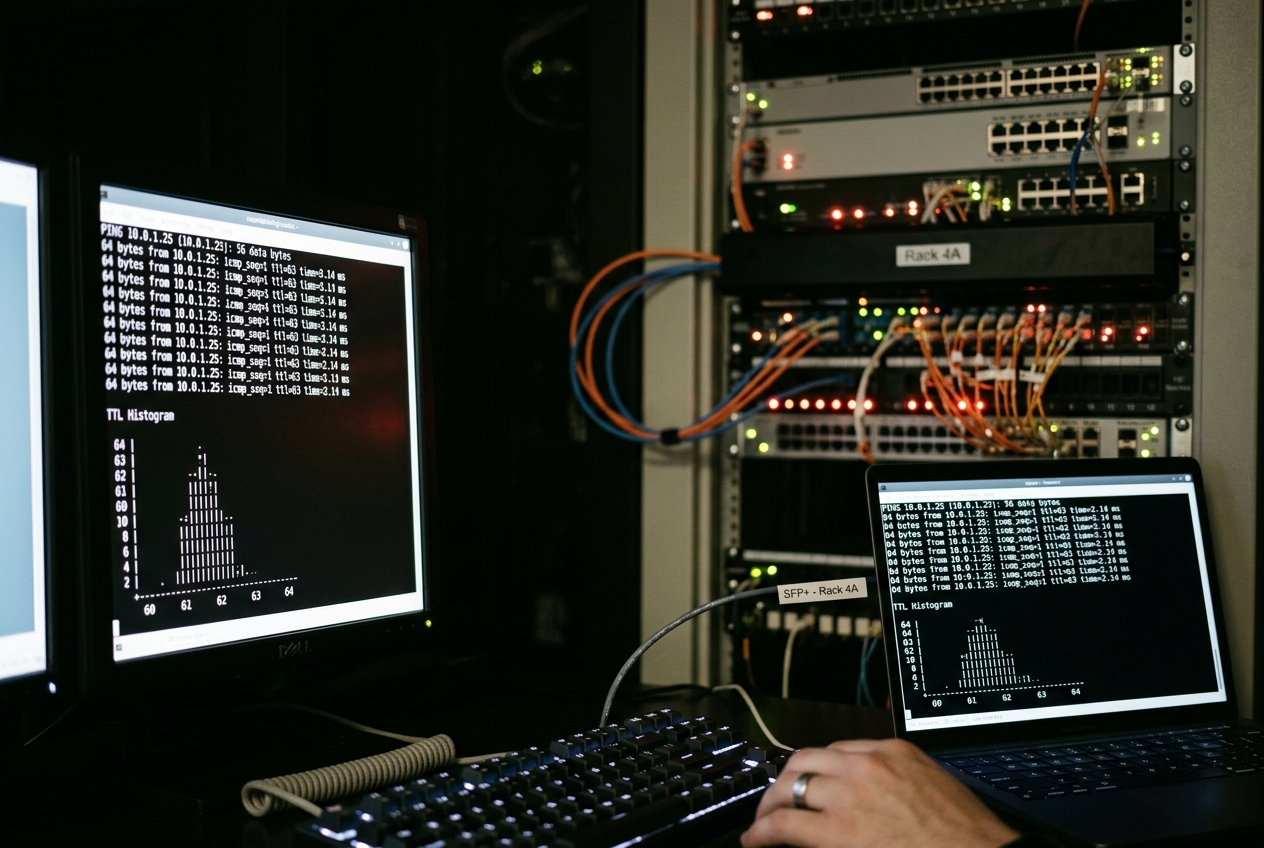
In the frantic rush of high-stakes outage triage, layered abstractions and cloud observability tools frequently buckle under their own complexity. When microservice telemetry offers only contradictory shadows and synthetic monitors time out without explanation, systems engineers must strip away the application runtime, bypass the orchestration layers, and return to the most fundamental, time-tested pulse check in computing: sending a direct signal across the physical wire.
That pulse check is ping. Named after the acoustic sonar pulses used by submarines to navigate pitch-black waters, this ubiquitous command-line tool dispatches a discrete digital probe to a target machine and listens for an echo. Within milliseconds, it tells you whether a remote host is reachable across the global internet, how long the round trip took, and whether your connection is suffering from packet loss or transmission instability.
Before exploring complex routing topologies or kernel socket internals, the single most practical invocation every engineer should keep in muscle memory is the deterministic sanity probe:
ping -c 4 1.1.1.1
PING 1.1.1.1 (1.1.1.1) 56(84) bytes of data.
64 bytes from 1.1.1.1: icmp_seq=1 ttl=59 time=12.4 ms
64 bytes from 1.1.1.1: icmp_seq=2 ttl=59 time=11.8 ms
64 bytes from 1.1.1.1: icmp_seq=3 ttl=59 time=12.1 ms
64 bytes from 1.1.1.1: icmp_seq=4 ttl=59 time=11.9 ms

--- 1.1.1.1 ping statistics ---
4 packets transmitted, 4 received, 0% packet loss, time 3004ms
rtt min/avg/max/mdev = 11.814/12.052/12.418/0.231 ms
Unlike running ping without arguments—which on Unix-like operating systems continues indefinitely until manually terminated with Ctrl+C—the -c 4 flag limits the probe to exactly four frames. In three seconds, this simple command reveals three vital diagnostic indicators: packets reached Cloudflare's public DNS resolver with zero loss (0% packet loss), intermediate routing traversed approximately five hops (inferred from ttl=59 against a default initial TTL of 64), and the physical transmission link experienced virtually no latency variation (mdev = 0.231 ms).
1. Architectural Deconstruction: Framing, Socket Topologies, and Telemetry Mathematics
To wield ping with genuine diagnostic authority, one must look beneath the surface. The modern Linux implementation—maintained within the standard iputils package—interfaces directly with low-level kernel networking subsystems, operating under strict RFC standards and Linux privilege boundaries.
ICMP Framing Mechanisms (RFC 792 and RFC 4443)
The Internet Control Message Protocol (ICMP) operates as an integral companion to the Internet Protocol (IP). In IPv4 networks, ICMP packets are encapsulated directly inside the IP datagram header under Protocol 1, as defined in RFC 792. In IPv6 environments, ICMPv6 is assigned Next Header value 58, governed by RFC 4443.
An ICMP Echo Request datagram follows a rigid binary structure:
| Bit Range | Field Name | Width | Architectural Purpose |
|---|---|---|---|
| 0–7 | Type | 8 bits | Message classification. For IPv4, Echo Request is Type 8 and Echo Reply is Type 0. (In IPv6, these correspond to Type 128 and Type 129). |
| 8–15 | Code | 8 bits | Sub-type qualifier, strictly set to 0 for standard echo operations. |
| 16–31 | Checksum | 16 bits | One's complement sum of the ICMP message, verifying transmission integrity independently of Layer 2 frames. |
| 32–47 | Identifier (ID) | 16 bits | Integer used to associate incoming replies with the originating process thread (traditionally the Process ID). |
| 48–63 | Sequence Number | 16 bits | Incrementing counter initialized per session to detect packet loss, out-of-order delivery, and duplicates. |
| 64+ | Data Payload | Variable | Carries arbitrary padding (defaulting to 56 bytes in Linux, forming a 64-byte ICMP frame). Crucially, ping injects an internal kernel timestamp structure into the first 16 bytes. |
Socket Privilege Topologies: CAP_NET_RAW versus SOCK_DGRAM
Historically, generating ICMP packets required creating a raw network socket:
int fd = socket(AF_INET, SOCK_RAW, IPPROTO_ICMP);
Because SOCK_RAW allows a process to construct arbitrary binary headers—including spoofed source IP addresses—the Linux kernel traditionally restricted raw socket instantiation to the root superuser or binaries granted the CAP_NET_RAW POSIX capability via setcap cap_net_raw+ep $(which ping). In legacy systems, this was managed by setting the setuid bit on the binary (-rwsr-xr-x).
Modern Linux kernels introduce a secure datagram abstraction:
int fd = socket(AF_INET, SOCK_DGRAM, IPPROTO_ICMP);
Under this unprivileged model, the kernel constructs and validates the ICMP header automatically, assigning an identifier to the socket and mapping incoming replies back to the user process without granting raw packet injection privileges. This feature is governed by the sysctl parameter net.ipv4.ping_group_range, documented in the Linux Kernel IP Sysctl Documentation. By defining an allowed range of Group IDs (GIDs), unprivileged users can execute diagnostic pings safely:
# Verify unprivileged group access range
sysctl net.ipv4.ping_group_range
# Output: net.ipv4.ping_group_range = 0 2147483647
Telemetry Calculations: Deconstructing RTT and mdev
When an ICMP Echo Reply arrives, the kernel records the arrival timestamp $t_{\text{recv}}$ and calculates the difference against the departure timestamp $t_{\text{send}}$ stored inside the packet payload:
$$\text{RTT}i = t{\text{recv}} - t_{\text{send}}$$
Upon session completion, ping summarizes these individual samples ($\text{RTT}_1, \text{RTT}_2, \dots, \text{RTT}_n$) into four core statistical indicators:
-
Minimum Round-Trip Time ($t_{\min}$): $$t_{\min} = \min_{1 \le i \le n} (\text{RTT}_i)$$ Represents the physical propagation limit across the medium, free from buffer congestion or packet queue delays.
-
Arithmetic Mean ($\mu$): $$\mu = \frac{1}{n} \sum_{i=1}^{n} \text{RTT}_i$$ The standard average latency across the full sample window.
-
Maximum Round-Trip Time ($t_{\max}$): $$t_{\max} = \max_{1 \le i \le n} (\text{RTT}_i)$$ Captures the worst latency spike encountered, typically reflecting transient router congestion or route recalculations.
-
Mean Deviation (
mdev): While older BSD implementations calculated mean absolute deviation, modern Linuxiputilscomputes the sample standard deviation ($\sigma$) to measure network jitter: $$\sigma = \sqrt{\frac{1}{n-1} \sum_{i=1}^{n} (\text{RTT}_i - \mu)^2}$$ A highmdevrelative to the mean $\mu$ indicates transmission instability, path flapping, or intermediate bufferbloat.
2. Core Syntactic Lexicon
Before addressing complex production outages, engineers should be familiar with ping's most effective command-line switches:
| Flag | Parameter Type | Architectural Mechanism & Practical Purpose |
|---|---|---|
-c |
Integer | Count: Halts transmission deterministically after sending $N$ packets. |
-i |
Float (Seconds) | Interval: Sets the delay between successive packets (e.g. 0.2 for rapid sampling). |
-s |
Integer (Bytes) | Payload Size: Configures ICMP payload byte length (Total frame = Payload + 8B ICMP + 20B IPv4). |
-M |
String (do/want/dont) |
PMTU Policy: Enforces the Don't Fragment (DF) bit flag for Path MTU discovery. |
-I |
Interface / IP | Interface Pinning: Forces packet egress through an explicit network device or source IP address. |
-Q |
Hex / Integer | Quality of Service: Sets the Type of Service (ToS) or Differentiated Services Code Point (DSCP) byte. |
-W |
Integer (Seconds) | Socket Timeout: Maximum time to wait for an individual reply before recording a drop. |
-w |
Integer (Seconds) | Global Deadline: Hard wall-clock execution limit before the command exits, regardless of packet count. |
-f |
None | Flood Mode: Transmits packets as fast as replies return, testing throughput and buffer resilience. |
3. Five Real-World Production Use Cases
Case 1: Path MTU (PMTU) Discovery and ICMP Black Hole Triage
The Scenario: A newly deployed containerized database worker in an AWS VPC cannot replicate data to an on-premises database over an IPSec VPN tunnel. Lightweight health checks and short queries succeed, but large bulk data transfers freeze and eventually time out. You suspect that VPN encapsulation overhead has reduced the link’s Maximum Transmission Unit (MTU), but intermediate firewalls are silently dropping ICMP Fragmentation Needed notices—creating a classic PMTU Black Hole.
The Command:
ping -M do -s 1472 -c 3 198.51.100.25
Terminal Output:
PING 198.51.100.25 (198.51.100.25) 1472(1500) bytes of data.
ping: local error: message too long, mtu=1420
ping: local error: message too long, mtu=1420
ping: local error: message too long, mtu=1420

--- 198.51.100.25 ping statistics ---
3 packets transmitted, 0 received, +3 errors, 100% packet loss, time 2048ms
# Probing with the discovered MTU constraint:
# (1420 MTU - 20B IPv4 Header - 8B ICMP Header = 1392 Byte Payload)
ping -M do -s 1392 -c 3 198.51.100.25
PING 198.51.100.25 (198.51.100.25) 1392(1420) bytes of data.
1400 bytes from 198.51.100.25: icmp_seq=1 ttl=54 time=28.4 ms
1400 bytes from 198.51.100.25: icmp_seq=2 ttl=54 time=28.1 ms
1400 bytes from 198.51.100.25: icmp_seq=3 ttl=54 time=28.3 ms

--- 198.51.100.25 ping statistics ---
3 packets transmitted, 3 received, 0% packet loss, time 2003ms
rtt min/avg/max/mdev = 28.112/28.271/28.409/0.123 ms
Line-by-Line Technical Analysis:
* -M do: Tells the kernel to set the Don't Fragment (DF) bit flag in the IP header, forbidding routers from splitting the packet into smaller fragments.
* -s 1472: Sets an ICMP payload of 1472 bytes. Adding the 8-byte ICMP header and 20-byte IPv4 header produces an exact 1500-byte frame (standard Ethernet MTU).
* ping: local error: message too long, mtu=1420: The kernel’s routing layer reports that the outgoing VPN interface enforces a lower MTU of 1420 bytes, as communicated by RFC 1191 feedback.
* -s 1392: Adjusting the payload down to 1392 bytes ($1392 + 8 + 20 = 1420\text{ bytes}$) allows the packet to pass without fragmentation, proving 1420 bytes is the network path's true ceiling.
What the Administrator Does Next:
The engineer adjusts TCP Maximum Segment Size (MSS) clamping on the border gateway via iptables -t mangle -A FORWARD -p tcp --tcp-flags SYN,RST SYN -j TCPMSS --clamp-mss-to-pmtu, or adjusts the container's network interface directly (ip link set dev eth0 mtu 1420) to eliminate black-hole packet drops permanently.
Case 2: High-Frequency Latency Profiling and Bufferbloat Triage
The Scenario: Remote office workers report that video calls freeze and drop whenever large database backups or software builds are uploaded across the office WAN link. You suspect bufferbloat: intermediate network switches contain oversized, unmanaged FIFO queues that introduce massive transit delays whenever links experience traffic bursts.
The Command:
sudo ping -f -c 500 -s 1024 10.0.4.1
Terminal Output:
PING 10.0.4.1 (10.0.4.1) 1024(1052) bytes of data.
...E...E..............................................................
--- 10.0.4.1 ping statistics ---
500 packets transmitted, 498 received, 2 errors, 0.4% packet loss, time 1482ms
rtt min/avg/max/mdev = 1.124/184.621/489.120/142.318 ms, pipe 34, ipg/ewma 2.969/124.812 ms
Line-by-Line Technical Analysis:
* -f: Engages Flood mode. A dot (.) is printed for every packet sent, and a backspace is printed for every reply received. An E indicates an ICMP error packet. This tests link performance at line capacity.
* -s 1024: Sends 1KB payloads to fill transmission buffers quickly.
* rtt min/avg/max/mdev = 1.124/184.621/489.120/142.318 ms: Under zero load, the path has a low base latency of 1.124 ms. Under queue pressure, maximum latency spikes to 489.120 ms with an mdev of 142.318 ms—the clear signature of bufferbloat.
* pipe 34: Shows that up to 34 unacknowledged packets were stuck in intermediate queues simultaneously before replies returned.
What the Administrator Does Next:
The network administrator configures Active Queue Management (AQM) on the gateway router using FQ-CoDel (Fair Queueing Controlled Delay) or CAKE via Linux Traffic Control: tc qdisc replace dev eth0 root fq_codel. This prioritizes interactive packets and prevents queues from overflowing.
Case 3: Multi-Homed Routing and Policy-Based Routing (PBR) Validation
The Scenario: A production gateway is configured with two network cards: eth0 (connected to internal corporate infrastructure on 10.10.0.0/16) and eth1 (connected to a dedicated market data network on 192.168.50.0/24). Following a system update, market data feeds stop updating. You need to determine whether outbound traffic to 192.168.50.100 is egressing through the wrong physical interface due to an invalid routing table priority.
The Command:
# Test egress through the dedicated financial interface
ping -I eth1 -c 3 192.168.50.100
Terminal Output:
PING 192.168.50.100 (192.168.50.100) from 10.10.0.5 eth1: 56(84) bytes of data.
From 10.10.0.5 icmp_seq=1 Destination Host Unreachable
From 10.10.0.5 icmp_seq=2 Destination Host Unreachable
From 10.10.0.5 icmp_seq=3 Destination Host Unreachable

--- 192.168.50.100 ping statistics ---
3 packets transmitted, 0 received, +3 errors, 100% packet loss, time 2046ms
# Pinning explicitly to the secondary interface's IP address:
ping -I 192.168.50.5 -c 3 192.168.50.100
PING 192.168.50.100 (192.168.50.100) from 192.168.50.5 : 56(84) bytes of data.
64 bytes from 192.168.50.100: icmp_seq=1 ttl=64 time=0.182 ms
64 bytes from 192.168.50.100: icmp_seq=2 ttl=64 time=0.174 ms
64 bytes from 192.168.50.100: icmp_seq=3 ttl=64 time=0.179 ms

--- 192.168.50.100 ping statistics ---
3 packets transmitted, 3 received, 0% packet loss, time 2049ms
rtt min/avg/max/mdev = 0.174/0.178/0.182/0.003 ms
Line-by-Line Technical Analysis:
* -I eth1: Directs the socket to transmit over physical interface eth1.
* PING ... from 10.10.0.5 eth1: The diagnostic breakthrough. Although packets left via eth1, the kernel chose the IP address of eth0 (10.10.0.5) as the source header because the default routing table lacked a source binding rule.
* Destination Host Unreachable: Upstream switches dropped the packet because source IP 10.10.0.5 is unroutable on the 192.168.50.0/24 subnet.
* -I 192.168.50.5: Explicitly specifying the correct interface IP address restores sub-millisecond communication (0.178 ms), confirming that physical wiring is intact while Layer 3 routing rules are misconfigured.
What the Administrator Does Next: The engineer inspects the policy routing tables as outlined in the ArchWiki Network Configuration Guide and restores the dedicated routing table and IP rule:
ip rule add from 192.168.50.5/32 table 200
ip route add default via 192.168.50.1 dev eth1 table 200
Case 4: Quality of Service (QoS) and DSCP Prioritization Auditing
The Scenario: A branch office operates a shared connection handling both large bulk file backups and real-time Voice-over-IP (VoIP) calls. Core routers have been configured with Differentiated Services (DiffServ) to prioritize Expedited Forwarding (EF) packets over Best Effort (BE) traffic. You need to verify that network hardware is properly placing high-priority packets into expedited queues during high-traffic periods.
The Command:
# Step A: Audit standard Best Effort traffic (DSCP 0 / ToS 0x00)
ping -Q 0x00 -c 5 -s 512 172.16.10.1
PING 172.16.10.1 (172.16.10.1) 512(540) bytes of data.
520 bytes from 172.16.10.1: icmp_seq=1 ttl=60 time=48.2 ms
520 bytes from 172.16.10.1: icmp_seq=2 ttl=60 time=74.6 ms
520 bytes from 172.16.10.1: icmp_seq=3 ttl=60 time=91.3 ms
520 bytes from 172.16.10.1: icmp_seq=4 ttl=60 time=66.1 ms
520 bytes from 172.16.10.1: icmp_seq=5 ttl=60 time=82.4 ms

--- 172.16.10.1 ping statistics ---
5 packets transmitted, 5 received, 0% packet loss, time 4006ms
rtt min/avg/max/mdev = 48.214/72.520/91.312/14.512 ms
# Step B: Audit Expedited Forwarding priority traffic (DSCP 46 -> ToS byte 0xB8)
ping -Q 0xB8 -c 5 -s 512 172.16.10.1
Terminal Output:
PING 172.16.10.1 (172.16.10.1) 512(540) bytes of data.
520 bytes from 172.16.10.1: icmp_seq=1 ttl=60 time=14.1 ms
520 bytes from 172.16.10.1: icmp_seq=2 ttl=60 time=14.3 ms
520 bytes from 172.16.10.1: icmp_seq=3 ttl=60 time=14.0 ms
520 bytes from 172.16.10.1: icmp_seq=4 ttl=60 time=14.2 ms
520 bytes from 172.16.10.1: icmp_seq=5 ttl=60 time=14.1 ms

--- 172.16.10.1 ping statistics ---
5 packets transmitted, 5 received, 0% packet loss, time 4005ms
rtt min/avg/max/mdev = 14.012/14.140/14.318/0.108 ms
Line-by-Line Technical Analysis:
* -Q 0x00: Clears all Type of Service bits, directing packets into the default Best Effort queue. Under link load, latency fluctuates wildly between 48.2 ms and 91.3 ms (mdev = 14.512 ms).
* -Q 0xB8: Sets the 8-bit IPv4 ToS field to 10111000 in binary. The upper 6 bits represent DSCP decimal value 46 (101110), the industry standard for Expedited Forwarding (EF) used in real-time audio streams.
* rtt min/avg/max/mdev = 14.012/14.140/14.318/0.108 ms: The tagged packets achieve stable latency (14.1 ms) with minimal jitter (0.108 ms), confirming that intermediate routers are honoring the DSCP priority header.
What the Administrator Does Next:
Having verified that priority tagging works across the physical path, the engineer configures the VoIP media proxy to tag all outbound RTP audio traffic with DSCP 46 using the appropriate socket option: setsockopt(fd, IPPROTO_IP, IP_TOS, &tos, sizeof(tos)).
Case 5: Deterministic CI/CD Deployment Health Gates
The Scenario: A Continuous Deployment (CD) pipeline orchestrates automated Blue/Green production rollouts. Before shifting live web traffic to a newly provisioned virtual machine, the deployment script must verify that the node’s network stack is responsive and bidirectional connectivity is stable. The check must fail fast, never hang indefinitely, and provide clean exit codes for automation scripts.
The Command:
# Strict 3-probe gate: fail fast on 1s packet drop, enforce 5s maximum execution limit
ping -c 3 -W 1 -w 5 10.99.0.12 > /dev/null 2>&1 && echo "HEALTH_OK" || echo "HEALTH_FAILED"
Let us examine the output when evaluating a healthy node versus an unreachable node:
Scenario A (Target Healthy):
ping -c 3 -W 1 -w 5 10.99.0.12
echo "Exit Code: $?"
PING 10.99.0.12 (10.99.0.12) 56(84) bytes of data.
64 bytes from 10.99.0.12: icmp_seq=1 ttl=64 time=0.451 ms
64 bytes from 10.99.0.12: icmp_seq=2 ttl=64 time=0.412 ms
64 bytes from 10.99.0.12: icmp_seq=3 ttl=64 time=0.438 ms

--- 10.99.0.12 ping statistics ---
3 packets transmitted, 3 received, 0% packet loss, time 2048ms
rtt min/avg/max/mdev = 0.412/0.433/0.451/0.016 ms
Exit Code: 0
Scenario B (Target Unreachable / Partitioned):
ping -c 3 -W 1 -w 5 10.99.0.99
echo "Exit Code: $?"
PING 10.99.0.99 (10.99.0.99) 56(84) bytes of data.

--- 10.99.0.99 ping statistics ---
3 packets transmitted, 0 received, 100% packet loss, time 2000ms

Exit Code: 1
Line-by-Line Technical Analysis:
* -c 3: Sets a sample size of exactly three probes.
* -W 1: Sets a 1-second timeout for individual replies. If a packet is not acknowledged within 1000ms, it is marked as dropped immediately.
* -w 5: Sets a strict 5-second total execution deadline, preventing pipeline jobs from hanging if ARP resolution stalls or network interfaces lock up.
* Exit Code: In Unix shell scripting, an exit code of 0 denotes success (replies received), 1 indicates packet loss or missing replies, and 2 represents configuration or DNS lookup errors.
What the Administrator Does Next: The engineer incorporates this check into the automated deployment script:
if ping -c 3 -W 1 -w 5 "${CANARY_IP}" > /dev/null 2>&1; then
    log_info "Node ${CANARY_IP} passed network gating. Promoting to live pool."
    exit 0
else
    log_error "Node ${CANARY_IP} failed health threshold. Aborting rollout."
    exit 1
fi
4. Network Topographical Anomalies: Rate-Limiting, Anycast, and Asymmetry
Interpreting ping results accurately requires understanding how intermediate network hardware handles ICMP control traffic compared to standard TCP/UDP application data.
(198.51.100.2)"] -->|"Egress Path (ISP A)"| RemoteDest["Destination Host
(203.0.113.1)"] RemoteDest -->|"Ingress Return Path (ISP B)"| LocalHost
Control Plane Policing (CoPP) and ICMP Rate-Limiting
A common pitfall in network diagnostics is mistaking dropped ICMP packets for actual application-layer packet loss. Modern enterprise routers separate the Data Plane (dedicated ASICs that forward TCP/UDP packets at wire speed) from the Control Plane (the general-purpose CPU managing routing tables and administration).
When an ICMP Echo Request targets a router interface directly, it must be processed by the router's CPU. To protect itself from overload, the router applies Control Plane Policing (CoPP), strictly rate-limiting ICMP processing (for example, capping ICMP handling at 100 packets per second). As a result, a ping test may show a 10% packet drop at an intermediate transit router, while standard TCP web traffic flowing through that same router experiences 0% packet loss.
Anycast Topologies and Routing Shifts
When pinging global Anycast IP addresses (such as 8.8.8.8 or 1.1.1.1), the destination address is announced simultaneously via BGP from hundreds of data centers worldwide.
Under Equal-Cost Multi-Path (ECMP) routing or sudden BGP updates, individual packets within a single ping session may be routed to different geographic locations:
* Packet icmp_seq=1 might reach a data center in London ($t = 4\text{ ms}$).
* Packet icmp_seq=2 might be routed to a facility in Frankfurt ($t = 18\text{ ms}$).
This can cause large variations in mdev and occasional out-of-order packets that reflect normal Anycast routing behavior rather than a faulty server.
Asymmetric Routing
Internet routing is inherently asymmetric: the outbound path taken by an ICMP Echo Request from Host A to Host B rarely matches the return path taken by the ICMP Echo Reply from Host B to Host A. If an intermediate provider on the return path experiences link congestion, ping will display latency spikes, even though the forward path carrying your primary outbound data remains completely clear.
5. Operational Hazards and Remediation Protocols
While ping is a foundational diagnostic tool, using it improperly in production environments can cause unexpected issues:
(Target Resource Exhaustion)"] Root --> Mirage["Firewall Mirage
(False Down State)"] Root --> MTU["MTU Math Errors
(Silent Frame Drops)"]
1. The Flood Overload Hazard (-f in Production)
Running ping -f (flood mode) without a strict packet count limit (-c) against embedded network hardware, older firewalls, or low-power IoT controllers can overwhelm the target device's CPU. Because network stacks prioritize interrupt handling for ICMP frames, an unconstrained flood can cause an unintentional Denial of Service.
* Remediation: Always pair flood operations with a conservative packet limit: ping -f -c 200 <target>. Never run unbounded flood pings against production infrastructure.
2. The Firewall Mirage (False Down State)
Many cloud environments (such as default AWS Security Groups and Azure Network Security Groups) block incoming ICMP traffic by default while permitting TCP ports 80 and 443. An engineer diagnosing an unresponsive web service who relies solely on ping will observe 100% packet loss and might assume the server has crashed.
* Remediation: Cross-check ICMP drops against Layer 4 connection tools like nc -zv <target> 443 or hping3 before initiating system reboots.
3. Payload versus Frame Size Miscalculations
A frequent error is confusing the ICMP payload size (-s) with total IP packet size. Setting ping -s 1500 generates a 1528-byte IP datagram ($1500\text{ Payload} + 8\text{ ICMP} + 20\text{ IPv4}$), which immediately exceeds standard 1500-byte MTU limits and triggers fragmentation errors.
* Remediation: Always apply standard protocol framing arithmetic:
$$\text{Payload Size } (-s) = \text{Target MTU} - 20\text{ (IPv4 Header)} - 8\text{ (ICMP Header)}$$
(Note: For IPv6 networks, subtract 40 bytes for the IPv6 base header and 8 bytes for the ICMPv6 header: $\text{Payload Size} = \text{MTU} - 48$.)
6. Today's Takeaway
The ping utility is far more than a simple reachability check; it is a precision instrument for empirical network analysis. Within the next five minutes, open a terminal on your own machine and run ping -M do -s 1472 -c 5 1.1.1.1. If the command completes with zero drops, your local network adapter, office switch fabric, and ISP are cleanly delivering full, unfragmented 1500-byte frames across the public internet. If it fails with message too long, gradually lower the payload size using the formula detailed in this guide until you find your link's exact Path MTU—instantly revealing the hidden encapsulation overheads of your underlying network.