Ngrep: Regex-Matching Network Packet Payloads, Intercepting Cleartext Protocol Streams, and Triaging Production Wire Traffic
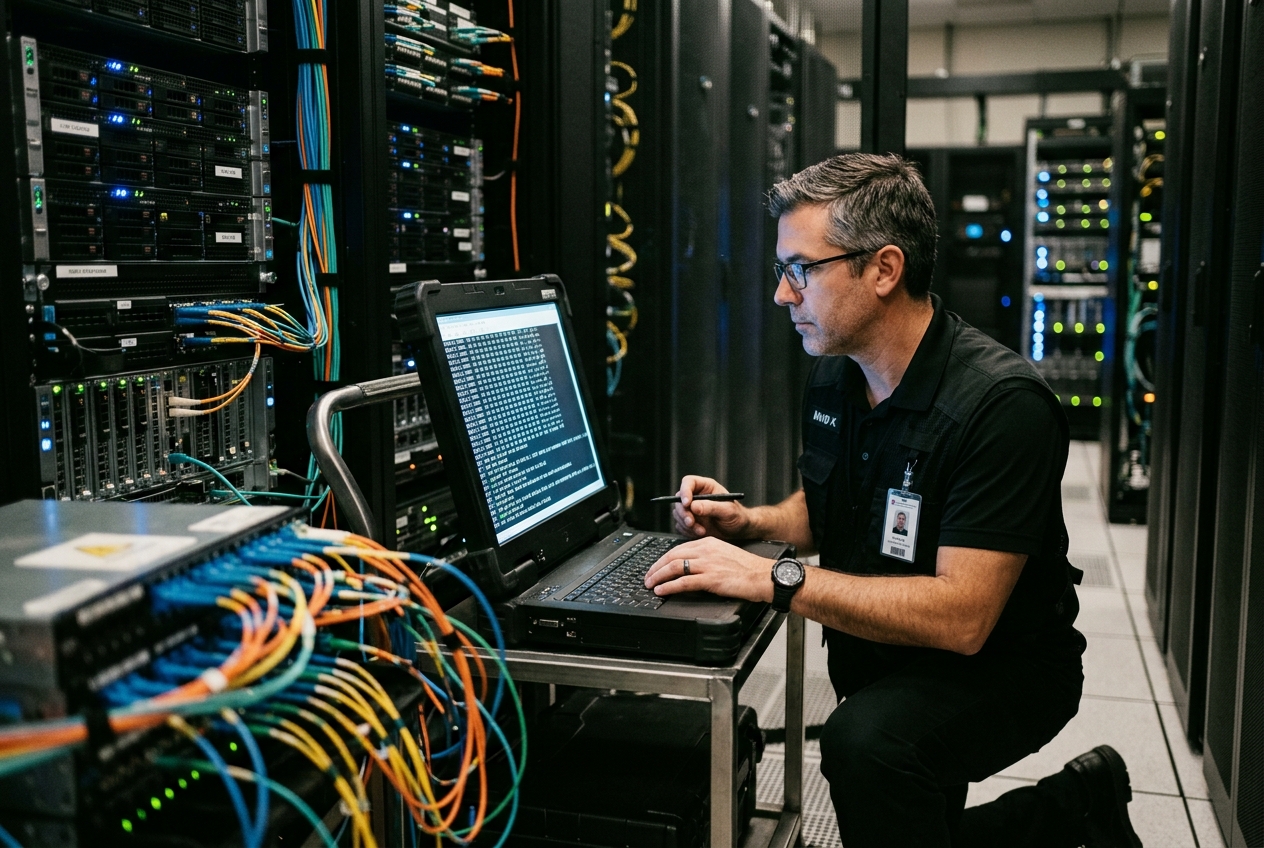
When systems crumble under pressure, standard diagnostic tools often compound the frustration. Application logs offer nothing more helpful than vague connection timeouts, distributed tracing graphs hit an opaque wall, and enabling verbose debugging would require restarting production servers—an intolerable gamble during an active outage. Meanwhile, capturing gigabytes of raw network traffic to decode later in a desktop analyser takes far too long when every minute of downtime costs thousands of pounds.
What you need in this exact moment is the ability to look directly at the messages traveling across the network wire as they happen, filtering out the background chatter to spot the exact error text causing the meltdown. This is where ngrep—short for "network grep"—proves indispensable. It takes the familiar pattern-matching power of regular expressions and applies it directly to live network packets, turning complex wire analysis into something as straightforward as searching a text file.
To see how powerful this approach is, consider the single most useful command you can run when a web service begins misbehaving. This quick-start diagnostic command listens to all cleartext HTTP traffic across your server and prints each incoming request and payload cleanly to your terminal:
ngrep -q -d any -W byline '^(GET|POST|PUT|DELETE|PATCH)' 'tcp port 80 or tcp port 8080'
interface: any (127.0.0.1/255.255.255.255)
filter: ( tcp port 80 or tcp port 8080 ) and (ip or ip6)
match: ^(GET|POST|PUT|DELETE|PATCH)

T 10.0.4.12:48912 -> 10.0.4.50:8080 [AP] #1
POST /api/v2/orders/checkout HTTP/1.1.
Host: internal.service.local:8080.
User-Agent: PaymentGateway-Client/3.1.0.
Content-Type: application/json.
Content-Length: 48.
.
{"order_id": "ORD-9941", "amount_cents": 12500}
In a single command, you instantly isolate the sender (10.0.4.12:48912), the target service (10.0.4.50:8080), the TCP connection state ([AP] for Acknowledgment-Push), the protocol headers, and the raw JSON transaction payload—all without modifying application code or restarting a single service.
What It Does in Plain English
At its conceptual core, ngrep marries the expressive pattern-matching syntax of regular expressions with the raw capture mechanics of network packet sniffers. It operates directly on physical, virtual, or containerised network interfaces, inspecting the data payloads carried within individual network frames without requiring application modifications or intermediate proxies.
By parsing Layer 7 application text or byte signatures while filtering transport protocols at Layers 3 and 4, ngrep allows engineers to search live network traffic for specific error strings, protocol headers, database queries, or cache keys as effortlessly as running grep against a flat log file on a local disk.
Underlying Architecture and Core Flags
To deploy ngrep effectively in production environments, it helps to understand its internal packet-processing architecture. The utility is constructed atop the libpcap packet capture library, which binds directly to the operating system's packet capture facility (such as AF_PACKET raw sockets utilising PACKET_MMAP ring buffers under Linux).
Execution proceeds across a bifurcated, two-stage filtration pipeline:
- Kernel-Space BPF Pre-Filtering: Packet streams first pass through a Berkeley Packet Filter (BPF) machine compiled from Layer 3/4 network primitives (such as
tcp and port 8080). Operating inside the Linux kernel, the BPF evaluator discards non-matching frames at bare-metal speed, preventing superfluous packet copies across the boundary into user memory. - User-Space Regex Payload Matching: Frames traversing the initial BPF filter pass into
ngrep's userspace memory, where its integrated GNU regular expression engine scans the Layer 7 data buffer. If the regex matches the payload slice,ngrepformats and dispatches the packet directly to the terminal.
Core Command-Line Parameters
| Flag | Operational Mechanics and Purpose |
|---|---|
-d <dev> |
Binds packet capture to a specific network interface (e.g., eth0, lo, any). |
-W byline |
Enforces line-by-line payload rendering, respecting CRLF/LF line breaks to maintain clean HTTP, SIP, and SMTP formatting. |
-q |
Activates quiet operation, suppressing progress hashes (#) for unmatched packets and preserving clean terminal streams. |
-X |
Renders matching packet payloads in a dual-column hexadecimal and ASCII format for binary protocol diagnostics. |
-t |
Prepends human-readable absolute timestamps (YYYY/MM/DD HH:MM:SS.UUUUUU) to every matched frame. |
-T |
Prints relative delta timestamps (+S.UUUUUU) indicating elapsed time since the previous matched packet. |
-i |
Instructs the regular expression engine to perform case-insensitive pattern evaluations. |
-u <user> |
Drops root execution privileges to the specified unprivileged system user immediately after opening raw capture sockets. |
Five Real-World Production Case Studies
Case Study 1: Intercepting HTTP API 5xx Gateways and Broken POST Payloads
The Scenario
During a rolling software deployment, an API gateway begins serving intermittent HTTP 502 Bad Gateway and HTTP 500 Internal Server Error responses to external clients. Monitoring dashboards show elevated error rates, but the engineering team cannot tell whether the failures stem from malformed client request bodies or backend microservice crashes. TLS has been terminated at the outer load balancer, allowing cleartext packet analysis on the internal server network.
The Command
ngrep -d eth0 -q -W byline -t 'HTTP/1\.[01] 50[0-4]' 'tcp and port 8080'
Terminal Output
interface: eth0 (10.0.8.15/255.255.255.0)
filter: ( tcp and port 8080 ) and (ip or ip6)
match: HTTP/1\.[01] 50[0-4]

T 2026/08/19 02:47:11.402819 10.0.8.15:8080 -> 10.0.8.2:52194 [AP] #1
HTTP/1.1 500 Internal Server Error.
Server: Internal-Gateway/1.19.4.
Date: Wed, 19 Aug 2026 02:47:11 GMT.
Content-Type: application/json; charset=utf-8.
Content-Length: 142.
Connection: keep-alive.
.
{"error":"NullPointerException","path":"/v1/telemetry/event","detail":"Missing mandatory field 'device_uuid' during schema deserialization"}
Line-by-Line Technical Analysis
T 2026/08/19 02:47:11.402819: The absolute microsecond-accurate timestamp produced by-t, allowing exact correlation with backend database logs.10.0.8.15:8080 -> 10.0.8.2:52194 [AP] #1: Indicates that the local server (10.0.8.15) sent data from port8080to the internal routing client (10.0.8.2) on ephemeral port52194. The[AP]flags confirm an active TCP segment withACKandPSHbits asserted, immediately pushing application data to the network buffer.HTTP/1.1 500 Internal Server Error: The regex patternHTTP/1\.[01] 50[0-4]matched this status line.{"error":"NullPointerException"...}: The unbuffered HTTP response body reveals the root cause: upstream deserialization fails because an upstream client omitted thedevice_uuidattribute in its JSON submission.
What the Systems Engineer Does Next
Armed with the specific missing field identifier (device_uuid) and the calling client IP address (10.0.8.2), the engineer navigates directly to the API validation gateway configuration, implements an ingress schema check rejecting payloads lacking device_uuid with an explicit 400 Bad Request, and alerts the client team without restarting upstream processing nodes.
Case Study 2: Auditing Cleartext Microservice Cache Commands During a Cache Stampede
The Scenario
An e-commerce platform experiences sudden database CPU saturation following the invalidation of a popular product catalog cache key. Systems engineers suspect a distributed cache stampede across hundreds of backend workers hitting Redis instances. Enabling full Redis command logging via the MONITOR command overloads the single-threaded Redis process, threatening complete cache failure. The team requires an out-of-process, zero-overhead mechanism to capture high-frequency key lookups across the raw internal backplane.
The Command
ngrep -d eth1 -q -W byline -t '(\*2\r\n\$3\r\nGET|\*3\r\n\$3\r\nSET)\r\n\$[0-9]+\r\nuser:session:[a-z0-9]+' 'tcp and port 6379'
Terminal Output
interface: eth1 (10.240.0.4/255.255.255.0)
filter: ( tcp and port 6379 ) and (ip or ip6)
match: (\*2\r\n\$3\r\nGET|\*3\r\n\$3\r\nSET)\r\n\$[0-9]+\r\nuser:session:[a-z0-9]+

T 2026/08/19 03:02:18.119402 10.240.0.18:41022 -> 10.240.0.4:6379 [AP] #1
*2.
$3.
GET.
$29.
user:session:9f8a7c6e5d4b3a21.

T 2026/08/19 03:02:18.120015 10.240.0.22:38994 -> 10.240.0.4:6379 [AP] #2
*2.
$3.
GET.
$29.
user:session:9f8a7c6e5d4b3a21.

T 2026/08/19 03:02:18.120588 10.240.0.31:55410 -> 10.240.0.4:6379 [AP] #3
*3.
$3.
SET.
$29.
user:session:9f8a7c6e5d4b3a21.
Line-by-Line Technical Analysis
*2\r\n\$3\r\nGET...: Represents the Redis Serialization Protocol (RESP) wire format.*2indicates an array of two bulk strings,$3defines the three-byte commandGET, and$29denotes the twenty-nine-byte length of the key identifier.T 2026/08/19 03:02:18.119402 ... 10.240.0.18:41022: Application worker node10.240.0.18submits a cache lookup foruser:session:9f8a7c6e5d4b3a21.#2and#3consecutive matches occurring within 1.1 milliseconds: Multiple client nodes (10.240.0.22and10.240.0.31) query and attempt to concurrently recalculate and write back the exact same expired session token.
What the Systems Engineer Does Next
The engineer confirms a classic cache stampede condition on session tokens. Rather than adjusting database instance capacities, the engineer deploys an emergency hotfix to the client-side caching abstraction library, activating distributed mutex locking (single-flight request coalescing) and probabilistic early expiration (the XFetch algorithm) across all client workers.
Case Study 3: Triaging VoIP SIP Signaling Errors to Isolate Dropped Sessions
The Scenario
A voice-over-IP telecommunications cluster begins reporting high call drop rates when routing outbound sessions through an upstream Session Border Controller (SBC). Audio streams fail to establish, and customer telephone units receive immediate busy signals. Network administrators must determine whether the failure originates from session authorization rejections, network routing timeouts, or incompatible Session Description Protocol (SDP) audio codec negotiation.
The Command
ngrep -d eth0 -q -W byline -t '(SIP/2\.0 [45][0-9][0-9]|INVITE sip:)' 'udp and port 5060'
Terminal Output
interface: eth0 (172.16.100.12/255.255.255.0)
filter: ( udp and port 5060 ) and (ip or ip6)
match: (SIP/2\.0 [45][0-9][0-9]|INVITE sip:)

U 2026/08/19 03:15:02.883104 172.16.100.12:5060 -> 198.51.100.25:5060 #1
INVITE sip:+15550199481@sip.carrier.net SIP/2.0.
Via: SIP/2.0/UDP 172.16.100.12:5060;branch=z9hG4bK-524287-1---d8b7.
Max-Forwards: 70.
From: <sip:trunk-primary@sip.carrier.net>;tag=4a8c9e11.
To: <sip:+15550199481@sip.carrier.net>.
Call-ID: c0a80101-38291-8841-b841a@172.16.100.12.
CSeq: 1 INVITE.
Content-Type: application/sdp.
Content-Length: 184.
.
v=0.
o=FreeSWITCH 1724089912 1724089913 IN IP4 172.16.100.12.
s=FreeSWITCH.
c=IN IP4 172.16.100.12.
t=0 0.
m=audio 28414 RTP/AVP 9 101.
a=rtpmap:9 G722/8000.
a=rtpmap:101 telephone-event/8000.

U 2026/08/19 03:15:02.912401 198.51.100.25:5060 -> 172.16.100.12:5060 #2
SIP/2.0 488 Not Acceptable Here.
Via: SIP/2.0/UDP 172.16.100.12:5060;branch=z9hG4bK-524287-1---d8b7;received=172.16.100.12.
From: <sip:trunk-primary@sip.carrier.net>;tag=4a8c9e11.
To: <sip:+15550199481@sip.carrier.net>;tag=as5b89a441.
Call-ID: c0a80101-38291-8841-b841a@172.16.100.12.
CSeq: 1 INVITE.
Server: Carrier-SBC-Cluster.
Allow: INVITE, ACK, CANCEL, OPTIONS, BYE, REFER, SUBSCRIBE, NOTIFY, INFO.
Reason: Q.850;cause=65;text="Bearer capability not authorized".
Content-Length: 0.
Line-by-Line Technical Analysis
U 2026/08/19 03:15:02.883104 ... #1: TheUprefix explicitly indicates a UDP datagram traversing port5060.m=audio 28414 RTP/AVP 9 101anda=rtpmap:9 G722/8000: The internal voice gateway initiates an outbound call proposing solely the wideband G.722 codec (payload type 9).SIP/2.0 488 Not Acceptable Here: Matched by regex patternSIP/2\.0 [45][0-9][0-9], the upstream carrier SBC explicitly rejects the initiation request.Reason: Q.850;cause=65;text="Bearer capability not authorized": Conclusively proves that the carrier's gateway does not support or permit the G.722 wideband codec profile on this commercial voice trunk.
What the Systems Engineer Does Next
The administrator enters the telephony management console (FreeSWITCH/Asterisk) and alters the outbound trunk profile to enforce baseline G.711u (PCMU / payload type 0) and G.729 codecs across the SIP signaling profile, immediately restoring global call routing capabilities without escalating an unfounded incident ticket to the network transit provider.
Case Study 4: Inspecting Legacy Database Wire Queries During Migration Cutover
The Scenario
A monolithic database is undergoing live schema migration, deprecating direct read/write operations against an obsolete relational table named legacy_billing_v1. Despite extensive refactoring across backend microservices, database metrics indicate that rogue background worker threads continue querying the deprecated table over unencrypted internal network connections. Engineers must immediately discover the originating server IPs and executed query text without degrading database throughput via heavy SQL query logging.
The Command
ngrep -d eth0 -q -W byline -i '(SELECT|UPDATE|DELETE|INSERT).*(legacy_billing_v1|temp_orders)' 'tcp and port 3306'
Terminal Output
interface: eth0 (10.100.50.10/255.255.255.0)
filter: ( tcp and port 3306 ) and (ip or ip6)
match: (SELECT|UPDATE|DELETE|INSERT).*(legacy_billing_v1|temp_orders)

T 2026/08/19 03:28:44.912019 10.100.50.84:58102 -> 10.100.50.10:3306 [AP] #1
....3...SELECT t.transaction_id, t.amount, t.customer_id FROM legacy_billing_v1 t WHERE t.processed = 0 ORDER BY t.created_at ASC LIMIT 100
Line-by-Line Technical Analysis
10.100.50.84:58102 -> 10.100.50.10:3306 [AP]: Identifies the exact host machine (10.100.50.84) initiating connections from client port58102to the primary database server on port3306.....3...: Binary header bytes of the MySQL client-server protocol. The raw command byte0x03signifiesCOM_QUERY.SELECT t.transaction_id, t.amount... FROM legacy_billing_v1...: The exact, unparameterized SQL statement is extracted in raw plaintext directly from the wire frame before parsing by the database engine.
What the Systems Engineer Does Next
The engineer establishes an administrative SSH shell directly on host 10.100.50.84, cross-references the open socket connection using ss -tpn 'dst 10.100.50.10:3306', isolates an orphaned background cron script running an outdated worker binary, halts the service daemon, and marks the migration phase complete.
Case Study 5: Auditing Plaintext Credential Exposure Across Infrastructure Perimeters
The Scenario
During an ISO/IEC 27001 compliance audit, systems engineers must verify that no plaintext administrative credentials or API tokens leak across edge networks due to misconfigured internal services falling back to unencrypted HTTP or legacy FTP/Telnet authentication channels.
The Command
ngrep -d any -q -W byline -i '(Authorization:\s*Basic|PASS\s+[^\r\n]+|password=)' 'tcp and not port 22 and not port 443'
Terminal Output
interface: any (127.0.0.1/255.255.255.255)
filter: ( tcp and not port 22 and not port 443 ) and (ip or ip6)
match: (Authorization:\s*Basic|PASS\s+[^\r\n]+|password=)

T 2026/08/19 03:41:19.004128 192.168.10.45:49182 -> 192.168.10.200:80 [AP] #1
POST /v1/system/backup HTTP/1.1.
Host: storage-controller.corp.internal.
User-Agent: curl/7.88.1.
Accept: */*.
Authorization: Basic YWRtaW46U3VwZXJTZWNyZXRQYXNzdzByZCE=.
Content-Length: 0.
Line-by-Line Technical Analysis
filter: ( tcp and not port 22 and not port 443 ): The BPF filter instructs the kernel to ignore SSH and TLS-encrypted streams, radically reducing CPU processing load.Authorization: Basic YWRtaW46U3VwZXJTZWNyZXRQYXNzdzByZCE=: Captures an unencrypted HTTP Basic Authentication token transmitted across the corporate LAN to endpoint192.168.10.200:80.- Offline base64 evaluation reveals the cleartext credentials:
bash
  echo "YWRtaW46U3VwZXJTZWNyZXRQYXNzdzByZCE=" | base64 -d
  # Output: admin:SuperSecretPassw0rd!
What the Systems Engineer Does Next
The engineer immediately revokes the compromised credential pair on storage-controller.corp.internal, disables the unencrypted HTTP port 80 listener on the storage appliance, mandates TLS 1.3 across all administrative endpoints, and updates internal automation scripts to utilize vaulted API tokens.
Technical Boundaries, Engineering Pitfalls, and Operational Safeguards
While ngrep provides unmatched agility for rapid packet analysis, deploying it without understanding its architectural constraints can lead to false negatives, dropped packets, and security risks.
| Architectural Challenge | Operational Failure Mode & Engineering Mitigation |
|---|---|
| Lack of TCP Stream Reassembly | Target regex split across MTU boundaries escapes detection. Keep search tokens concise. |
| Multi-Gigabit Saturation | Userspace regex parsing drops frames at high throughput. Pre-filter heavily with kernel-space BPF expressions. |
| Unsafe Execution as Root | Buffer processing vulnerabilities risk root compromise. Always drop privileges via -u nobody. |
Boundary 1: MTU Stream Fragmentation Without TCP Stream Reassembly
The most critical architectural limitation of ngrep stems from its operational model: it evaluates individual, standalone Ethernet frames or IP packets provided by libpcap. Unlike comprehensive protocol analysis suites such as Wireshark or deep-packet intrusion detection systems like Suricata, ngrep does not implement a stateful TCP stream reassembly engine as formalized under IETF RFC 793.
... transaction_payload: AUTH_"] P2["Packet 2 (MTU: 1500 bytes)
TOKEN_99482103984102 ..."] end Target["Search Regex: AUTH_TOKEN_"] -.->|Evaluation Fails: Pattern Straddles Packet Boundary| P1 Target -.->|Evaluation Fails: Pattern Straddles Packet Boundary| P2
If an application-layer search token spans across two distinct TCP segments (for instance, if the string AUTH_TOKEN_SECRET is split such that AUTH_TO terminates Packet 1 and KEN_SECRET begins Packet 2), ngrep's userspace regular expression engine will fail to match either frame.
Operational Safeguard: When designing regex patterns for
ngrep, anchor searches to concise, high-entropy substrings likely to reside entirely within a single Maximum Transmission Unit (MTU). For multi-kilobyte serialized payloads, capture raw streams to disk viatcpdump -wand process them through stateful reassembly tools.
Boundary 2: High-Throughput Saturation and Kernel Packet Drops
The BPF engine in the Linux kernel processes packet headers in microseconds. However, copying those packets into userspace and executing regular expressions using the GNU regex library imposes significant CPU overhead.
On saturated 10Gbps, 40Gbps, or 100Gbps interfaces, running an overly broad regex (or using unanchored wildcard patterns such as .*) will quickly saturate the core running ngrep. When the user-space process falls behind, the kernel's PACKET_MMAP ring buffer overflows, causing silent, massive packet drops (pcap_drop increments).
# Anti-pattern: Forces every packet on a 10Gbps interface into userspace regex parsing
ngrep -d eth0 'error'

# Best practice: BPF filter eliminates 99.9% of traffic in kernel space first
ngrep -d eth0 -q -W byline 'error' 'tcp and dst port 8080 and src net 10.0.0.0/8'
Boundary 3: Principle of Least Privilege and Security Hardening
Capturing raw wire traffic requires elevated capabilities (CAP_NET_RAW and CAP_NET_ADMIN) or direct invocation as the superuser (root). Executing a complex C-based regular expression engine against untrusted, adversarial network inputs as root presents an unacceptable privilege escalation and memory-corruption risk.
ngrep incorporates a built-in privilege-dropping mechanism via the -u flag. Once the raw packet capture socket is bound and initialized, ngrep immediately invokes the setgid() and setuid() system calls to transition to an unprivileged account.
# Hardened invocation dropping privileges immediately after socket initialization
ngrep -u nobody -q -d eth0 -W byline 'SELECT' 'tcp port 3306'
For extended production forensics, systems engineers can consult the ArchWiki Packet Capture guidelines to configure dedicated Linux capability bounds (setcap cap_net_raw,cap_net_admin=eip /usr/bin/ngrep), allowing non-root operators to diagnose network traffic safely without full sudo privileges.
Boundary 4: Telemetry Sanitisation and Structured Pipeline Integration
When capturing live wire streams in regulated environments (PCI-DSS, HIPAA, GDPR), ngrep output streams may inadvertently display sensitive cardholder information, session cookies, or health records on terminal displays or logs.
To safely process telemetry, pipe ngrep's output directly into structured stream filters like awk, sed, or custom redaction scripts:
# Capture HTTP traffic while dynamically redacting Bearer tokens on the fly
ngrep -q -d any -W byline 'Authorization: Bearer' 'tcp port 80' | \
  sed -u -E 's/(Bearer )[A-Za-z0-9\._\-]+/\[REDACTED_TOKEN\]/g'
What Can Go Wrong: Diagnostic Traps & Recovery
| Symptom | Root Cause | Recovery Action |
|---|---|---|
Continuous stream of hashes (#) with no data displayed |
The regex pattern matches nothing, but BPF passes packets to userspace | Escape regex characters (e.g. \. for dots) and run with -q to silence hashes |
| Packets clearly visible in logs are missed by ngrep pattern match | TLS/SSL encryption is active on the interface (payload is ciphertext) | Bind ngrep to loopback/backend interface post-TLS termination |
| Terminal output text is garbled and corrupted across the terminal | Protocol is binary-framed (HTTP/2, Protobuf, gRPC) rather than plaintext | Use -X to render dual hex/ASCII byte matrix instead of -W byline |
- The Phantom Hash Avalanche: Running
ngrepwithout the-qflag outputs a#symbol for every single packet that passes the BPF filter but fails the regex match. On a busy network, millions of hashes will flood your terminal, burying actual matches. Always specify-qin scripts and production troubleshooting sessions. - The TLS Ciphertext Blindspot: Running
ngrepagainst an external HTTPS/TLS interface (e.g., port 443) searching forGET /apiwill yield zero matches because the Layer 7 payload is encrypted before it hits the wire. To diagnose TLS-secured applications, bindngrepto internal service mesh sidecars, localhost loopback adapters, or reverse-proxy backend interfaces where traffic is decrypted. - Terminal Corruption via Binary Streams: When targeting binary protocols (e.g., HTTP/2, gRPC, Protobuf, WebSockets), ASCII formatting (
-W byline) will dump non-printable escape characters to stdout, corrupting terminal emulators. When inspecting binary services, replace-W bylinewith-Xto enforce dual-column hexadecimal/ASCII formatting.
Today's Takeaway
Mastering ngrep bridges the operational divide between low-level network packet capture and high-level application log parsing. In your next five minutes, elevate your diagnostic visibility by opening a terminal, discovering your active network interface via ip route show, and running ngrep -q -d any -u nobody -W byline 'HTTP' 'tcp port 80 or tcp port 8080' while executing a simple curl request in an adjacent window. Observing live, decoded application frames materialize across your terminal establishes a foundational capability: the power to verify wire-level truth on demand, eliminate guesswork during high-severity outages, and isolate architectural faults with absolute precision.