Lsusb: Querying USB Bus Hierarchies, Inspecting Device Descriptors, and Auditing Peripheral Security in Production
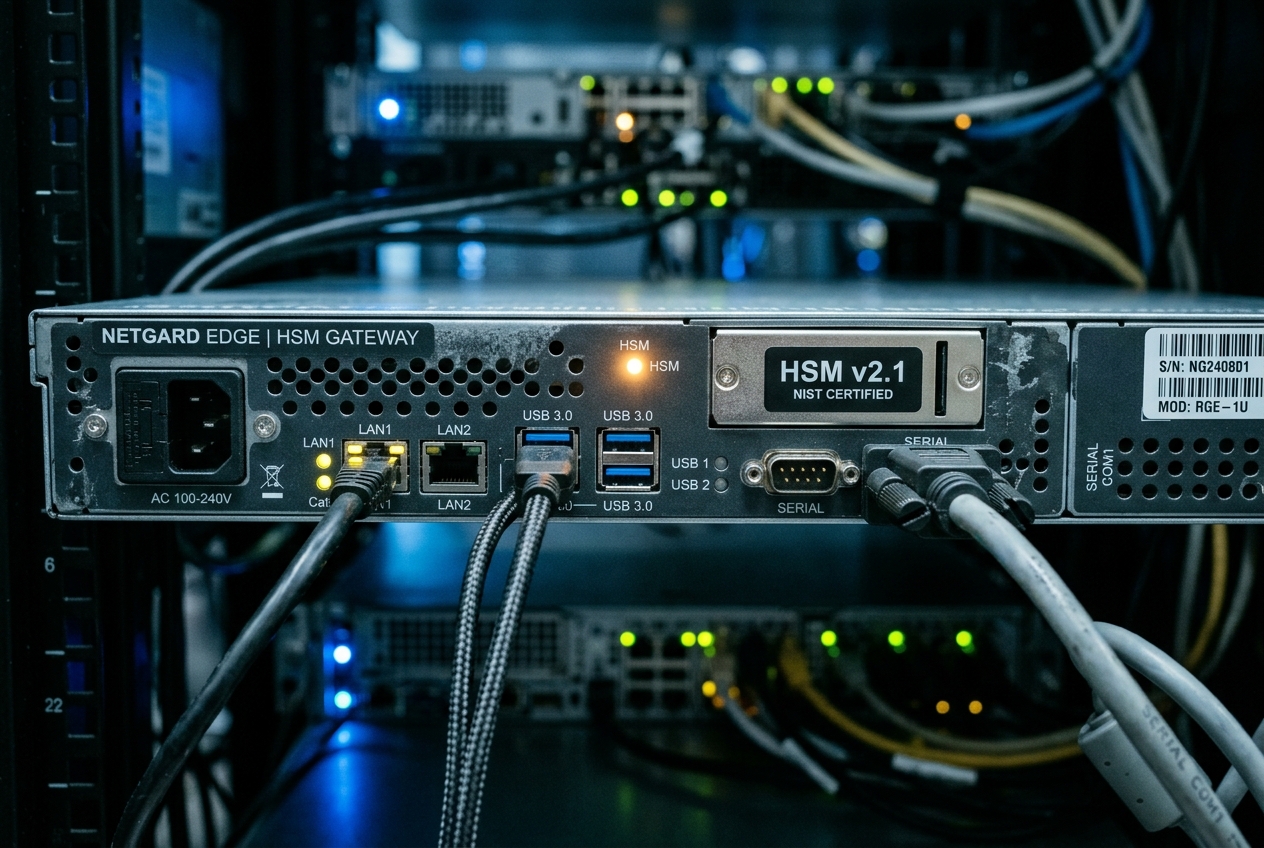
Nobody touched the physical server rack in the remote data centre, no cables were dislodged, and the remote lights-out management console reports optimal hardware health. Yet inside the server's application memory, worker threads are frozen in an uninterruptible sleep state, waiting indefinitely for a physical encryption device that seems to have evaporated. When high-level monitoring tools fail to explain why a physical component has gone missing, software-level abstractions are no longer enough. You have to step below userland and interrogate the serial bus directly.
This is where lsusb becomes an indispensable administrative lifeline. As the foundational utility for querying the Linux Universal Serial Bus subsystem, lsusb peers straight into the machine's physical peripheral tree. It queries the motherboard's host controllers to discover exactly which peripherals are plugged in, how much power they are drawing, whether their hardware handshakes succeeded, and which kernel drivers have claimed them.
The most immediate, high-value command you can run during such a crisis is an unadorned bus inventory:
lsusb
Bus 001 Device 001: ID 1d6b:0002 Linux Foundation 2.0 root hub
Bus 001 Device 002: ID 046d:c52b Logitech, Inc. Unifying Receiver
Bus 002 Device 001: ID 1d6b:0003 Linux Foundation 3.0 root hub
Bus 002 Device 002: ID 0bda:8153 Realtek Semiconductor Corp. RTL8153 Gigabit Ethernet Adapter
Bus 002 Device 003: ID 1050:0407 Yubico.com YubiKey 5/5C OTP+FIDO+CCID
In a fraction of a second, this command answers the most urgent operational question: does the operating system physically acknowledge the device? Each output line reveals a physical bus, a dynamic device address, the manufacturer's vendor and product identifiers (ID 1050:0407), and a human-readable description. If your critical security key or modem appears here, your physical link is intact; if it is absent, no amount of application restarts or database tuning will bring your service back online.
| Incident Parameter | Production Status |
|---|---|
| Incident ID | INC-88201 (Critical Severity) |
| Subsystem Impacted | USB Host Controller / Cryptographic Hardware Security Module (HSM) |
| Root Trigger | Hardware Security Module unlinked from root hub under sustained transaction load |
| Primary Diagnostic Tool | /usr/bin/lsusb (Direct interrogation of usbutils and Linux kernel sysfs tree) |
The USB Subsystem and Descriptor Hierarchy
To use lsusb effectively in production, it helps to understand how Linux models USB hardware. Unlike Ethernet, which operates as a symmetric network where peers communicate freely, USB is a strictly managed, host-directed, polled topological tree. At the crown of this hierarchy sits the Host Controller—typically implemented as an eXtensible Host Controller Interface, or xHCI, on modern server platforms.
The host controller exposes one or more Root Hubs, which present physical or virtualized downstream ports. Whenever a physical peripheral is attached, it progresses through a strict hardware state machine: Attached to Powered to Default to Address and finally to Configured. During the Address stage, the Linux kernel assigns a dynamic, 7-bit ephemeral address (DeviceNumber) to the peripheral.
Once addressing completes, the Linux kernel's USB core daemon interrogates the peripheral through Control Transfers over a default communication pipe known as Endpoint 0. The peripheral responds with a standardized, nested hierarchy of binary data structures called descriptors:
idVendor, idProduct, bDeviceClass, bNumConfigurations"]
CD1["Configuration Descriptor 1bConfigurationValue, bmAttributes, bMaxPower"]
ID1["Interface Descriptor 0bInterfaceClass (e.g., CDC-Data), bInterfaceNumber"]
ID2["Interface Descriptor 1bInterfaceClass (e.g., HID), bInterfaceNumber"]
EP1["Endpoint Descriptor 0x81bEndpointAddress (IN), bmAttributes (Bulk), wMaxPacketSize"]
EP2["Endpoint Descriptor 0x02bEndpointAddress (OUT), bmAttributes (Bulk), wMaxPacketSize"]
EP3["Endpoint Descriptor 0x83bEndpointAddress (IN), bmAttributes (Interrupt), bInterval"]
DD --> CD1
CD1 --> ID1
CD1 --> ID2
ID1 --> EP1
ID1 --> EP2
ID2 --> EP3
end
subgraph Kernel_Space ["Linux Kernel Subsystem Bindings"]
SYSFS["/sys/bus/usb/devices/Topology & Power State"]
DEVFS["/dev/bus/usb/BBB/DDDRaw ioctl Interface (usbfs)"]
DRV1["Driver: cdc_acm / qmi_wwan"]
DRV2["Driver: usbhid"]
end
DD -.-> SYSFS
DD -.-> DEVFS
ID1 --> DRV1
ID2 --> DRV2- Device Descriptor: The identity card of the hardware. It defines the USB specification version supported (
bcdUSB), device class codes, packet size limits, the vendor and product identifiers (idVendor,idProduct), serial number indices, and the count of available configurations (bNumConfigurations). - Configuration Descriptor: Dictates the power requirements (
bMaxPower), power source attributes (bmAttributesfor bus-powered or self-powered), and how many distinct operational interfaces the device can activate simultaneously (bNumInterfaces). - Interface Descriptor: Represents a single functional feature within the device. A composite peripheral—such as an LTE modem with built-in GPS—can expose multiple interfaces simultaneously. Interfaces are the precise boundary where Linux kernel drivers (such as
cdc_acm,usb-storage,usbhid, orftdi_sio) bind to the hardware. - Endpoint Descriptor: Defines the individual unidirectional or bidirectional communication channels (pipes). It specifies the memory addressing (
bEndpointAddress), transfer mode (Control, Interrupt, Bulk, or Isochronous), packet buffer size (wMaxPacketSize), and how frequently the host should poll the device (bInterval).
When you execute lsusb, it extracts this data by communicating with two kernel interfaces: the raw character device nodes (/dev/bus/usb/BBB/DDD) documented in the Linux man-pages: lsusb(8) manual and the virtual filesystem exposed under /sys/bus/usb/devices/.
Core Flags and Quick-Reference Guide
The lsusb binary, distributed as part of the standard usbutils package, provides several precise flags for filtering and exploring peripheral hierarchies:
| Flag | Long Option | Operational Description |
|---|---|---|
-t |
--tree |
Renders physical and logical USB topology as a tree, displaying bus speeds, port mappings, and bound kernel drivers. |
-v |
--verbose |
Emits a recursive, highly granular breakdown of all device, configuration, interface, and endpoint descriptors. |
-s [[bus]:][devnum] |
None | Restricts output to a specific physical Bus ID and/or dynamic Device Address. |
-d [vendor]:[product] |
None | Filters descriptor queries strictly by 16-bit hexadecimal Vendor ID and Product ID pairs. |
-D <device_path> |
None | Bypasses bus scanning and directly parses descriptor tables from a device node (e.g. /dev/bus/usb/001/004). |
-P <vendor:prod:class> |
None | Advanced dump providing class specification metadata alongside vendor and product parsing. |
Anatomy of standard output
Running lsusb without parameters produces concise summary lines:
lsusb
Bus 001 Device 001: ID 1d6b:0002 Linux Foundation 2.0 root hub
Bus 001 Device 002: ID 046d:c52b Logitech, Inc. Unifying Receiver
Bus 002 Device 001: ID 1d6b:0003 Linux Foundation 3.0 root hub
Bus 002 Device 002: ID 0bda:8153 Realtek Semiconductor Corp. RTL8153 Gigabit Ethernet Adapter
Bus 002 Device 003: ID 1050:0407 Yubico.com YubiKey 5/5C OTP+FIDO+CCID
Line-by-Line Breakdown
Bus 002: Identifies the logical host controller root hub instance managed by the Linux kernel.Device 003: The ephemeral address assigned by the host controller when the device was plugged in. This integer increments sequentially on every reconnect, bus reset, or power event.ID 1050:0407: The 16-bit hexadecimal Vendor ID (1050for Yubico) and Product ID (0407for YubiKey 5 Series), matched against the system's local/usr/share/hwdata/usb.idsdatabase.Yubico.com YubiKey...: The descriptive model string retrieved directly from the device's internal descriptor tables.
5 Real-World Production Scenarios
Scenario 1: Mapping Physical Topology and Resolving Bus Speed Degradation
The Scenario
An automated high-speed video capture array deployed on an edge computing cluster begins reporting massive frame-drop anomalies and buffer overruns. The system uses external USB 3.0 capture cards rated for SuperSpeed (5000 Mbps). The systems administrator suspects that an internal chassis cabling error or a degraded intermediate hub has caused the capture cards to negotiate a degraded High-Speed (480 Mbps) link, severely constricting the data pipeline.
The Command
lsusb -t
Realistic Terminal Output
/:  Bus 02.Port 1: Dev 1, Class=root_hub, Driver=xhci_hcd/6p, 5000M
    |__ Port 1: Dev 2, If 0, Class=Hub, Driver=hub/4p, 5000M
        |__ Port 3: Dev 4, If 0, Class=Mass Storage, Driver=uas, 5000M
/:  Bus 01.Port 1: Dev 1, Class=root_hub, Driver=xhci_hcd/12p, 480M
    |__ Port 1: Dev 2, If 0, Class=Hub, Driver=hub/4p, 480M
        |__ Port 1: Dev 3, If 0, Class=Video, Driver=uvcvideo, 480M
        |__ Port 1: Dev 3, If 1, Class=Video, Driver=uvcvideo, 480M
        |__ Port 1: Dev 3, If 2, Class=Audio, Driver=snd-usb-audio, 480M
        |__ Port 2: Dev 5, If 0, Class=Human Interface Device, Driver=usbhid, 1.5M
| USB Speed Class | Signaling Rate | Real-World Use Cases |
|---|---|---|
| Low-Speed (1.5M) | 1.5 Mbit/s | Human Interface Devices (Mice, Keyboards, Legacy Dongles) |
| Full-Speed (12M) | 12 Mbit/s | Legacy Audio, Smartcards, Diagnostic Serial Consoles |
| High-Speed (480M) | 480 Mbit/s | USB 2.0 Webcams, Flash Storage Drives, Basic Modems |
| SuperSpeed (5000M) | 5000 Mbit/s | NVMe Storage Enclosures, High-Throughput Vision Systems |
| SuperSpeedPlus | 10G / 20G | Advanced High-Throughput Multi-Gigabit USB 3.2 Arrays |
Line-by-Line Technical Audit
Bus 02.Port 1: Dev 1, Class=root_hub, Driver=xhci_hcd/6p, 5000M: Identifies the SuperSpeed-capable companion root hub of the xHCI controller, managing 6 downstream ports running at 5000 Mbps (5 Gbps SuperSpeed).|__ Port 1: Dev 2, If 0, Class=Hub, Driver=hub/4p, 5000M: Confirms an external 4-port SuperSpeed physical hub has negotiated successfully at 5000 Mbps.Bus 01.Port 1: Dev 1, Class=root_hub, Driver=xhci_hcd/12p, 480M: Represents the USB 2.0 backward-compatibility virtual root hub of the same physical controller, managing 12 ports capped at 480 Mbps.|__ Port 1: Dev 3, If 0, Class=Video, Driver=uvcvideo, 480M: The Root Cause. The high-throughput capture card (Dev 3) is plugged into a port managed by the 480M USB 2.0 root hub hierarchy. The hardware cannot access the SuperSpeed signaling lines because it was inserted into a legacy USB 2.0 port header on the server chassis.Driver=uvcvideo: Confirms the kernel driver actively bound to Interface 0 of the peripheral.
What the Administrator Does Next
Relocate the capture device's cable to the blue or red designated SuperSpeed ports connected to Bus 02. If physical access is managed via a remote data centre patch panel, replace the intermediate extension cabling with verified USB 3.0 cables containing dedicated high-speed shielding and differential pair lines.
Scenario 2: Dissecting Raw Descriptors to Diagnose Latency and Power Starvation
The Scenario
A high-frequency financial trading gateway relies on an ultra-low-latency hardware key for signing automated market orders. During periods of peak market volatility, order confirmation latencies spike unpredictably. The systems engineer must inspect the token's configuration descriptor to determine whether the device is suffering from electrical current throttling (bMaxPower) or if its interrupt polling cadence (bInterval) was misconfigured by firmware to an excessively sluggish refresh rate.
The Command
lsusb -v -d 1050:0407
Realistic Terminal Output
Bus 001 Device 005: ID 1050:0407 Yubico.com YubiKey 5/5C OTP+FIDO+CCID
Device Descriptor:
  bLength                18
  bDescriptorType         1
  bcdUSB               2.00
  bDeviceClass            0
  bDeviceSubClass         0
  bDeviceProtocol         0
  bMaxPacketSize0        64
  idVendor           0x1050 Yubico.com
  idProduct          0x0407 YubiKey 5/5C OTP+FIDO+CCID
  bcdDevice            5.43
  iManufacturer           1 Yubico
  iProduct                2 YubiKey OTP+FIDO+CCID
  bNumConfigurations      1
  Configuration Descriptor:
    bLength                 9
    bDescriptorType         2
    wTotalLength       0x0063
    bNumInterfaces          3
    bConfigurationValue     1
    bmAttributes         0x80
      (Bus Powered)
    MaxPower               30mA
    Interface Descriptor:
      bLength                 9
      bDescriptorType         4
      bInterfaceNumber        0
      bAlternateSetting       0
      bNumEndpoints           1
      bInterfaceClass         3 Human Interface Device
      bInterfaceSubClass      1 Boot Interface Subclass
      bInterfaceProtocol      1 Keyboard
      Endpoint Descriptor:
        bLength                 7
        bDescriptorType         5
        bEndpointAddress     0x81  EP 1 IN
        bmAttributes            3
          Transfer Type            Interrupt
          Synch Type               None
          Usage Type               Data
        wMaxPacketSize     0x0008  1x 8 bytes
        bInterval               2
Line-by-Line Technical Audit
bMaxPacketSize0 64: Declares that the default control pipe (Endpoint 0) uses a 64-byte buffer limit, which is standard for Full-Speed and High-Speed USB implementations.bmAttributes 0x80 (Bus Powered): Verifies that the peripheral draws operating power directly from the USB bus (+5V VBUS line) rather than an external power supply.MaxPower 30mA: Indicates that the device requests a modest electrical allocation of only 30 milliamperes. Because standard USB ports provide 500mA (USB 2.0) or 900mA (USB 3.0), electrical starvation is definitively ruled out.bInterfaceClass 3 Human Interface Device: Interface 0 presents a standard HID interface, enabling driverless operation viausbhid.bEndpointAddress 0x81 EP 1 IN: Specifies an IN-direction endpoint (bit 7 set) at hardware address 1, transmitting event data from the hardware to the host.bInterval 2: The Timing Metric. For Full-Speed Interrupt endpoints, this indicates the host controller polls the device once every 2 milliseconds (2 frames). Had this value read32or64, hardware polling delays would account for up to 64ms of processing latency.
What the Administrator Does Next
With power budgets and polling intervals verified as optimal, the engineer rules out physical bus transport delays and moves diagnostics up the software stack: specifically looking for thread lock contention in the userland PKCS#11 cryptographic middleware or serial queue bottlenecks inside the pcscd smartcard daemon.
Scenario 3: Automating Peripheral Inventory on Headless Edge Nodes
The Scenario
An infrastructure team manages thousands of headless edge gateways equipped with cellular baseband modems (Quectel / Sierra Wireless) and hardware security tokens. Following brief voltage fluctuations or electrical noise, these modems occasionally reset and re-enumerate, causing their virtual serial device names (/dev/ttyUSB0, /dev/ttyUSB1) to swap unpredictably. The monitoring framework requires an automated, deterministic health-check script that uses lsusb to confirm peripheral health without human intervention.
The Scripted Diagnostic Command
To quickly parse vendor, product, and interface counts directly from lsusb:
lsusb -d 2c7c:0125 -v | awk '/idVendor/ {print $2} /idProduct/ {print $2} /iSerial/ {print $3} /bNumInterfaces/ {print $2}'
For production deployment, embed this logic into an automated Bash verification script:
#!/usr/bin/env bash
set -euo pipefail

TARGET_VID="2c7c"
TARGET_PID="0125"
EXPECTED_INTERFACES=4

echo "[+] Interrogating USB Fabric for LTE Cat-M / 5G Baseband Modem..."

# Perform raw hex filtering via lsusb
DEVICE_LINE=$(lsusb -d "${TARGET_VID}:${TARGET_PID}" || true)

if [[ -z "${DEVICE_LINE}" ]]; then
    echo "[!] CRITICAL: Baseband Modem (${TARGET_VID}:${TARGET_PID}) absent from USB topology!" >&2
    exit 2
fi

BUS=$(echo "${DEVICE_LINE}" | awk '{print $2}')
DEV=$(echo "${DEVICE_LINE}" | awk '{print $4}' | tr -d ':')

echo "[+] Located peripheral on Bus ${BUS} at ephemeral Address ${DEV}."

# Inspect interface descriptors count via lsusb verbose extraction
NUM_IF=$(lsusb -s "${BUS}:${DEV}" -v 2>/dev/null | awk '/bNumInterfaces/ {print $2; exit}')

if [[ "${NUM_IF}" -ne "${EXPECTED_INTERFACES}" ]]; then
    echo "[!] WARNING: Composite peripheral exposed ${NUM_IF} interfaces, expected ${EXPECTED_INTERFACES}." >&2
    exit 1
fi

echo "[+] Peripheral operational: ${DEVICE_LINE}"
Execution and Output
./verify_modem.sh
[+] Interrogating USB Fabric for LTE Cat-M / 5G Baseband Modem...
[+] Located peripheral on Bus 001 at ephemeral Address 004.
[+] Peripheral operational: Bus 001 Device 004: ID 2c7c:0125 Quectel Wireless Solutions Co., Ltd. EC25 LTE modem
Line-by-Line Technical Audit
lsusb -d "${TARGET_VID}:${TARGET_PID}": Queries the kernel device table directly using 16-bit Vendor and Product IDs, avoiding fragile string-matching against device brand names.lsusb -s "${BUS}:${DEV}" -v: Restricts expensive descriptor parsing exclusively to the specific bus and device address, avoiding scanning timeouts across hundreds of unrelated ports.awk '/bNumInterfaces/ {print $2; exit}': Confirms that all 4 expected composite sub-interfaces (AT command channel, NMEA GPS stream, QMI/WWAN network adapter, and diagnostic port) have initialized properly.
What the Administrator Does Next
Schedule this script inside a local systemd watchdog service. If the cellular modem fails to respond (exit 2), the script automatically toggles the power state of the USB host port via /sys/bus/usb/devices/ to force a hardware link re-initialization.
Scenario 4: Auditing Datacenter Racks for Rogue Peripherals and BadUSB Vectors
The Scenario
During a PCI-DSS compliance audit of an air-gapped financial database server, security monitoring tools flag unexpected keystroke sequences executed on the local terminal. The security engineering team suspects an unauthorized physical device—such as a malicious BadUSB keystroke injector disguised as a normal storage drive—has been surreptitiously plugged into a rear USB port. The administrator must interrogate descriptor classes using lsusb and compare findings against the USBGuard Security Framework Documentation.
The Command
lsusb -v | grep -E '(Bus [0-9]+ Device|idVendor|idProduct|bInterfaceClass|iSerial)'
Realistic Terminal Output
Bus 001 Device 001: ID 1d6b:0002 Linux Foundation 2.0 root hub
  idVendor           0x1d6b Linux Foundation
  idProduct          0x0002 2.0 root hub
      bInterfaceClass         9 Hub
Bus 001 Device 006: ID 0781:5581 SanDisk Corp. Ultra
  idVendor           0x0781 SanDisk Corp.
  idProduct          0x5581 Ultra
  iSerial                 3 4C530001290423117052
      bInterfaceClass         8 Mass Storage
      bInterfaceClass         3 Human Interface Device
| Security Audit Property | Analysis |
|---|---|
| Claimed Identity | SanDisk Corp. Ultra Flash Drive (idVendor: 0x0781, idProduct: 0x5581) |
| Interface 0 | Class 8 (Mass Storage) – Normal flash memory storage behavior |
| Interface 1 | Class 3 (HID) – Malicious Vector (Covert Keyboard Emulation) |
| Threat Assessment | Hardware-level keystroke injection capable of executing shell payloads past firewalls |
Line-by-Line Technical Audit
Bus 001 Device 006: ID 0781:5581 SanDisk Corp. Ultra: The connected peripheral advertises itself as a standard SanDisk USB flash drive.bInterfaceClass 8 Mass Storage: Interface 0 registers as standard bulk block storage, binding to theusb-storagekernel driver.bInterfaceClass 3 Human Interface Device: The Critical Security Anomaly. A genuine USB flash drive never exposes a Human Interface Device (keyboard) interface. The device is a weaponized microcontroller executing a BadUSB attack: it masquerades as storage while registering an emulated keyboard to inject arbitrary commands directly into the server console.
What the Administrator Does Next
- Immediately unbind and disable the rogue peripheral by writing directly to its kernel authorization handle:
bash echo 0 > /sys/bus/usb/devices/1-2/authorized - Enforce strict device whitelisting across the server fleet following ArchWiki USB Device Management practices and
usbguard:bash usbguard generate-policy > /etc/usbguard/rules.conf systemctl restart usbguard
Scenario 5: Diagnosing KVM/QEMU Hypervisor USB Passthrough Failures
The Scenario
A KVM/QEMU hypervisor cluster hosts virtualized software-defined radio (SDR) telecommunications appliances. A guest virtual machine configured with direct USB host passthrough fails during boot, returning libvirt: error: internal error: did not find USB device 1d50:6089. The physical peripheral (a HackRF One transceiver) is connected to the host chassis, but the hypervisor cannot pass the device to the virtual machine because the hardware changed its bus address following an xHCI controller reset.
The Command
lsusb -s 001: -v | grep -A 10 -B 2 "HackRF"
Realistic Terminal Output
Bus 001 Device 007: ID 1d50:6089 OpenMoko, Inc. Great Scott Gadgets HackRF One
Device Descriptor:
  bLength                18
  bDescriptorType         1
  bcdUSB               2.00
  bDeviceClass          255 Vendor Specific Class
  bDeviceSubClass       255 Vendor Specific Subclass
  bDeviceProtocol       255 Vendor Specific Protocol
  bMaxPacketSize0       64
  idVendor           0x1d50 OpenMoko, Inc.
  idProduct          0x6089 Great Scott Gadgets HackRF One
  bcdDevice            1.04
  iManufacturer           1 Great Scott Gadgets
  iProduct                2 HackRF One
  iSerial                 4 0000000000000000a66068dc395c95cf
Querying the corresponding sysfs controller status:
udevadm info -p /sys/bus/usb/devices/1-4
P: /devices/pci0000:00/0000:00:14.0/usb1/1-4
E: DEVNAME=/dev/bus/usb/001/007
E: DRIVER=usb
E: ID_VENDOR_ID=1d50
E: ID_MODEL_ID=6089
E: PRODUCT=1d50/6089/104
E: TYPE=255/255/255
lsusb -s 001:007 (Verified Healthy)"] HOST -->|VFIO / usbfs unbind from host userspace| QEMU["QEMU Virtual Host Controller"] QEMU --> GUEST["KVM Guest OS VM
(Assigned Emulated Bus /dev/bus/usb/002/002)"]
Line-by-Line Technical Audit
Bus 001 Device 007: The SDR has successfully enumerated at dynamic address007on Bus001.bDeviceClass 255 Vendor Specific Class: The hardware requires specialized userspace handling vialibusbrather than standard kernel storage or network drivers.E: DEVNAME=/dev/bus/usb/001/007: The underlying character device exposed byusbfs. The virtualization failure occurred because the guest VM's XML configuration specified a static ephemeral bus address (<address bus='1' device='5'/>) rather than an immutable Vendor/Product ID pairing (<vendor id='0x1d50'/><product id='0x6089'/>). When the device reconnected as address007, the hypervisor lost track of the hardware.
What the Administrator Does Next
- Update the virtual machine's Libvirt domain XML configuration to bind dynamically by Vendor and Product ID rather than volatile bus addresses:
xml <hostdev mode='subsystem' type='usb' managed='yes'> <source> <vendor id='0x1d50'/> <product id='0x6089'/> </source> </hostdev> - Hot-plug the physical device into the running guest without restarting the virtual machine:
bash
   virsh attach-device production-sdr-vm /tmp/hackrf.xml --live
Operational Hazards and Common Pitfalls
Even experienced infrastructure engineers encounter pitfalls when relying on the USB subsystem in automated environments.
| Operational Hazard | Observable Symptom | Mitigation & Recovery Pattern |
|---|---|---|
| Synchronous Control Transfer Hangs | lsusb -v freezes indefinitely on unresponsive hardware in uninterruptible D state. |
Never execute lsusb -v in automated cron jobs without strict timeout boundaries (timeout -k 2s 5s lsusb ...). |
| Ephemeral Device Address Assumptions | Scripts relying on paths like /dev/bus/usb/001/002 fail silently after a bus reset. |
Reference persistent device symlinks such as /dev/serial/by-id/* or match directly on iSerial. |
| Permission-Based Descriptor Truncation | lsusb -v silently omits endpoint descriptors and configuration tables. |
Run diagnostics under sudo or assign CAP_SYS_RAWIO / CAP_SYS_ADMIN privileges in containers. |
Pitfall 1: Uninterruptible Process Freezes via Synchronous Requests
When invoked without verbose flags, lsusb reads cached, non-blocking metadata exported by the kernel under /sys/bus/usb/devices/. However, running lsusb -v forces the utility to open the raw /dev/bus/usb/BBB/DDD character device via usbfs and send synchronous USB Control Transfers across the physical bus to retrieve string tables and qualifiers.
If a connected device has hung its internal firmware or experienced electrical latch-up, these synchronous requests will block inside the host controller driver indefinitely. The lsusb process becomes trapped in an uninterruptible kernel sleep (D state). It cannot be terminated even by kill -9, and running it inside un-timeouted monitoring cron jobs will quickly exhaust the system process table.
- Operational Best Practice: Always wrap verbose diagnostics in production scripts with an enforced timeout:
bash
  timeout -k 2s 5s lsusb -v -d 1050:0407
Pitfall 2: Relying on Ephemeral Device Numbers
A common administrative error is writing automation scripts that hardcode temporary device numbers:
# FRAGILE ANTI-PATTERN: Prone to silent failure on peripheral reset
echo 1 > /dev/bus/usb/001/003
USB device numbers are not persistent. If a peripheral experiences a voltage drop or electrostatic discharge (ESD), the host controller resets the bus. The device re-enumerates and receives an incremented integer address (such as Device 004).
- The Solution: Rely on persistent symlinks created by
udevrules derived from the device's immutable serial string (iSerial):bash # ROBUST PRODUCTION PATTERN: Persistent hardware-addressed symlink /dev/serial/by-id/usb-Yubico_YubiKey_5_0407-if00
Pitfall 3: Privilege Truncation and Missing Information
Executing lsusb -v as an unprivileged user often produces a partial dump accompanied by a warning:
Couldn't open device, some information will be missing
Because raw character devices in /dev/bus/usb/ are restricted by default to root:root with 0660 permissions, non-root users can only view metadata exported to world-readable sysfs files. Advanced diagnostic data—such as SuperSpeed Companion Endpoints, binary BOS descriptors, and vendor-specific interface capabilities—will be omitted entirely. Always run detailed diagnostic sweeps using sudo or within container environments granted the CAP_SYS_RAWIO capability.
Today's Takeaway
In under five minutes, you can gain immediate clarity on your system's underlying hardware topology by opening a terminal and running lsusb -t. This single hierarchical command instantly reveals whether your high-speed peripherals are secretly throttled to legacy USB 2.0 speeds, exposes which kernel drivers have claimed each interface, and maps the physical host controllers powering your machine. Make this command part of your standard diagnostic reflex: before spending hours debugging container network timeouts, database drops, or application stalls, check the serial bus first to ensure your physical hardware foundations are solid.