Hdparm: Auditing Storage Bus Performance, Configuring ATA Write Caches, and Enforcing Drive Power Geometries in Production
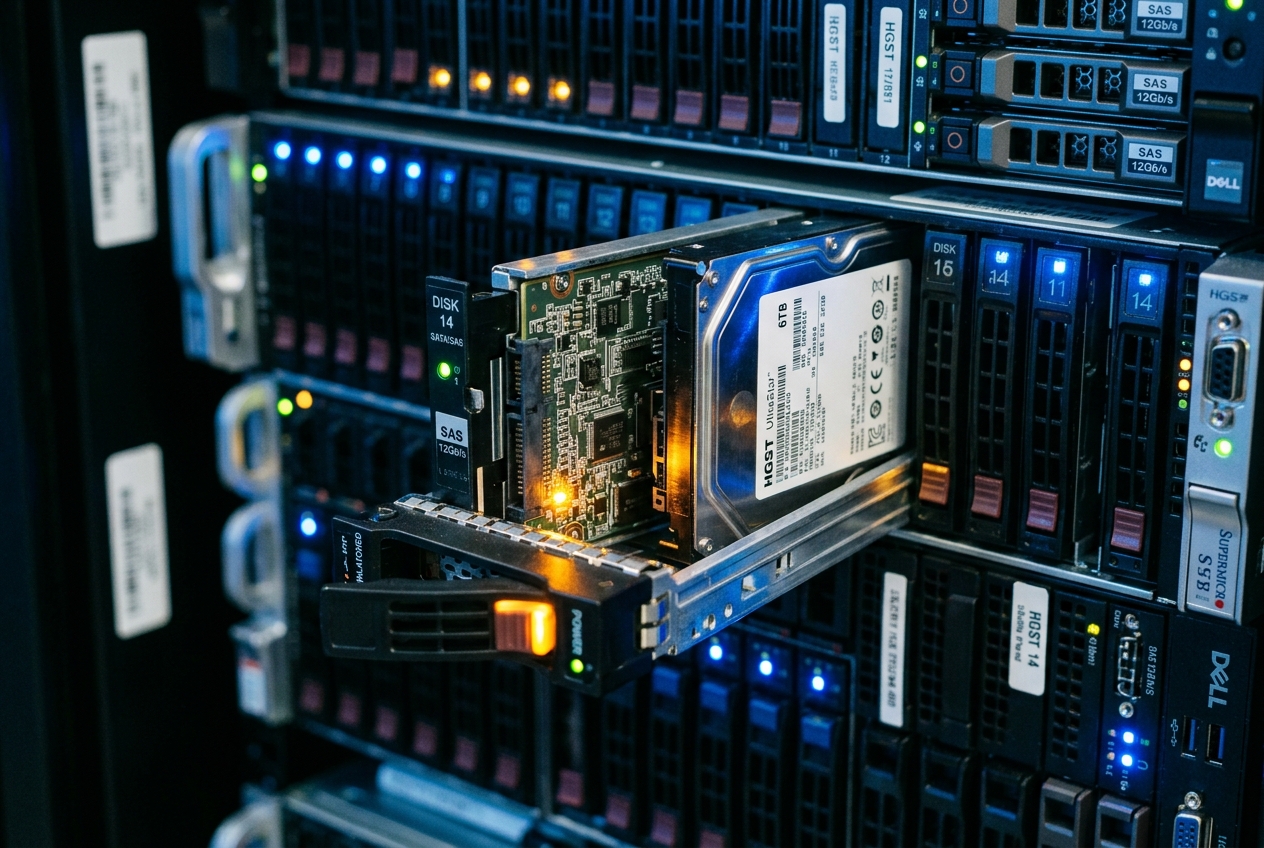
This is the systems engineer's quietest nightmare: the ghost in the storage subsystem. High-level operating system monitoring utilities throw their hands up, reporting only a suffocating fog of input/output wait time (%iowait). The filesystem layer is waiting indefinitely on physical block storage, but standard tools cannot explain why. Has an individual drive controller fallen back to a degraded link rate? Is an onboard write cache secretly disabled? Has a mechanical head assembly stalled, or has an internal firmware subsystem locked up?
To answer these questions, an engineer cannot rely on high-level filesystem metrics. You must peel back the operating system's abstractions and converse directly with the physical storage controller. The classical, indispensable instrument for this low-level hardware interrogation is hdparm.
If you suspect a disk bottleneck or hardware fault on any Linux machine, the single most valuable diagnostic command you can run immediately is a direct hardware identity inspection:
sudo hdparm -I /dev/sda
This single command instructs the drive controller to return its internal hardware register identity, bypassing the operating system's assumptions entirely. Within seconds, it exposes the drive’s genuine model, firmware revision, negotiated bus capabilities, active write cache policies, and hardware security flags.
/dev/sda:

ATA device, with non-removable media
    Model Number:       Micron_5300_MTFDDAK960TDS
    Serial Number:      20412B890F12
    Firmware Revision:  D3MU001
    Transport:          Serial, ATA8-AST, SATA 1.0a, SATA II Extensions, SATA Rev 2.5, SATA Rev 2.6, SATA Rev 3.0
Standards:
    Used: unknown (minor revision code 0x005e)
    Supported: 11 10 9 8 7
    Likely used: 11
Configuration:
    Logical max current
    cylinders   16383   16383
    heads       16  16
    sectors/track   63  63
    --
    CHS current addressable sectors:    16514064
    LBA    user addressable sectors:  1875385008
    LBA48  user addressable sectors:  1875385008
    Logical  Sector size:                   512 bytes
    Physical Sector size:                   512 bytes
    Logical Sector-0 offset:                  0 bytes
    device size with M = 1024*1024:      915715 MBytes
    device size with M = 1000*1000:      960197 MBytes (960 GB)
Capabilities:
    LBA supported
    IORDY conducted
    Queue depth: 32
    DMA: mdma0 mdma1 mdma2 udma0 udma1 udma2 udma3 udma4 udma5 *udma6
         Cycle time: min=120ns recommended=120ns
    Native Command Queueing (NCQ)
Commands/features:
    Enabled Supported:
       *    SMART feature set
       *    Power Management feature set
       *    Write cache
       *    Host Protected Area feature set
       *    Advanced Power Management feature set
       *    48-bit Address feature set
       *    Mandatory FLUSH CACHE
       *    FLUSH CACHE EXT
       *    SMART error logging
       *    SMART self-test
       *    General Purpose Logging feature set
       *    WRITE_{DMA|MULTIPLE}_FUA_EXT
       *    Data Set Management TRIM supported (limit 8 blocks)
Security:
    Master password revision code = 65534
        supported
    not enabled
    not locked
    not frozen
    not expired: security count
        supported: enhanced erase
    2min for SECURITY ERASE UNIT. 2min for ENHANCED SECURITY ERASE UNIT.
What It Does in Plain English
At its core, hdparm is a Linux command-line utility that establishes an unmediated, direct channel of communication between the systems administrator and underlying Serial ATA (SATA) or legacy Integrated Drive Electronics (IDE) hardware.
While conventional storage commands query the Linux kernel about files, partitions, and virtual filesystem structures, hdparm speaks directly to the storage controller's onboard microcode and hardware registers. This allows administrators to extract immutable hardware identification data, measure true physical throughput independent of operating system caching, configure volatile on-disk memory buffers, tune power-conservation profiles, and issue low-level firmware instructions such as cryptographic factory resets.
Core Flags and Quick Reference
Because hdparm directly manipulates physical device registers, all invocations require administrative superuser privileges (root or sudo).
| Flag | Argument Syntax | Operational Purpose |
|---|---|---|
-I |
hdparm -I /dev/sdX |
Interrogates the device identity registers to extract hardware identity, capabilities, and supported ATA feature sets. |
-t |
hdparm -t /dev/sdX |
Performs sequential device read timing benchmarks through the kernel block layer buffer cache. |
-T |
hdparm -T /dev/sdX |
Benchmarks the host processor, bus, and operating system memory page cache throughput. |
--direct |
hdparm -t --direct /dev/sdX |
Bypasses the Linux page cache entirely, performing raw direct-to-device sequential reads using O_DIRECT. |
-W |
hdparm -W[0\|1] /dev/sdX |
Queries (-W), disables (-W0), or enables (-W1) the volatile Write Cache Enable (WCE) feature on the drive. |
-B |
hdparm -B[1-255] /dev/sdX |
Configures Advanced Power Management (APM) parameters to balance power consumption against performance. |
-S |
hdparm -S[0-255] /dev/sdX |
Defines the hardware standby spindown timer for mechanical spindle motors. |
-y / -Y |
hdparm -y /dev/sdX |
Forces the target storage device into low-power Standby (-y) or Sleep (-Y) state immediately. |
Core Architecture of Low-Level Storage Control
To wield hdparm safely in production environments, it is essential to understand the architectural layers separating user space applications from the physical storage media.
The ioctl(2) Interface and ATA Register Taskfiles
Modern Linux systems interface with SATA storage devices through the kernel's libata Subsystem, which encapsulates ATA commands inside the standard Small Computer System Interface (SCSI) architectural layer. When an administrator executes an hdparm command, the utility circumvents standard POSIX file operations (read, write, fsync) and issues low-level system ioctl(2) calls.
Historically, hdparm communicated via legacy control codes like HDIO_DRIVE_CMD to send raw taskfile registers to the controller. In modern Linux kernels, hdparm leverages the SCSI Generic pass-through interface (SG_IO). Through SG_IO, hdparm builds an ATA Pass-Through Command Descriptor Block (CDB) that encapsulates raw Command Register Taskfiles:
- Feature Register: Specifies sub-commands (such as toggling write caches via
SET FEATUREScommand0xEF). - Sector Count Register: Transmits parameter values or timeout limits.
- Command/Status Register: Receives opcodes such as
0xEC(IDENTIFY DEVICE),0x90(CHECK POWER MODE), or0xF3(SECURITY ERASE PREPARE).
By injecting these register commands straight into the ATA bus interface, hdparm alters the drive's firmware state without interference from kernel caching or I/O scheduling queues.
Raw Direct I/O vs Buffer Cache Metrics
Storage performance testing is frequently distorted by the operating system's memory management mechanisms. When applications read data from disk, the Linux Kernel Block Layer populates its page cache in host dynamic RAM (DRAM). Subsequent reads against the same offsets are served straight from system memory, producing deceptive throughput numbers that reflect RAM bus speeds rather than disk performance.
hdparm cuts through this ambiguity using three distinct benchmarking modes:
- Buffer Cache Timing (
-T): Measures the throughput of the processor, memory bus, and Linux page cache. It repeatedly reads cached blocks without initiating storage bus transactions, establishing the theoretical ceiling for local memory retrieval. - Buffered Device Reads (
-t): Reads sequential data from the block device through the kernel's buffer cache, free from filesystem metadata overhead but still subject to block-layer caching. - Direct-to-Device Reads (
--direct): Opens the target device descriptor with theO_DIRECTflag, bypassing the kernel page cache entirely. I/O requests travel via Direct Memory Access (DMA) straight from the SATA host adapter into user-space memory buffers, exposing the genuine physical read capability of the storage media.
Volatile Write Caching (WCE), Write Barriers, and Force Unit Access (FUA)
Modern hard disk drives (HDDs) and solid-state drives (SSDs) contain onboard DRAM buffers known as the Volatile Write Cache (Write Cache Enable - WCE). When WCE is active, the drive acknowledges a write command (WRITE DMA EXT) as complete the moment the data enters its volatile onboard RAM, well before the bits are written to magnetic platters or flash cells.
While write caching delivers dramatic write burst performance, it introduces severe data corruption vulnerabilities. If the server loses power or encounters a kernel panic while uncommitted dirty data sits solely in the drive's volatile DRAM:
- The data in volatile DRAM is lost permanently.
- The filesystem journal or database Write-Ahead Log (WAL), which assumed the write was durable, desynchronises from the physical tablespace.
To prevent silent corruption, transactional databases use Write Barriers and Force Unit Access (FUA). A database issues explicit flush commands (0xE7 FLUSH CACHE or 0xEA FLUSH CACHE EXT) or tags critical I/O operations with the FUA bit (WRITE_DMA_FUA_EXT). This instructs the drive controller to hold back its acknowledgment until the designated sectors are written to non-volatile media. In transactional environments lacking battery-backed power supplies or enterprise non-volatile memory, explicitly disabling volatile write caching via hdparm -W0 is often mandatory to guarantee absolute durability.
ATA Security Architecture: States and Erasure Mechanics
The T13 Technical Committee defines an onboard security subsystem within the ATA standard that operates independently of operating system permissions. The drive's internal security state machine functions across four logical conditions:
- Disabled / Not Locked: The default state. All sectors are readable and writable without authentication.
- Locked: A user or master password has been configured via
SECURITY SET PASSWORD. Upon power-up, the drive refuses all read and write commands until a validSECURITY UNLOCKcommand is supplied. - Frozen: The security configuration is frozen against modification during the current power cycle via
SECURITY FREEZE LOCK. In this state, the drive rejects password assignments, unlock attempts, and secure erase commands until a hardware power cycle occurs. Modern motherboard BIOS/UEFI firmware freezes all attached drives at boot time to stop rogue user-space processes from locking drives with unrecoverable passwords. - Unlocked: A previously locked drive that has authenticated successfully against its internal password register during the active power session.
When issuing an ATA Secure Erase (SECURITY ERASE UNIT), the internal drive controller overwrites all user-accessible logical block addresses (LBAs) at the physical hardware layer, including reallocated bad blocks, over-provisioned sectors, and metadata tracks invisible to operating system drivers. Enhanced Secure Erase instructs the internal cryptographic hardware to purge its Media Encryption Key (MEK), rendering all encrypted NAND blocks instantaneously and irreversibly unreadable under NIST Special Publication 800-88 Revision 1.
5 Tangible Production Use-Cases
The following scenarios demonstrate real-world operational challenges encountered by Linux systems administrators and site reliability engineers, detailing the commands, terminal telemetry, line-by-line analyses, and subsequent administrative steps.
Use Case 1: Direct Hardware Throughput Benchmarking
Scenario
A distributed Ceph storage node reports degraded read performance on /dev/sdb. The systems administrator must determine whether the underlying 8 TB enterprise SATA drive is suffering from physical bus degradation or mechanical head latency, or if the delay is simply an artifact of kernel lock contention and page-cache saturation.
Execution
sudo hdparm -tT --direct /dev/sdb
Terminal Output
/dev/sdb:
 Timing O_DIRECT cached reads:   1842 MB in  2.00 seconds = 921.14 MB/sec
 Timing O_DIRECT disk reads:      388 MB in  3.01 seconds = 128.90 MB/sec
Line-by-Line Telemetry Analysis
Timing O_DIRECT cached reads: 1842 MB in 2.00 seconds = 921.14 MB/sec: Measures throughput usingO_DIRECTflags against the device interface, streaming memory buffers through the host controller. This confirms that the host system's PCI Express bus and host adapter interface are functioning at expected memory subsystem transfer speeds.Timing O_DIRECT disk reads: 388 MB in 3.01 seconds = 128.90 MB/sec: Reveals the true unbuffered, sequential streaming read throughput of the physical magnetic platters. For an enterprise 7,200 RPM SATA-III hard disk drive, a sustained rate of ~128.90 MB/sec indicates the drive is reading near the slower inner tracks of the platter, but is operating without bus-level failure or severe mechanical thrashing.
Sysadmin Next Steps
- Compare this measurement against the manufacturer's baseline specification (typically 200–250 MB/s on outer tracks, tapering to 110–130 MB/s on inner tracks).
- If throughput drops below 30 MB/sec, inspect the system kernel ring buffer (
dmesg -T) for ATA bus reset events, controller timeouts, or bad sector reallocations.
Use Case 2: Volatile Write-Cache Configuration and Data Integrity Auditing
Scenario
A bare-metal database server running PostgreSQL processes high-volume financial transactions. The machine lacks a battery-backed RAID controller (BBU) or hardware non-volatile write cache. To prevent irrecoverable database corruption during an unexpected power interruption, the volatile on-drive write cache must be audited and disabled.
Execution
# Query the current Write Cache Enable (WCE) state
sudo hdparm -W /dev/sdc

# Forcefully disable volatile write caching at the hardware level
sudo hdparm -W0 /dev/sdc

# Verify the updated register status
sudo hdparm -W /dev/sdc
Terminal Output
/dev/sdc:
 write-caching =  1 (on)

/dev/sdc:
 setting drive write-caching to 0 (off)
 write-caching =  0 (off)

/dev/sdc:
 write-caching =  0 (off)
Line-by-Line Telemetry Analysis
write-caching = 1 (on): Confirms that the drive controller is operating with its volatile onboard DRAM write buffer enabled. Unwritten buffers will be lost during a power loss event.setting drive write-caching to 0 (off):hdparmsends theSET FEATUREScommand0x82(Disable Write Cache) to the drive’s Taskfile register viaioctl(2). The drive updates its internal configuration register.write-caching = 0 (off): Verifies that the drive will no longer acknowledge writes prematurely. Subsequent block writes across the SATA bus will only return a completion signal once the data has physically committed to non-volatile media.
Sysadmin Next Steps
- Hardware write cache parameters can revert after cold reboots on some drive firmware builds. Persist this setting across system restarts by updating
/etc/hdparm.conf:text /dev/sdc { write_cache = off } - Benchmark transactional database commit latency (
pg_test_fsync) to quantify the performance trade-off of enforcing physical data durability.
Use Case 3: SATA Link Speed Negotiation and NCQ Diagnostics
Scenario
A production virtualization hypervisor generates persistent kernel alerts indicating that an attached SSD (/dev/sdd) is experiencing elevated I/O queue latencies. The administrator suspects the drive has negotiated a downgraded SATA link rate due to backplane pin corrosion, cable degradation, or an improperly seated drive caddy.
Execution
sudo hdparm -I /dev/sdd | grep -E "(Transport:|Speed:|Queue depth:|Native Command)" -A 2 -B 2
Terminal Output
Capabilities:
    LBA supported
    IORDY conducted
    Queue depth: 32
    DMA: mdma0 mdma1 mdma2 udma0 udma1 udma2 udma3 udma4 udma5 *udma6
         Cycle time: min=120ns recommended=120ns
    Native Command Queueing (NCQ)
--
Transport:
    Host-side interface speed: 6.0Gb/s
    Device-side interface speed: 6.0Gb/s
    Current negotiated speed: 1.5Gb/s
Line-by-Line Telemetry Analysis
Queue depth: 32andNative Command Queueing (NCQ): Confirms hardware command queuing is active and capable of holding up to 32 concurrent read/write instructions in flight, allowing drive firmware to optimize execution order.Host-side interface speed: 6.0Gb/s: Confirms the host controller PHY is fully capable of SATA Gen 3 (6.0 Gbps) signalling.Device-side interface speed: 6.0Gb/s: Confirms the target SSD controller is capable of SATA Gen 3 speeds.Current negotiated speed: 1.5Gb/s: The critical anomaly. The physical interface has downgraded its link negotiation to SATA Gen 1 (1.5 Gbps, yielding a maximum theoretical throughput of ~150 MB/s instead of ~550 MB/s). This occurs when the physical layer encounters excessive cyclic redundancy check (CRC) errors or electrical noise on high-speed transmission lines.
Sysadmin Next Steps
- Review the SMART error registers for UltraDMA CRC errors via
smartctl -a /dev/sdd. - Schedule a maintenance window to replace the SATA data cable or reseat the drive in an alternate backplane bay.
Use Case 4: Power Management and Standby Spindown Optimization
Scenario
An enterprise backup server houses forty-eight 18 TB mechanical hard drives configured as a cold-storage tier. These drives are written to only once every twenty-four hours during nightly backup windows. The systems engineer must configure the drives to spin down their mechanical spindle motors after twenty minutes of inactivity to cut power consumption and reduce thermal load in the rack.
Execution
# Query the current physical power mode without waking the spindle
sudo hdparm -C /dev/sde

# Set Advanced Power Management to allow spin-down (value 127)
sudo hdparm -B 127 /dev/sde

# Configure standby timeout to 20 minutes (240 * 5 seconds = 1200s = 20m)
sudo hdparm -S 240 /dev/sde
Terminal Output
/dev/sde:
 drive state is:  active/idle

/dev/sde:
 setting APM level to 0x7f (127)
 APM_level  = 127

/dev/sde:
 setting standby timeout to 240 (20 minutes)
Line-by-Line Telemetry Analysis
drive state is: active/idle:hdparm -Cperforms a non-intrusive query to the drive's power status register. Unlike accessing the filesystem, this query does not initiate a disk read and will not wake a sleeping spindle motor.setting APM level to 0x7f (127): The Advanced Power Management scale ranges from1to255. Values1through127permit the drive to spin down its motor to conserve power; values128through254enforce continuous spindle rotation while tuning head-parking aggression;255disables APM entirely. Setting127enables maximum power conservation while retaining acceptable wake responsiveness.setting standby timeout to 240 (20 minutes): The encoding of the-Sflag is non-linear:- Values
1to240specify multiples of 5 seconds (here, 240 x 5 = 1,200 seconds = 20 minutes). - Values
241to251specify multiples of 30 minutes.
Sysadmin Next Steps
- Verify after twenty minutes of host inactivity that the drive has entered standby mode:
bash sudo hdparm -C /dev/sde # Expected output: drive state is: standby - Ensure that system logging daemons, monitoring agents (such as Prometheus node-exporter), or cron jobs do not periodically poll the raw block device, which would cause continuous, wear-inducing spin-up and spin-down cycles.
Use Case 5: Firmware-Level ATA Cryptographic and Sector Secure Erasure
Scenario
A server chassis containing enterprise SATA solid-state drives is being decommissioned and returned to a leasing provider. In accordance with sanitization standards under NIST Special Publication 800-88 Revision 1 and ArchWiki Memory Cell Clearing, the engineer must execute an ATA Secure Erase to destroy all customer data and encryption keys across the flash translation layer.
Execution
# Step 1: Verify the drive's security registers are NOT frozen
sudo hdparm -I /dev/sdf | grep -A 8 "Security:"

# Step 2: Establish an ephemeral security password ("TemporaryAdminPass")
sudo hdparm --user-master u --security-set-pass TemporaryAdminPass /dev/sdf

# Step 3: Verify the drive transitioned to the 'locked' state
sudo hdparm -I /dev/sdf | grep -A 8 "Security:"

# Step 4: Dispatch the hardware-level Enhanced Secure Erase command
sudo hdparm --user-master u --security-erase-enhanced TemporaryAdminPass /dev/sdf

# Step 5: Validate that security has returned to an unmanaged, unlocked state
sudo hdparm -I /dev/sdf | grep -A 8 "Security:"
Terminal Output
Security:
    Master password revision code = 65534
        supported
    not enabled
    not locked
    not frozen
    not expired: security count
        supported: enhanced erase
    2min for SECURITY ERASE UNIT. 2min for ENHANCED SECURITY ERASE UNIT.

/dev/sdf:
 Issuing SECURITY_SET_PASSWORD command, password="TemporaryAdminPass", user=user

Security:
    Master password revision code = 65534
        supported
        enabled
        locked
    not frozen
    not expired: security count
        supported: enhanced erase
    2min for SECURITY ERASE UNIT. 2min for ENHANCED SECURITY ERASE UNIT.

/dev/sdf:
 Issuing SECURITY_ERASE command, password="TemporaryAdminPass", user=user

Security:
    Master password revision code = 65534
        supported
    not enabled
    not locked
    not frozen
    not expired: security count
        supported: enhanced erase
Line-by-Line Telemetry Analysis
not frozen: A critical prerequisite. If the drive reportedfrozen, the internal security engine would immediately reject any password assignment or sanitization request.Issuing SECURITY_SET_PASSWORD command:hdparmsends the0xF1taskfile opcode, establishing the temporary password lock required by the ATA standard before an erasure routine can execute.locked: Confirms that the device is armed and waiting for either authentication or an administrative erasure command.Issuing SECURITY_ERASE command:hdparmtransmits the0xF3opcode (SECURITY ERASE UNIT) with the enhanced bit set. The drive microcode immediately purges its hardware cryptographic Media Encryption Key (MEK) and executes a high-voltage block clear across all physical flash memory dies.- Final
not enabled / not locked: After completing erasure, the drive controller clears the temporary password, resets its lock flags, and returns to a factory-initialized state ready for decommissioning.
Sysadmin Next Steps
- Verify that the partition table has been wiped completely:
bash sudo fdisk -l /dev/sdf # Output should indicate no valid partition table or identifiable signatures - Archive the command output and serial numbers within the datacenter infrastructure audit log for compliance certification.
What Can Go Wrong: Hazards, Traps, and Architectural Pitfalls
Operating at the physical register level bypasses the guardrails provided by the Linux filesystem layer. Careless usage of hdparm can lead to kernel deadlocks, data loss, or hardware lockouts.
1. Modifying Drive Registers During High Concurrent I/O
Executing state-altering flags—such as changing acoustic management (-M), resetting write cache configurations (-W), or forcing power states (-y)—while an active database or clustered filesystem is executing hundreds of concurrent asynchronous I/O transactions can trigger a catastrophic kernel SCSI bus abort.
- The Mechanism: The drive firmware may briefly suspend its pipeline to update non-volatile flash configurations or park its read/write head assemblies. The Linux kernel's block-layer watchdog timer perceives this latency as an unresponsive device, declares an ATA bus timeout, and initiates a hardware link reset. This can cause the root filesystem to drop into read-only mode (
remount-ro). - Prevention: Ensure that all filesystems residing on the block device are unmounted, or that background I/O operations are quiesced, before altering drive operational modes.
2. The Frozen State Deadlock During Secure Erase
Modern motherboard UEFI/BIOS firmware implementations routinely issue an ATA SECURITY FREEZE LOCK (0xF5) command to all connected storage devices during Power-On Self-Test (POST). This prevents malicious boot-sector malware from setting a hardware lock password on the user's drive.
- The Danger: If an administrator attempts to run
--security-set-passon a frozen drive, the drive controller rejects the command with an input/output error. Attempting to force the command repeatedly can lock certain drive firmware models permanently, placing the controller into an irreversible security lockout state (expired: security count). - Recovery Procedure: To safely unfreeze a drive without rebooting the server:
1. If the hardware supports SATA hot-plugging, disconnect the SATA power cable from the drive for five seconds, then reconnect it.
2. Alternatively, invoke a system sleep state (
systemctl suspendorecho mem > /sys/power/state). Upon system resume, the BIOS does not re-issue the freeze command, leaving the drive in a configurablenot frozenstate.
3. Destruction of Solid-State Drive Wear-Leveling and Host Protected Areas
Certain legacy flags within hdparm were engineered strictly for parallel ATA (PATA) rotational media from decades past. Applying flags such as --trim-sector-ranges-stdin or disabling defect management on modern SSDs can corrupt the internal Flash Translation Layer (FTL) mapping table.
- The Danger: Overwriting or misaligning Host Protected Areas (
-N/HPA) can expose or truncate hidden vendor provisioning sectors, resulting in silent data corruption across virtual disk arrays. - Prevention: Always interrogate the device identity (
hdparm -I) first to confirm that the physical hardware explicitly supports the feature before issuing modification flags. Review the authoritative hdparm(8) Manual before executing unfamiliar options.
Today's Takeaway
To anchor your practical understanding of storage internals, run sudo hdparm -I /dev/sda on your current Linux machine right now. Locate the Capabilities: and Commands/features: sections in the output, and verify whether your drive has its volatile Write cache enabled and whether its security state is marked as frozen. Checking these two hardware registers takes less than five minutes, but it provides the foundational clarity needed to diagnose obscure performance bottlenecks, secure sensitive infrastructure, and master the storage stack beneath your operating system.