Efibootmgr: Querying UEFI NVRAM Boot Variables, Managing Firmware Boot Sequences, and Orchestrating Resilient Kernel Failovers in Production
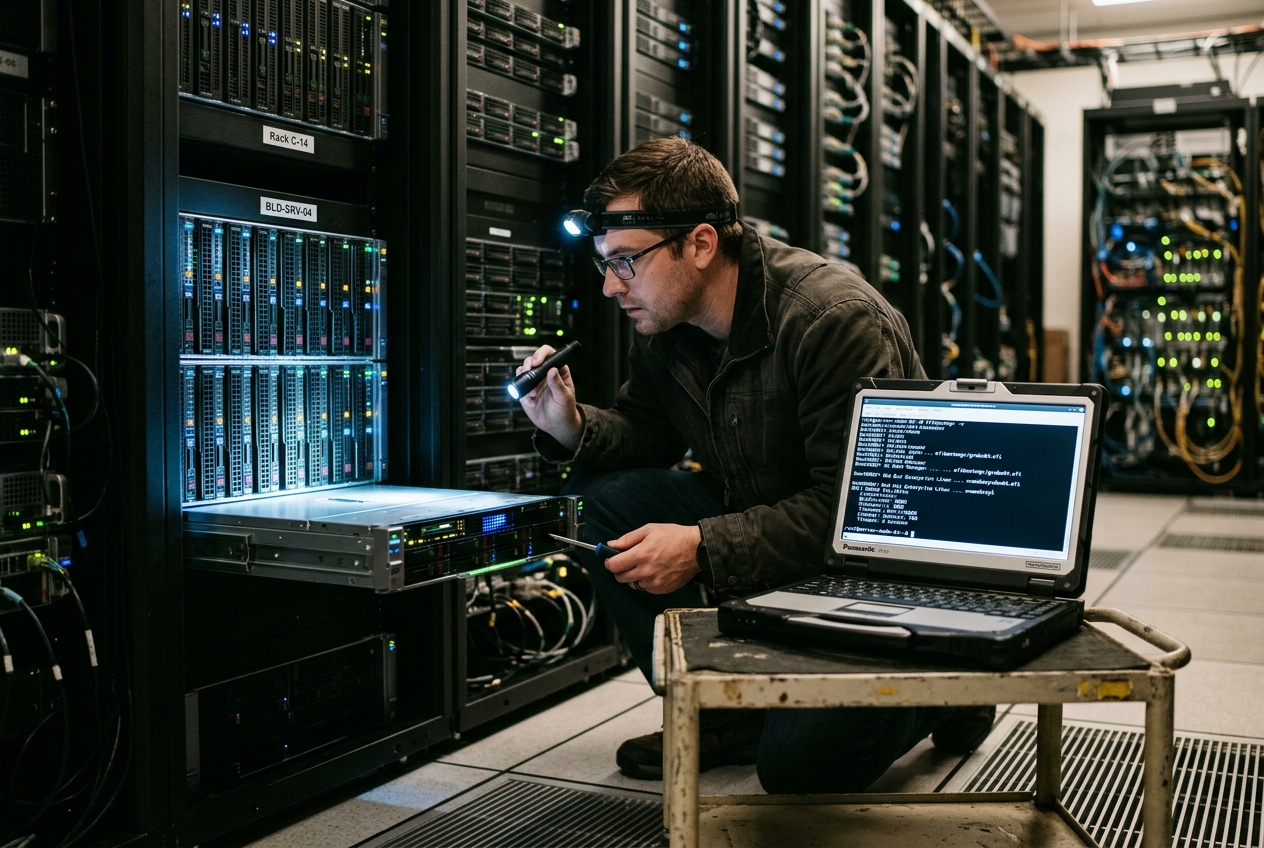
Inside the remote data centre, the server's cooling fans spin down to an ominous hush, then roar back to full pitch in a relentless, cyclic reboot loop. Firing up the out-of-band management console, you watch the hardware cycle aimlessly through its initialisation sequence: the motherboard scans its internal buses, completely ignores the primary high-speed storage array, attempts an unconfigured network boot, fails, and drops you straight into an interactive firmware prompt:
UEFI Interactive Shell v2.2
EDK II
UEFI v2.70 (American Megatrends, 0x00050013)
Mapping table
      FS0: Alias(s):HD0a1:PCIRoot(0x0)/Pci(0x1,0x0)/Pci(0x0,0x0)/NVMe(0x1,...)/HD(1,GPT,...)
      BLK0: Alias(s):
          PCIRoot(0x0)/Pci(0x1,0x0)/Pci(0x0,0x0)/NVMe(0x1,...)
Press ESC in 1 seconds to skip startup.nsh, any other key to continue.
Shell>
Your pulse quickens, but a quick inspection reveals that the underlying storage drives are completely intact, the filesystem is healthy, and the newly compiled Linux kernel binary sits pristine within the EFI System Partition. The physical hardware has not suffered a mechanical failure; rather, the machine has developed digital amnesia. The motherboard simply has no record of how or where it should boot.
In the older era of computing, fixing this would have meant rewriting raw machine code to the first sectors of a physical storage drive. Under the modern UEFI Specification, boot targets are no longer hardcoded into disk sectors. Instead, they live inside a structured database held within non-volatile random-access memory (NVRAM) soldered directly onto the motherboard. To inspect, modify, and repair this hidden layer directly from a running Linux environment, systems administrators turn to an essential utility: efibootmgr.
The single most valuable command in your toolkit requires no complicated arguments—running efibootmgr on its own instantly unlocks the motherboard's internal boot registry:
efibootmgr
BootCurrent: 0001
Timeout: 1 seconds
BootOrder: 0001,0002,0000,0003
Boot0000* Red Hat Enterprise Linux  HD(1,GPT,4f9c8d3e-1234-5678-abcd-ef0123456789,0x800,0x100000)/File(\EFI\redhat\shimx64.efi)
Boot0001* Production-Primary-GRUB   HD(1,GPT,c2b4d9a1-8765-4321-fedc-ba9876543210,0x800,0x200000)/File(\EFI\BOOT\BOOTX64.EFI)
Boot0002* Production-Fallback-GRUB  HD(1,GPT,e8a7c6b5-0000-1111-2222-333344445555,0x800,0x200000)/File(\EFI\BOOT\BOOTX64.EFI)
Boot0003* UEFI PXE IPv4 PciRoot(0x0)/Pci(0x1f,0x6)/MAC(001122334455,0)/IPv4(0.0.0.0,0,0,0)
In this concise snapshot, you can immediately identify which operating system is currently running (BootCurrent), the precise priority order the hardware will attempt during startup (BootOrder), and every registered operating system binary along with its unique disk partition. The asterisk (*) trailing each boot entry confirms that the entry is active and enabled for execution during the boot sequence.
WHAT IT DOES IN PLAIN ENGLISH
At its core, efibootmgr is the bridge between your Linux operating system and the low-level firmware instructions etched into your computer's motherboard. Rather than searching blindly across raw storage sectors for executable code, modern computers maintain an internal electronic address book of operating systems, hardware paths, and boot rules stored inside dedicated non-volatile memory chips.
Using efibootmgr, a systems engineer can read this internal address book, register newly installed operating systems, rearrange the sequence in which devices boot, and schedule one-time diagnostic runs—all directly from the Linux command line without ever needing to reboot into cumbersome BIOS or UEFI setup menus.
THE MECHANICAL ANATOMY: EFIVARS, NVRAM, AND CORE FLAGS
To command efibootmgr safely in mission-critical environments, it helps to understand how the operating system communicates with the underlying motherboard silicon.
The Kernel Abstraction: efivarfs
Linux does not manipulate the motherboard's flash memory chips through raw hardware commands. Instead, the Linux kernel abstracts the UEFI runtime variables into a specialised virtual filesystem called efivarfs, mounted at /sys/firmware/efi/efivars.
When efibootmgr runs, it interacts with these virtual files using standard file read and write operations. Each variable in /sys/firmware/efi/efivars appears as a file whose name combines a human-readable title with a 128-bit globally unique identifier (GUID). Standard boot variables reside under the EFI_GLOBAL_VARIABLE_GUID namespace (8be4df61-93ca-11d2-aa0d-00e098032b8c). Complete architectural details on this kernel interface can be found in the Linux Kernel efivarfs Documentation.
UEFI NVRAM Boot Variable Hierarchy
The UEFI boot manager relies on a specific hierarchy of variables to dictate startup behaviour:
BootCurrent: A read-only hexadecimal number identifying the specific boot entry that launched the currently running operating system (such as0001).BootOrder: An ordered list of four-digit hexadecimal identifiers (for example,0001,0002,0000) defining the exact sequence the hardware will follow when attempting to boot during the Power-On Self-Test (POST).BootNext: An optional, temporary override variable. When present, the firmware boots this specific entry exactly once, automatically deletes the variable from memory, and reverts to the standardBootOrderon all subsequent boots.BootXXXX: Individual boot entry definitions (whereXXXXrepresents a four-digit hexadecimal index likeBoot0001orBoot000A). Each entry contains a structured binary payload consisting of:- Attributes: Status flags indicating whether the entry is active, hidden, or categorised.
- File Path List: The hardware Device Path specifying the PCI root bus, storage controller, GPT partition GUID, and the exact path to the
.efibinary file on the FAT32 EFI System Partition (ESP). - Human-Readable Description: The friendly label displayed in boot menus.
- Optional Data: Kernel command-line parameters passed directly to the kernel, in compliance with the systemd Boot Loader Specification or the kernel's native EFI boot stub.
Essential Command Flags
The following reference table summarises the core flags used in daily administration, as detailed in the official man7 efibootmgr Manual:
| Flag | Long Option | Purpose and Operational Description |
|---|---|---|
-v |
--verbose |
Displays verbose output including full hardware device paths, partition UUIDs, and binary arguments. |
-c |
--create |
Allocates and creates a new BootXXXX entry and automatically prepends it to BootOrder. |
-d |
--disk |
Specifies the parent disk device hosting the EFI System Partition (defaults to /dev/sda). |
-p |
--part |
Designates the partition number (1-indexed) containing the target bootloader executable. |
-L |
--label |
Sets a descriptive, human-readable name for the boot entry. |
-l |
--loader |
Defines the path to the .efi binary on the partition, using backslashes (\) as separators. |
-u |
--unicode |
Appends custom kernel arguments or loader parameters formatted as UCS-2 unicode strings. |
-o |
--bootorder |
Sets an explicit boot priority order using a comma-separated list of hexadecimal numbers. |
-n |
--bootnext |
Configures a one-time boot override for the next immediate system restart. |
-N |
--delete-bootnext |
Clears any pending BootNext override from NVRAM. |
-b |
--bootnum |
Specifies the targeted 4-digit hexadecimal entry index for modification or removal. |
-B |
--delete-bootnum |
Deletes the specific boot entry designated by the -b flag from NVRAM and removes it from BootOrder. |
-a / -A |
--active / --inactive |
Activates or deactivates a specific entry without deleting its configuration from memory. |
FIVE PRODUCTION USE CASES
The following scenarios illustrate common production challenges faced by systems engineers, complete with practical commands, output analyses, and subsequent steps.
| Use Case | Production Scenario | Target Command |
|---|---|---|
| 1. Auditing Topologies | Verifying boot sources after storage migrations | efibootmgr -v |
| 2. Provisioning Loaders | Deploying an EFI Stub kernel directly to firmware | efibootmgr -c -d /dev/nvme0n1 -p 1 ... |
| 3. Priority Reordering | Enforcing local disk precedence over network PXE boot | efibootmgr -o 0001,0002,0003,0000 |
| 4. Single-Shot Diagnostics | Scheduling a hands-free, one-time memory test | efibootmgr -n 0005 |
| 5. Purging Stale Artifacts | Cleaning obsolete records after decommissioning | efibootmgr -b 0000 -B |
1. Auditing Active Boot Topologies
- The Scenario: Following a live storage migration and NVMe drive replacement on a hypervisor host, you must verify that the running Linux instance booted from the newly mirrored hardware rather than a lingering stale storage volume or secondary SAN path.
- Command Invocation:
efibootmgr -v
- Terminal Output:
BootCurrent: 0002
Timeout: 5 seconds
BootOrder: 0002,0001,0003
Boot0001  Legacy Backup Shim    HD(1,GPT,8a6f3b4c-9d8e-7f6a-5b4c-3d2e1f0a9b8c,0x800,0x100000)/File(\EFI\centos\shimx64.efi)
Boot0002* Enterprise KVM Core 01    HD(1,GPT,c9b8a7d6-e5f4-3a2b-1c0d-9e8f7a6b5c4d,0x800,0x200000)/File(\EFI\rocky\shimx64.efi)HASH(12,34,56...)
Boot0003* Integrated NIC 1 (PXE)    PciRoot(0x0)/Pci(0x1c,0x0)/Pci(0x0,0x0)/MAC(ac1f6b8294a0,0)/IPv4(0.0.0.0,0,0,0)
- Line-by-Line Technical Analysis:
BootCurrent: 0002: Confirms that the running kernel was loaded specifically via configurationBoot0002.BootOrder: 0002,0001,0003: ConfirmsBoot0002maintains top priority in automated recovery cycles.Boot0002* Enterprise KVM Core 01: The asterisk confirms the entry is currently active.HD(1,GPT,c9b8a7d6-e5f4-3a2b-1c0d-9e8f7a6b5c4d,0x800,0x200000): Identifies the target partition. It specifies partition1, marked by GUID Partition Table (GPT) format, possessing unique partition UUIDc9b8a7d6-e5f4-3a2b-1c0d-9e8f7a6b5c4d, starting at sector0x800with a total size of0x200000sectors./File(\EFI\rocky\shimx64.efi): The precise binary path within the mounted FAT32 filesystem executed by the firmware.
- Next Operational Step: Cross-reference the partition UUID against
/dev/disk/by-partuuid/usinglsblk -o NAME,PARTUUID,MOUNTPOINTto ensurec9b8a7d6-e5f4-3a2b-1c0d-9e8f7a6b5c4dmaps to the new NVMe drive (/dev/nvme0n1p1) and not the decommissioned device.
2. Provisioning New UEFI Bootloader Entries
- The Scenario: You are deploying a specialized bare-metal node with a custom compiled kernel designed to execute directly via the Linux EFI Stub loader, bypassing intermediate stages like GNU GRUB. The binary resides on the primary NVMe disk (
/dev/nvme0n1), partition1. - Command Invocation:
efibootmgr -c -d /dev/nvme0n1 -p 1 \
  -L "Production-Linux-Kernel" \
  -l "\EFI\Linux\vmlinuz-6.6.21-production.efi" \
  -u "root=UUID=5f3d2e1a-4b5c-6d7e-8f9a-0b1c2d3e4f5a ro quiet console=tty0 console=ttyS0,115200n8 initrd=\EFI\Linux\initramfs-6.6.21-production.img"
- Terminal Output:
BootCurrent: 0001
Timeout: 1 seconds
BootOrder: 0004,0001,0002,0000,0003
Boot0000* Red Hat Enterprise Linux  HD(1,GPT,4f9c8d3e-1234-5678-abcd-ef0123456789,0x800,0x100000)/File(\EFI\redhat\shimx64.efi)
Boot0001* Production-Primary-GRUB   HD(1,GPT,c2b4d9a1-8765-4321-fedc-ba9876543210,0x800,0x200000)/File(\EFI\BOOT\BOOTX64.EFI)
Boot0002* Production-Fallback-GRUB  HD(1,GPT,e8a7c6b5-0000-1111-2222-333344445555,0x800,0x200000)/File(\EFI\BOOT\BOOTX64.EFI)
Boot0003* UEFI PXE IPv4 PciRoot(0x0)/Pci(0x1f,0x6)/MAC(001122334455,0)/IPv4(0.0.0.0,0,0,0)
Boot0004* Production-Linux-Kernel   HD(1,GPT,c2b4d9a1-8765-4321-fedc-ba9876543210,0x800,0x200000)/File(\EFI\Linux\vmlinuz-6.6.21-production.efi)root=UUID=5f3d2e1a-4b5c-6d7e-8f9a-0b1c2d3e4f5a ro quiet console=tty0 console=ttyS0,115200n8 initrd=\EFI\Linux\initramfs-6.6.21-production.img
- Line-by-Line Technical Analysis:
-c -d /dev/nvme0n1 -p 1: Instructsefibootmgrto allocate the first availableBootXXXXidentifier (assigned asBoot0004) targeting partition 1 of/dev/nvme0n1.-L "Production-Linux-Kernel": Embeds the UTF-16 human-readable label in the entry's header.-l "\EFI\Linux\vmlinuz-6.6.21-production.efi": Establishes the binary entry point. Note the mandatory backslash separators native to UEFI filesystem path parsing.-u "...": Passes the kernel command line parameters as unicode data, encoding root filesystem UUIDs, terminal baud rates, and the path to the auxiliary initial ramdisk (initramfs).BootOrder: 0004,0001,0002,0000,0003: Shows thatefibootmgr -cautomatically prepends the newly created entry (0004) to the front of the active boot order.
- Next Operational Step: Run
syncto guarantee filesystem caches are flushed to the NVMe, then review the full device path viaefibootmgr -vto ensure the generated device node syntax matches your hardware topology.
3. Dynamic Boot Priority Reordering
- The Scenario: During automated bare-metal node reprovisioning, a host must initially boot via an ephemeral network PXE environment (
Boot0003) to receive an OS image, but the persistent configuration must enforce boot from the local NVMe storage (Boot0001) with a secondary mirrored drive (Boot0002) as fallback, demoting PXE to the final option. - Command Invocation:
efibootmgr -o 0001,0002,0003,0000
- Terminal Output:
BootCurrent: 0003
Timeout: 1 seconds
BootOrder: 0001,0002,0003,0000
Boot0000* Red Hat Enterprise Linux  HD(1,GPT,4f9c8d3e-1234-5678-abcd-ef0123456789,0x800,0x100000)/File(\EFI\redhat\shimx64.efi)
Boot0001* Production-Primary-GRUB   HD(1,GPT,c2b4d9a1-8765-4321-fedc-ba9876543210,0x800,0x200000)/File(\EFI\BOOT\BOOTX64.EFI)
Boot0002* Production-Fallback-GRUB  HD(1,GPT,e8a7c6b5-0000-1111-2222-333344445555,0x800,0x200000)/File(\EFI\BOOT\BOOTX64.EFI)
Boot0003* UEFI PXE IPv4 PciRoot(0x0)/Pci(0x1f,0x6)/MAC(001122334455,0)/IPv4(0.0.0.0,0,0,0)
- Line-by-Line Technical Analysis:
-o 0001,0002,0003,0000: Rewrites the binary payload of the/sys/firmware/efi/efivars/BootOrder-...variable with a serialized 16-bit integer array (0x0001, 0x0002, 0x0003, 0x0000).BootOrder: 0001,0002,0003,0000: Confirms that on the subsequent cold reboot, the platform firmware will attempt execution ofBoot0001. If the primary storage controller fails POST, it will degrade gracefully toBoot0002, then to PXE (0003), before considering0000.
- Next Operational Step: Integrate this command into post-install provisioning scripts (e.g., within an Ansible task or Cloud-Init late-command block) to seal the node configuration after disk partitioning completes.
4. Configuring One-Shot Diagnostic Boot Sequences
- The Scenario: A production compute node is reporting intermittent memory parity errors under high database load. You must execute an exhaustive hardware memory diagnostic (Memtest86+ or OEM diagnostic image registered as
Boot0005) on the next reboot. However, the operation must be completely hands-off: after completing the diagnostic run and rebooting, the node must automatically return to its primary operating system (Boot0001) without manual intervention in the data center. - Command Invocation:
efibootmgr -n 0005
- Terminal Output:
BootNext: 0005
BootCurrent: 0001
Timeout: 1 seconds
BootOrder: 0001,0002,0000,0003
Boot0000* Red Hat Enterprise Linux  HD(1,GPT,4f9c8d3e-1234-5678-abcd-ef0123456789,0x800,0x100000)/File(\EFI\redhat\shimx64.efi)
Boot0001* Production-Primary-GRUB   HD(1,GPT,c2b4d9a1-8765-4321-fedc-ba9876543210,0x800,0x200000)/File(\EFI\BOOT\BOOTX64.EFI)
Boot0002* Production-Fallback-GRUB  HD(1,GPT,e8a7c6b5-0000-1111-2222-333344445555,0x800,0x200000)/File(\EFI\BOOT\BOOTX64.EFI)
Boot0003* UEFI PXE IPv4 PciRoot(0x0)/Pci(0x1f,0x6)/MAC(001122334455,0)/IPv4(0.0.0.0,0,0,0)
Boot0005* Standalone Hardware Memory Diagnostics    HD(1,GPT,c2b4d9a1-8765-4321-fedc-ba9876543210,0x800,0x200000)/File(\EFI\tools\memtest.efi)
- Line-by-Line Technical Analysis:
-n 0005: Allocates and populates the/sys/firmware/efi/efivars/BootNext-...variable with the value0x0005.BootNext: 0005: Confirms the presence of the one-shot override pointer.BootOrder: 0001,0002,0000,0003: Demonstrates that the persistent priority chain remains entirely untouched.- When rebooted, the UEFI firmware will read
BootNext, clear the variable from NVRAM, and execute\EFI\tools\memtest.efi. Any subsequent reboot triggered by the memory diagnostic tool will immediately evaluateBootOrderand bootBoot0001.
- Next Operational Step: Trigger a system reboot via
systemctl rebootand connect to the BMC's Serial-over-LAN (SoL) console to monitor diagnostic execution logs in real time.
5. Sanitising Orphaned Boot Artifacts Post-Decommissioning
- The Scenario: Over years of OS upgrades, kernel experiments, and distribution shifts, a server’s NVRAM has accumulated redundant and invalid boot entries. These dead pointers cause 45-second POST delays as the firmware fruitlessly probes non-existent hardware partitions before finding a valid loader. You need to purge the corrupted entry
Boot0000. - Command Invocation:
efibootmgr -b 0000 -B
- Terminal Output:
BootCurrent: 0001
Timeout: 1 seconds
BootOrder: 0001,0002,0003
Boot0001* Production-Primary-GRUB   HD(1,GPT,c2b4d9a1-8765-4321-fedc-ba9876543210,0x800,0x200000)/File(\EFI\BOOT\BOOTX64.EFI)
Boot0002* Production-Fallback-GRUB  HD(1,GPT,e8a7c6b5-0000-1111-2222-333344445555,0x800,0x200000)/File(\EFI\BOOT\BOOTX64.EFI)
Boot0003* UEFI PXE IPv4 PciRoot(0x0)/Pci(0x1f,0x6)/MAC(001122334455,0)/IPv4(0.0.0.0,0,0,0)
- Line-by-Line Technical Analysis:
-b 0000: Targets the specific variable indexBoot0000.-B: Signals deletion, which removes the underlying/sys/firmware/efi/efivars/Boot0000-8be4df61-93ca-11d2-aa0d-00e098032b8centry and cleans up the SPI flash storage.BootOrder: 0001,0002,0003: Shows thatefibootmgrautomatically strips the deleted index0000from the activeBootOrderarray, maintaining list integrity without requiring a separate reordering invocation.
- Next Operational Step: Remove the associated orphaned files from the EFI System Partition mount point (e.g.,
rm -rf /boot/efi/EFI/redhat) to reclaim physical disk space and prevent future automated repair utilities from regenerating the entry.
WHAT CAN GO WRONG: OPERATIONAL GOTCHAS AND DEFENSIVE ENGINEERING
Manipulating motherboard NVRAM introduces distinct failure modes that do not exist in pure software environments. Errors at this layer can lead to hard-to-diagnose boot hangs or, in rare circumstances, hardware faults.
| Potential Hazard | Root Cause | Preventive and Remediation Action |
|---|---|---|
Read-Only efivarfs |
OS distribution safeguards or immutable file attributes | Remount filesystem as rw or run chattr -i on target variables |
| NVRAM Exhaustion | Accumulated crash dumps (pstore) or runaway scripts |
Purge /sys/fs/pstore/ logs and avoid unmanaged entry creation |
| Path Syntax Errors | Linux forward slashes (/) or unescaped shell strings |
Always enclose paths in single quotes with backslashes ('\EFI\...') |
| Non-Idempotent Scripts | Provisioning tools creating duplicate entries on every run | Inspect active entries with grep before invoking creation flags |
1. The Read-Only efivarfs Mount
On modern distributions (notably systemd-managed systems), /sys/firmware/efi/efivars is frequently mounted read-only by default or protected with the immutable file attribute (chattr +i) to prevent accidental deletion of variables required by buggy firmware implementations.
- Symptom: Attempting to create or modify entries fails with
efibootmgr: Could not write variable: Read-only file systemorPermission denied. - Mitigation: Remount the pseudo-filesystem with read-write capabilities:
mount -o remount,rw /sys/firmware/efi/efivars
If individual variables remain locked, clear the immutable bit using the chattr utility:
chattr -i /sys/firmware/efi/efivars/Boot*
2. NVRAM Exhaustion and Firmware Flash Wear
The SPI flash ROM chips hosting UEFI NVRAM are severely constrained, typically offering between 64 kilobytes and a few megabytes of total storage shared across system settings, Secure Boot keys, hardware logs, and boot entries.
efi_pstore, the NVRAM capacity can become completely exhausted. Some buggy firmware implementations crash permanently or brick the motherboard when attempting to write to an exhausted NVRAM space.- Defensive Practice: Monitor NVRAM consumption and purge stale entries regularly. You can inspect active kernel crash dumps stored in
pstorevia:
ls -lh /sys/fs/pstore/
rm -f /sys/fs/pstore/dmesg-efi-*
For broader guidance on managing EFI variables and partitions safely across distributions, consult the comprehensive ArchWiki UEFI & efibootmgr Guide.
3. Path Separator and Shell Escaping Pitfalls
The UEFI specification inherits its pathing syntax from DOS and FAT filesystem conventions. Paths to loader binaries must use backslashes (\), not POSIX forward slashes (/).
- The Trap: Executing
efibootmgr -l "/EFI/BOOT/BOOTX64.EFI"writes an entry containing forward slashes. Most UEFI firmware implementations fail to parse this path, resulting in a silent boot failure. Furthermore, running-l "\EFI\BOOT\BOOTX64.EFI"in standard Bash without single quotes causes the shell to consume the backslashes as escape characters, passingEFIBOOTBOOTX64.EFIto the tool. - Defensive Syntax: Always encapsulate binary paths in single quotes:
efibootmgr -c -d /dev/sda -p 1 -L "Secure-GRUB" -l '\EFI\BOOT\BOOTX64.EFI'
4. Automated Idempotency in Infrastructure-as-Code
A common anti-pattern in Ansible, SaltStack, or Terraform provisioning pipelines is executing raw efibootmgr -c calls on every state reconciliation run.
Because efibootmgr -c automatically allocates the next free index rather than verifying if an identical label or device path already exists, non-idempotent scripts can generate hundreds of duplicate Boot000X variables on every orchestration run, ultimately exhausting NVRAM space.
- Mitigation: Always parse existing entries before creating new ones. A simple defensive verification script illustrates the concept:
if ! efibootmgr | grep -q "Production-Primary-GRUB"; then
    efibootmgr -c -d /dev/nvme0n1 -p 1 -L "Production-Primary-GRUB" -l '\EFI\BOOT\BOOTX64.EFI'
fi
TODAY’S TAKEAWAY
Take five minutes right now to log into one of your core Linux servers and run efibootmgr -v. Compare the BootCurrent identifier against your physical root disk's partition UUID via lsblk -o NAME,PARTUUID,MOUNTPOINT, and inspect your BootOrder for dead references to decommissioned hypervisor installations or long-gone network interfaces. Auditing and cleaning your firmware variables today ensures that when an unexpected power outage or critical security update forces a cold reboot at 2:00 AM, your machines return to service cleanly, deterministically, and without manual intervention.