Chrt: Setting POSIX Real-Time Scheduling Policies, Tuning SCHED_FIFO and SCHED_RR Priorities, and Enforcing Deterministic Low-Latency Execution in Production
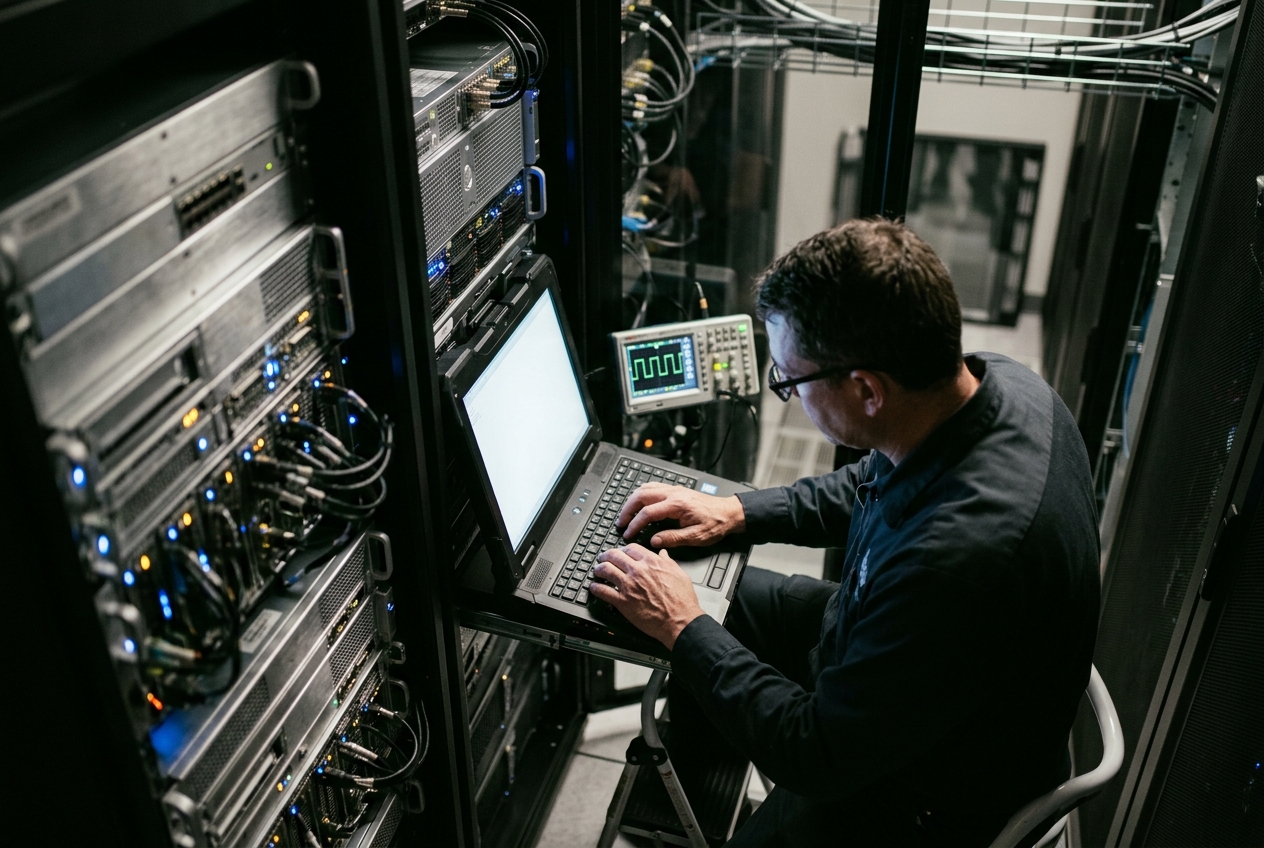
By default, the Linux kernel behaves like a polite schoolteacher: it shares CPU time equitably among every running task. Most of the time, this democratic approach keeps web servers and desktop applications running smoothly. But when a live audio feed drops speech packets, or an industrial sensor misses a safety reading because a routine backup decided to run at that exact millisecond, fairness becomes your enemy.
This is where chrt (Change Real-Time attributes) comes in. It is the command-line utility that instructs the Linux operating system to abandon democratic sharing for specific programs and grant them immediate, unyielding execution rights.
The single most useful command you will run during a performance investigation is a simple inspection of a process's current scheduling policy:
chrt -p $$
Running this command targets your current shell session ($$), instantly revealing whether the process is subject to standard dynamic time-sharing or elevated to a privileged real-time band:
pid 14205's current scheduling policy: SCHED_OTHER
pid 14205's current scheduling priority: 0
If a latency-sensitive service is running under SCHED_OTHER with priority 0, the kernel treats it no differently than a background log compression job. With chrt, you can reconfigure that hierarchy in seconds.
What It Does in Plain English
At its core, chrt is the Linux administrative interface used to inspect, assign, and alter the scheduling policies and priority levels of both running processes and newly spawned commands.
Rather than leaving the distribution of processor time to the kernel’s standard fairness algorithms, chrt interfaces directly with the sched_setscheduler(2) and sched_getattr(2) system calls. This allows systems engineers to elevate critical tasks into strict, deterministic execution tiers. By assigning real-time attributes, you command the operating system to grant instantaneous, uninterrupted CPU access to designated workloads the microsecond they require it, effectively bypassing the cooperative time-sharing queue.
Theoretical Foundations: The Linux Scheduling Subsystem
To use chrt effectively in production, it is essential to understand the mechanical divide governing process scheduling within the Linux kernel, formally documented in the Linux kernel sched(7) manual.
Earliest Deadline First (EDF)
Dynamic Bandwidth Allocation"] FIFO["SCHED_FIFO
First-In, First-Out
Static Priority 1-99"] RR["SCHED_RR
Round-Robin Timeslice
Static Priority 1-99"] end subgraph CFS["Fair-Share Domain (Kernel Priorities 100 to 139 / Nice -20 to +19)"] OTHER["SCHED_OTHER / SCHED_NORMAL
Standard Interactive Tasks"] BATCH["SCHED_BATCH
Throughput-Optimized Batch Workloads"] IDLE["SCHED_IDLE
Ultra-Low Priority Background Tasks"] end end DEADLINE -->|Preempts| FIFO FIFO -->|Preempts| RR RR -->|Preempts| CFS
The Fair-Share Domain vs. The Real-Time Domain
The modern Linux kernel divides process execution into two discrete operational realms:
-
The Completely Fair Scheduler (CFS) / Earliest Eligible Virtual Deadline First (EEVDF): - Policies:
SCHED_OTHER(standard interactive tasks),SCHED_BATCH(throughput-oriented computing), andSCHED_IDLE(ultra-low priority background tasks). - Philosophy: Egalitarian resource distribution based on decay metrics, virtual runtimes (vruntime), andnicelevels (-20 to +19, mapping internally to kernel execution levels 100 to 139). No task in this domain is guaranteed a fixed execution window or bounded latency. -
POSIX Real-Time Scheduling Policies: - Policies:
SCHED_FIFO(First-In, First-Out),SCHED_RR(Round-Robin), andSCHED_DEADLINE(Earliest Deadline First). - Philosophy: Absolute, deterministic preemption. Real-time tasks reside in the static priority band ranging from 1 (lowest RT priority) to 99 (highest RT priority), mapping internally to kernel execution levels 0 through 98. Any runnable real-time thread will instantly preempt any runningSCHED_OTHERthread, regardless of the latter’snicevalue or CPU load.
POSIX Real-Time Policy Semantics
SCHED_FIFO(First-In, First-Out): When a thread underSCHED_FIFObecomes runnable, it preempts all lower-priority threads and executes continuously until it either blocks on I/O, yields execution voluntarily viasched_yield(2), or is preempted by a higher-priority real-time task (priority 1–99). It does not have an execution timeslice quantum.SCHED_RR(Round-Robin): A real-time variant ofSCHED_FIFO. Threads of equal static priority run in a round-robin cycle, with each thread permitted a fixed time quantum (typically 100ms by default). When that quantum expires, the thread is moved to the tail of its priority queue, allowing peer real-time threads of identical priority to run.SCHED_DEADLINE: Implements the Earliest Deadline First (EDF) algorithm paired with the Constant Bandwidth Server (CBS). Rather than using static priority integers, tasks specify three timing parameters: Runtime ($Q$), Deadline ($D$), and Period ($P$), subject to the constraint $Q \le D \le P$. The kernel guarantees that the task receives $Q$ nanoseconds of execution time every $P$ nanoseconds, preempting all other tasks on the host. Architectural parameters are documented in the official Linux Kernel SCHED_DEADLINE Documentation.
Preemption Guarantees and the PREEMPT_RT Paradigm
On standard enterprise Linux kernels (CONFIG_PREEMPT_VOLUNTARY or CONFIG_PREEMPT_BUILD), real-time tasks cannot preempt execution while the processor is traversing critical kernel code protected by standard spinlocks or running hardware interrupt handlers.
In contrast, with the real-time kernel patchset (Linux Foundation PREEMPT_RT), critical sections become preemptible by converting spinlocks into sleepable rt_mutexes and forcing hardware interrupts into threaded execution contexts. This reduces worst-case scheduling latencies from tens of milliseconds down to bounded single-digit microseconds.
Starvation Prevention: RT Throttling Controls
Because a runaway SCHED_FIFO thread can monopolize a CPU core and starve essential system threads (such as ksoftirqd or migration workers), the Linux kernel implements real-time bandwidth throttling governed via /proc parameters, as outlined in the Kernel Real-Time Group Scheduling Guide:
$$\text{RT Bandwidth Ratio} = \frac{\texttt{sched_rt_runtime_us}}{\texttt{sched_rt_period_us}} = \frac{950000\,\mu\text{s}}{1000000\,\mu\text{s}} = 95\%$$
By default, Linux reserves 5% of CPU time (50,000 $\mu\text{s}$ every 1,000,000 $\mu\text{s}$) for non-real-time tasks. This window allows an administrator to log in via SSH and terminate a rogue process if a real-time thread enters an infinite loop. In dedicated low-latency setups, engineers disable this safety clamp (sched_rt_runtime_us = -1) only after isolating dedicated cores with CPU affinity masking.
Core Flags & Quick Start
The command syntax for chrt supports both setting new process policies and adjusting running workloads.
| Option Flag | Long-Form Flag | Description |
|---|---|---|
-f |
--fifo |
Set process scheduling policy to SCHED_FIFO. |
-r |
--rr |
Set process scheduling policy to SCHED_RR (default if no policy flag is supplied). |
-d |
--deadline |
Set process scheduling policy to SCHED_DEADLINE (requires runtime, deadline, and period parameters). |
-o |
--other |
Reset process scheduling policy to default standard time-sharing (SCHED_OTHER). |
-b |
--batch |
Set process scheduling policy to SCHED_BATCH (optimized for throughput). |
-i |
--idle |
Set process scheduling policy to SCHED_IDLE (runs only when the CPU has no other work). |
-p |
--pid |
Target an existing process identifier (PID) rather than spawning a new binary. |
-m |
--max |
Display the minimum and maximum valid priority values supported by the host kernel. |
-v |
--verbose |
Output detailed diagnostics regarding scheduler state modifications. |
-T |
--sched-runtime |
Specify execution budget in nanoseconds (for SCHED_DEADLINE). |
-D |
--sched-deadline |
Specify relative deadline in nanoseconds (for SCHED_DEADLINE). |
-P |
--sched-period |
Specify activation period in nanoseconds (for SCHED_DEADLINE). |
Immediate Diagnostic: Inspecting Scheduler Policy Limits
To check your kernel's supported priority bounds for each policy, run the query flag:
chrt -m
SCHED_OTHER min/max priority    : 0/0
SCHED_FIFO min/max priority     : 1/99
SCHED_RR min/max priority       : 1/99
SCHED_BATCH min/max priority    : 0/0
SCHED_IDLE min/max priority     : 0/0
SCHED_DEADLINE min/max priority : 0/0
This output confirms that time-sharing policies (OTHER, BATCH, IDLE) and DEADLINE do not take static priority numbers (defaulting strictly to 0), whereas the POSIX real-time policies (FIFO, RR) operate across an inclusive spectrum from priority 1 through 99.
5 Real-World Production Use Cases
| # | Workload Domain | Target Policy | Priority / Parameters |
|---|---|---|---|
| 1 | High-Frequency Trading (HFT) Market Ingestion | SCHED_FIFO |
Static Priority 80 |
| 2 | VoIP Audio Gateway Media Mixer | SCHED_RR |
Static Priority 50 (100ms quantum) |
| 3 | SCADA Industrial Telemetry Daemon | SCHED_DEADLINE |
Runtime: 5ms, Deadline: 10ms, Period: 20ms |
| 4 | Multi-Threaded Database Engine Audit | Process Tree Audit | Auditing CFS vs Worker Thread Priorities |
| 5 | Unprivileged Service in Systemd/Containers | Unprivileged Real-Time | CAP_SYS_NICE + RLIMIT_RTPRIO |
1. Eliminating Scheduling Jitter in High-Frequency Market Ingestion Threads
Scenario
A market data gateway receiving sub-millisecond price updates over UDP experiences periodic micro-stalls (100–500 $\mu\text{s}$) whenever standard system daemons activate. The engine's critical network polling thread must be isolated and elevated to static priority 80 under SCHED_FIFO to prevent preemption.
Execution Command
First, identify the lightweight process / thread ID (TID) of the market data reader within the parent process, then modify its scheduler attributes:
# Locate the specific thread handling market ingestion
ps -To pid,tid,cls,rtprio,comm -p $(pgrep -f "market_ingest_node")

# Elevate the ingestion worker thread (TID 41082) to SCHED_FIFO with static priority 80
sudo chrt -f -v -p 80 41082
Realistic Terminal Output
pid 41082's current scheduling policy: SCHED_OTHER
pid 41082's current scheduling priority: 0
pid 41082's new scheduling policy: SCHED_FIFO
pid 41082's new scheduling priority: 80
Line-by-Line Technical Analysis
pid 41082's current scheduling policy: SCHED_OTHER: The thread was originally running under standard completely fair time-sharing, making it vulnerable to preemption by background maintenance tasks.pid 41082's current scheduling priority: 0: Confirms default non-real-time configuration.pid 41082's new scheduling policy: SCHED_FIFO: The thread is now placed on the kernel's real-time runqueue. It will run without interruption unless it blocks on I/O or is preempted by a higher-priority task (priority 81–99).pid 41082's new scheduling priority: 80: Places the thread safely above standard kernel workers (which typically operate at RT priorities 1–50) while leaving headroom for critical hardware watchdog handlers at priority 99.
What the Admin Does Next
Pin the thread to an isolated CPU core using taskset -cp <core-id> 41082 to avoid inter-core cache-invalidation penalties and context-switching overhead.
2. Dynamically Calibrating a VoIP Media Gateway Audio Mixer to SCHED_RR
Scenario
An enterprise media server (such as FreeSWITCH or Asterisk) mixes dozens of live audio streams. Under sudden load spikes, audio packets suffer buffer underruns, creating audible distortion. The mixing engine requires round-robin real-time scheduling at priority 50, ensuring equal time-sharing among audio streams while preventing any single channel from starving the others.
Execution Command
# Dynamically reconfigure the running media engine process (PID 18920) to SCHED_RR
sudo chrt -r -v -p 50 18920

# Query the round-robin quantum interval enforced by the kernel for this process
sudo chrt -p 18920
Realistic Terminal Output
pid 18920's current scheduling policy: SCHED_OTHER
pid 18920's current scheduling priority: 0
pid 18920's new scheduling policy: SCHED_RR
pid 18920's new scheduling priority: 50
To verify the exact kernel-allocated round-robin time slice for this thread:
python3 -c '
import os, ctypes
sched_rr_get_interval = ctypes.CDLL("libc.so.6").sched_rr_get_interval
class Timespec(ctypes.Structure):
    _fields_ = [("tv_sec", ctypes.c_long), ("tv_nsec", ctypes.c_long)]
ts = Timespec()
sched_rr_get_interval(18920, ctypes.byref(ts))
print(f"SCHED_RR Timeslice Quantum: {ts.tv_nsec / 1_000_000:.2f} ms")
'
SCHED_RR Timeslice Quantum: 99.98 ms
Line-by-Line Technical Analysis
SCHED_RRensures that if multiple audio mixing threads run at priority 50, no single thread can monopolize the CPU; every thread gets a timeslice before yielding to peer threads.pid 18920's new scheduling priority: 50: Balances real-time determinism with overall system responsiveness, leaving headroom for higher-priority network drivers.SCHED_RR Timeslice Quantum: 99.98 ms: Confirms the kernel's default 100ms round-robin slice quantum.
What the Admin Does Next
If lower round-robin latency is required across competing audio pipelines, adjust the system-wide timeslice via /proc/sys/kernel/sched_rr_timeslice_ms down to 20ms or 10ms.
3. Spawning an Isolated Telemetry Daemon Under SCHED_DEADLINE Constraints
Scenario
An industrial SCADA telemetry capture daemon must query hardware registers over a CAN/Modbus interface precisely every 20 milliseconds. The processing requires at most 5 milliseconds of CPU execution budget, and results must be committed within 10 milliseconds of cycle initiation. Missing this window compromises physical equipment safety.
Execution Command
Spawn the daemon directly under strict runtime, deadline, and period parameters (all defined in nanoseconds):
# Runtime: 5ms (5,000,000 ns) | Deadline: 10ms (10,000,000 ns) | Period: 20ms (20,000,000 ns)
sudo chrt --deadline \
  --sched-runtime 5000000 \
  --sched-deadline 10000000 \
  --sched-period 20000000 \
  0 /usr/local/bin/sensor_collector --interface can0 --interval 20ms &
Realistic Terminal Output
Verify the running daemon parameters:
sudo chrt -p $(pgrep sensor_collector)
pid 52109's current scheduling policy: SCHED_DEADLINE
pid 52109's current scheduling priority: 0
pid 52109's current sched_runtime: 5000000
pid 52109's current sched_deadline: 10000000
pid 52109's current sched_period: 20000000
Line-by-Line Technical Analysis
policy: SCHED_DEADLINE: The process is managed by the kernel's Earliest Deadline First (EDF) scheduler, giving it higher execution precedence than anySCHED_FIFOorSCHED_RRtask on the host.sched_runtime: 5000000: Allocates an execution budget of exactly 5,000,000 nanoseconds (5 ms). If the thread attempts to compute beyond 5ms within its period, the Constant Bandwidth Server (CBS) throttles it to protect system stability.sched_deadline: 10000000: The kernel requires the task to finish its 5ms budget within 10ms from period start.sched_period: 20000000: The execution window repeats every 20ms.
What the Admin Does Next
Inspect /proc/52109/sched to verify whether the daemon experiences bandwidth throttling or deadline misses under heavy sensor traffic.
4. Thread-Level Scheduling Policy Audit Across Enterprise Database Engines
Scenario
A PostgreSQL database server exhibits transaction latency spikes during automated tablespace vacuuming. The administrator suspects that background autovacuum workers are contending with client read/write query threads. A full thread-level policy audit is required to inspect every active thread.
Execution Command
Iterate across all sub-threads of the database instance via /proc and extract policy attributes with chrt:
# Query the parent PostgreSQL postmaster and iterate across all active threads
POSTGRES_PID=$(pgrep -o postgres)
for tid in /proc/${POSTGRES_PID}/task/*; do
  tid_num=$(basename "$tid")
  chrt -p "${tid_num}" | awk -v tid="${tid_num}" '
    /policy/ {policy=$NF}
    /priority/ {priority=$NF}
    END {printf "Thread ID (TID): %-7s | Policy: %-14s | Priority: %s\n", tid, policy, priority}'
done
Realistic Terminal Output
Thread ID (TID): 30122   | Policy: SCHED_OTHER    | Priority: 0
Thread ID (TID): 30123   | Policy: SCHED_OTHER    | Priority: 0
Thread ID (TID): 30124   | Policy: SCHED_OTHER    | Priority: 0
Thread ID (TID): 30128   | Policy: SCHED_OTHER    | Priority: 0
Thread ID (TID): 30145   | Policy: SCHED_BATCH    | Priority: 0
Thread ID (TID): 30146   | Policy: SCHED_OTHER    | Priority: 0
Line-by-Line Technical Analysis
TID 30122 ... SCHED_OTHER: The primary transaction engine threads execute under standard dynamic time-sharing, behaving normally within standard CFS parameters.TID 30145 ... SCHED_BATCH: The autovacuum worker thread is configured asSCHED_BATCH. This tells the kernel to optimize for cache throughput rather than wake-up latency, preventing it from preempting interactive query backends.Priority: 0: Confirms that no background thread has accidentally acquired real-time priority.
What the Admin Does Next
If an autovacuum worker is found misconfigured or causing CPU thrashing, downgrade its policy immediately to idle execution using sudo chrt -i -p 0 30145.
5. Orchestrating Real-Time Service Capabilities in Systemd and Unprivileged Containers
Scenario
A microservice running inside an unprivileged container or managed by systemd must execute a signal processing task with SCHED_FIFO priority 75. Security policies forbid running the container as root or granting broad administrative access.
Execution Command
Configure the specific POSIX capability (CAP_SYS_NICE) and real-time resource limits within the systemd service unit definition:
# /etc/systemd/system/realtime-worker.service
[Unit]
Description=Deterministic Processing Service
After=network.target

[Service]
Type=simple
User=appuser
Group=appgroup
AmbientCapabilities=CAP_SYS_NICE
CapabilityBoundingSet=CAP_SYS_NICE
LimitRTPRIO=80
LimitRTTIME=infinity
ExecStart=/usr/bin/prlimit --rtprio=80 -- chrt -f 75 /usr/local/bin/worker_payload

[Install]
WantedBy=multi-user.target
Reload systemd and check the running process:
sudo systemctl daemon-reload
sudo systemctl restart realtime-worker.service
ps -o pid,user,cls,rtprio,comm -p $(pgrep worker_payload)
Realistic Terminal Output
    PID USER     CLS RTPRIO COMMAND
  64312 appuser   FF     75 worker_payload
Line-by-Line Technical Analysis
AmbientCapabilities=CAP_SYS_NICE: Grants the unprivileged binary the exact Linux capability required to elevate scheduling policies without full superuser privileges.LimitRTPRIO=80: Configures the kernelRLIMIT_RTPRIOlimit, permitting the non-root process to request static real-time priorities up to 80.CLS: FF: Inpsoutput,FFdesignatesSCHED_FIFOexecution.RTPRIO: 75: Confirms the process successfully acquired real-time priority 75 while remaining confined to standard user privileges.
What the Admin Does Next
Review system-wide resource allocations against the ArchWiki Realtime Process Management Guide to configure persistent limits in /etc/security/limits.d/99-realtime.conf.
Operational Pitfalls, Priority Inversion, and Diagnostics
Operating in the real-time domain requires strict discipline regarding locks and latency measurement.
1. Unbounded Priority Inversion and Priority Inheritance
The most notorious failure mode in real-time computing is Unbounded Priority Inversion, famously encountered during NASA's Mars Pathfinder mission. If a low-priority task holds a shared lock (mutex) and is preempted by an intermediate task with heavy compute demands, a high-priority task waiting on that same lock is starved indefinitely.
Mitigation: Always ensure that application locks utilize the Priority Inheritance (PI) protocol via pthread_mutexattr_setprotocol:
pthread_mutexattr_t attr;
pthread_mutexattr_init(&attr);
pthread_mutexattr_setprotocol(&attr, PTHREAD_PRIO_INHERIT);
pthread_mutex_init(&mutex, &attr);
Under PTHREAD_PRIO_INHERIT, the kernel temporarily boosts the priority of the low-priority lock holder to match the priority of the highest blocked thread until the mutex is released.
2. Complete Kernel Lockup via Worker Starvation
If a SCHED_FIFO thread with static priority 99 enters an infinite spinloop on a single-core host (or across all assigned cores) while real-time throttling is disabled (sched_rt_runtime_us = -1), the machine will freeze completely:
- Essential kernel threads (
ksoftirqd,rcu_sched,kworker) cannot run. - Memory reclaim and grace periods stall, leading to kernel panics.
- SSH sessions and local consoles become unresponsive.
Recovery Action: Before running experimental real-time binaries, open a dedicated recovery terminal running at maximum priority:
# Elevate an administrative recovery shell before running experimental RT payloads
sudo chrt -f -p 99 $$
3. Diagnostics and Latency Verification
Never assume real-time determinism without quantitative measurement. Two primary diagnostic suites should be used:
A. Auditing Real-Time Latency with cyclictest
The standard tool for verifying kernel latency is cyclictest (part of the rt-tests suite):
sudo cyclictest --mlockall --smp --priority=90 --interval=1000 --distance=0 --loops=100000
# /dev/cpu_dma_latency set to 0us
policy: SCHED_FIFO: loadavg: 0.12 0.08 0.05 1/482 78122

T: 0 (78120) P:90 I:1000 C: 100000 Min:      2 Act:    4 Avg:    4 Max:      12
T: 1 (78121) P:90 I:1000 C: 100000 Min:      2 Act:    3 Avg:    4 Max:       9
Analysis: Across 100,000 sampling loops, the maximum recorded scheduling latency (Max) is bounded at 12 microseconds—an excellent profile for deterministic execution.
B. Tracing Scheduling Latency with perf
To trace preemption events and context-switch latencies:
sudo perf sched record -- sleep 2
sudo perf sched latency
 ---------------------------------------------------------------------------------------------------------------
  Task                  | Runtime ms | Switches | Avg delay ms | Max delay ms | Max delay at     |
 ---------------------------------------------------------------------------------------------------------------
  market_ingest:41082   |   182.112  |     1820 |     0.001    |     0.004    |     1420.210940  |
  kcompactd0:48         |     1.204  |       12 |     0.114    |     0.482    |     1420.198231  |
 ---------------------------------------------------------------------------------------------------------------
Analysis: Shows that the elevated thread (market_ingest) achieved a maximum scheduling delay of merely 0.004 ms (4 $\mu\text{s}$), whereas background kernel workers experienced up to 0.482 ms of delay.
Today's Takeaway
Open your terminal right now and run chrt -p $$ to see how your current shell is scheduled. Then, pick one background service or database worker on your machine, find its PID with pgrep, and run chrt -p <PID>. In less than five minutes, you will know whether your critical tasks are competing in the egalitarian time-sharing pool or running with true deterministic priority.
Authoritative Technical References
- Linux Programmer's Manual: chrt(1)
- Linux Programmer's Manual: sched(7) - Scheduling API Overview
- Linux Kernel Documentation: SCHED_DEADLINE Architecture
- Linux Kernel Documentation: Real-Time Group Scheduling and Throttling
- ArchWiki: Realtime Process Management and POSIX Configurations
- The Linux Foundation: Real-Time Linux (PREEMPT_RT) Collaborative Project