Tee: Multiplexing Standard Streams, Writing Privileged Configurations, and Orchestrating Multi-Sink Logging Pipelines in Production
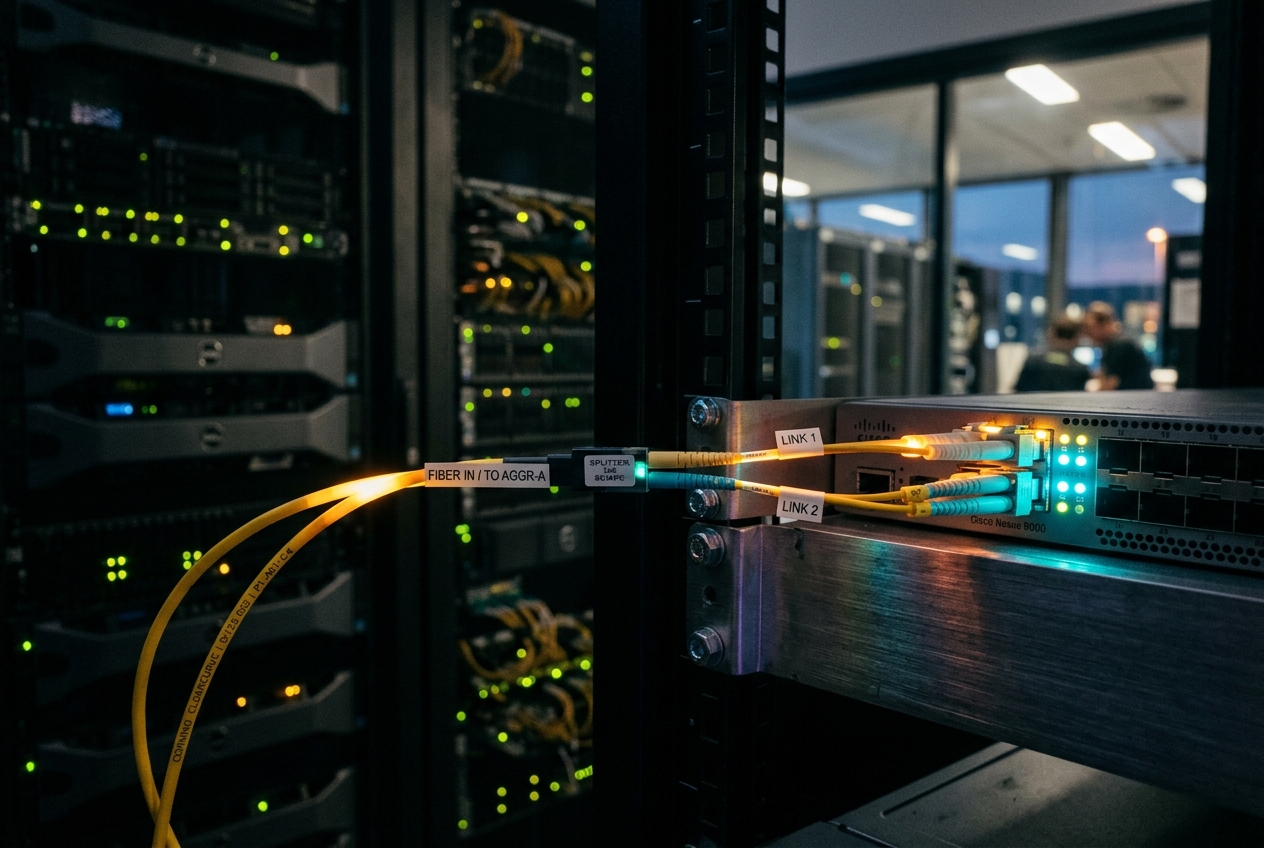
If you redirect your diagnostic tools straight into a log file to inspect later, your screen falls silent, leaving you blind to errors happening right in front of you. If you dump everything directly onto your screen, thousands of lines of high-speed telemetry race past in a blur and vanish into the ether the moment your connection stutters. You need to see the output live on your console, write an exact copy to disk for your post-incident review, and stream critical warnings to your monitoring alerts—all without slowing down the live system.
In moments like this, the quiet saviour of the systems administrator is the Unix tee command. Named after the familiar T-shaped pipe splitter used by plumbers to divide a single flow of water into two distinct directions, tee acts as a universal junction box for digital data streams across Linux and Unix systems.
Beyond emergency diagnostics, almost every developer and system administrator encounters tee for the first time when trying to solve a notorious Linux permission roadblock: modifying a protected configuration file. Running sudo echo "setting=value" > /etc/config.conf inevitably fails with an infuriating Permission denied error because the unprivileged shell parses the > redirection operator before sudo ever starts.
The single most useful everyday tee command elegantly circumvents this limitation in one clean line:
echo "net.ipv4.ip_forward = 1" | sudo tee -a /etc/sysctl.d/99-kubernetes-cri.conf > /dev/null
Here, an unprivileged command generates configuration text, pipes it to sudo tee, and allows tee alone to elevate write privileges, safely appending (-a) the new parameter to the root-owned system file while discarding unwanted console output (> /dev/null).
e.g., Application / pg_dumpall] -->|Standard Output| B[tee Data Splitter] B --> C[Console / Terminal Display] B --> D[Target Disk File] B --> E["Process Substitution >(sha256sum)"] B --> F["Process Substitution >(Cloud Backup / S3)"]
What It Does in Plain English
Every running program in Unix-like operating systems opens with three default data channels: Standard Input (stdin or channel 0) for incoming text, Standard Output (stdout or channel 1) for regular output, and Standard Error (stderr or channel 2) for diagnostic messages. Normally, programs either print their standard output directly to your screen or redirect it into a single file on disk.
The tee utility intercepts that single stream of incoming bytes on standard input and duplicates it in real time. It sends one exact copy onward to standard output (typically your terminal screen or the next command in a pipeline) while simultaneously writing identical copies to one or more files or subprocesses.
By removing the constraint that data must flow to only one destination, tee allows administrators to observe live computations, preserve immutable audit trails on disk, and fan out data to cloud storage or alerting engines in a single efficient pass.
Core Flags and Rapid Operational Reference
Under the official GNU Coreutils tee implementation, the utility provides targeted flags designed to govern file write modes, handle user interruptions, and manage downstream pipeline errors.
| Option Flag | Long-Form Flag | Operational Function |
|---|---|---|
-a |
--append |
Appends incoming data to destination files rather than overwriting their existing contents. |
-i |
--ignore-interrupts |
Ignores the SIGINT interrupt signal (Ctrl+C), ensuring logging continues uninterrupted during interactive operations. |
-p |
--output-error[=MODE] |
Configures precise write error handling when downstream pipes or destinations terminate early. |
--output-error=warn |
N/A | Prints diagnostic warnings to standard error upon write failures while continuing to write to remaining destinations. |
--output-error=warn-nopipe |
N/A | Suppresses warnings if an error is caused by a broken pipe (EPIPE), but reports standard file write failures. |
--output-error=exit |
N/A | Terminates the tee process immediately if a write failure occurs on any output destination. |
--output-error=exit-nopipe |
N/A | Exits immediately on regular file write errors, but ignores broken pipes from downstream consumer tools. |
The Foundational Verification Invocation
To verify basic standard stream multiplexing and validate write permissions without altering existing files, run:
echo "[$(date -u +'%Y-%m-%dT%H:%M:%SZ')] INFRASTRUCTURE_PROBE: Stream multiplexer active" | tee /tmp/multiplexer_probe.log
Anticipated Console Output
[2026-08-18T07:02:04Z] INFRASTRUCTURE_PROBE: Stream multiplexer active
The output appears instantly on your screen while simultaneously landing in /tmp/multiplexer_probe.log. Checking the file confirms byte-for-byte fidelity:
cat /tmp/multiplexer_probe.log
[2026-08-18T07:02:04Z] INFRASTRUCTURE_PROBE: Stream multiplexer active
Deep Architectural Mechanics: Kernel Descriptors, Buffering, and Signals
To use tee reliably in mission-critical production environments, it helps to understand how the Linux kernel coordinates standard streams, memory-mapped pipe ring buffers, and asynchronous signals beneath the surface.
File Descriptor Management and Standard Streams
Under POSIX specifications governed by The Open Group Base Specifications Issue 7, every Unix process starts with three default file descriptors: 0 (stdin), 1 (stdout), and 2 (stderr). When you assemble a shell pipeline:
- The shell executes the
pipe(2)system call to create a unidirectional in-memory data channel in kernel memory. - The shell creates child processes via
fork(2)and reorganises their file descriptors usingdup2(2), binding the write-end of the upstream pipe to descriptor1of the producer and the read-end of the pipe to descriptor0oftee. teeparses its command-line arguments and callsopen(2)oropenat(2)for every target file, obtaining additional descriptors (e.g. descriptors3,4, and so on).
Memory Buffer Semantics and Pipe Capacities
Data passing through Unix pipes does not touch physical storage disks; it sits inside an in-memory circular ring buffer managed by the kernel's virtual file system layer. As detailed in the Linux Programmer's Manual for pipe(7):
- Atomic Writes (
PIPE_BUF): On modern Linux distributions, writes up toPIPE_BUF(4,096 bytes) are guaranteed to be atomic. If several processes write to the same pipe simultaneously, chunks smaller than 4,096 bytes will never be jumbled together. - Default Pipe Capacity: Modern Linux kernels allocate 65,536 bytes (64KB, or sixteen 4KB memory pages) as the default pipe buffer capacity. If an upstream program produces text faster than
teeand its downstream destinations can process it, the buffer fills up. Once full, the kernel suspends the upstream program untilteeconsumes data viaread(2), relieving backpressure.
The Synchronous Read-Write Execution Loop
Inside the core implementation of tee (such as GNU coreutils), the processing loop operates sequentially:
/* Conceptual abstraction of GNU coreutils tee core loop */
while ((bytes_read = read(STDIN_FILENO, buffer, sizeof(buffer))) > 0) {
    for (int i = 0; i < n_outputs; i++) {
        if (write(output_descriptors[i], buffer, bytes_read) != bytes_read) {
            handle_write_error(output_descriptors[i], errno);
        }
    }
}
Because writes are dispatched sequentially to each destination, a stalled output destination (such as a slow network share or an unread named pipe) will inevitably pause tee, exerting backpressure upstream all the way to the original data producer.
Signal Handling and Broken Pipe (SIGPIPE / EPIPE) Dynamics
When a program attempts to write data into a pipe whose receiving end has already closed, the Linux kernel generates signal 13: SIGPIPE. By default, SIGPIPE immediately terminates the sending program.
In automated environments, if a downstream filter such as head -n 10 or a pattern search tool exits early after finding a match, standard tools writing to that pipe crash instantly. In high-reliability pipelines, tee provides granular control over this behaviour via -p or --output-error, allowing engineers to ignore broken consumer pipes and guarantee that log files on disk continue capturing data without interruption.
5 Production-Grade Architectural Implementations
| Scenario | Practical Objective | Primary Command Pattern |
|---|---|---|
| 1. Privileged State Injection | Persist root-level kernel settings cleanly | echo "..." \| sudo tee -a /etc/sysctl.d/... |
| 2. Multi-Sink Telemetry | Stream live to terminal, disk, and alerting systems | app \| tee -a >(ts >> audit.log) >(grep \| logger) |
| 3. Database Fan-Out Pipeline | Hash, compress, and upload cloud backups in one pass | pg_dumpall \| tee >(sha256sum) >(zstd) \| aws s3 cp |
| 4. CI/CD Pipeline Hardening | Protect build runs against early broken-pipe termination | test.sh \| tee -p --output-error=warn-nopipe build.log |
| 5. Ephemeral Diagnostic Tap | Filter live systemd service logs without connection drops | journalctl -f \| tee -i >(jq \| curl) |
Scenario 1: Privileged Kernel Configuration Injection via Least-Privilege Separation
Operational Context
During Kubernetes worker node configuration, kernel networking parameters must be written to /etc/sysctl.d/ to enable packet forwarding and bridge filtering. Standard shell redirection (echo ... > /etc/sysctl.d/...) fails under sudo because the non-privileged parent shell evaluates the > operator before sudo ever runs. Spawning an interactive root shell (sudo -i or sudo su) creates security compliance risks and breaks infrastructure-as-code automation.
Production-Hardened Command
echo -e "\n# Kubernetes CRI Networking Prereqs\nnet.bridge.bridge-nf-call-iptables = 1\nnet.bridge.bridge-nf-call-ip6tables = 1\nnet.ipv4.ip_forward = 1" | sudo tee -a /etc/sysctl.d/99-kubernetes-cri.conf > /dev/null
Realistic Terminal Output
(Command executes silently to stdout due to > /dev/null redirection, returning exit code 0)
To verify the write and check that the new parameters are active:
sudo sysctl --system | grep -E "net.bridge.bridge-nf-call|net.ipv4.ip_forward"
* Applying /etc/sysctl.d/99-kubernetes-cri.conf ...
net.bridge.bridge-nf-call-iptables = 1
net.bridge.bridge-nf-call-ip6tables = 1
net.ipv4.ip_forward = 1
Line-by-Line Architectural Analysis
echo -e "\n...": Generates the configuration text with explicit newline delimiters in user memory space.|: Establishes an inter-process pipe, connecting the unprivileged standard output ofechoto the standard input of the receiving process.sudo tee -a /etc/sysctl.d/99-kubernetes-cri.conf: Elevates only the receiving process.teeopens the target file in append mode (O_WRONLY | O_CREAT | O_APPEND) with root permissions, safely adding the text without opening a root shell.> /dev/null: Silences the echoed standard output ofteeso automated CI/CD runners remain clean and uncluttered.
SRE Next Steps
- Execute
sysctl --systemto apply the updated configuration directly to the live Linux kernel via the Linux Kernel Sysctl Subsystem. - Validate active enforcement by verifying that
/proc/sys/net/ipv4/ip_forwardoutputs1.
Scenario 2: High-Throughput Application Telemetry Multiplexing with Real-Time Anomaly Alerting
Operational Context
A payment gateway service (payment-gw) is throwing intermittent timeout errors under peak traffic. An on-call engineer must view raw transaction logs in real time on their terminal, write the exact stream to a timestamped file for compliance audits, and concurrently pipe filtered error lines to the system logger (logger/journald) for ingestion into an alerting platform.
Production-Hardened Command
/opt/bin/payment-gw --log-level=debug --stdout 2>&1 | \
  tee -a >(ts '%Y-%m-%dT%H:%M:%.S%z' >> /var/log/payment-gw/audit-transactions.log) \
         >(grep --line-buffered -E "CRITICAL|FATAL|TIMEOUT" | logger -t "PAYMENT_GW_ALERT" -p local0.err)
Realistic Terminal Output
{"txn_id":"tx_99281","status":"PROCESSING","latency_ms":12.4}
{"txn_id":"tx_99282","status":"PROCESSING","latency_ms":14.1}
{"txn_id":"tx_99283","status":"TIMEOUT","error_code":"GATEWAY_UPSTREAM_TIMEOUT","latency_ms":5002.8}
{"txn_id":"tx_99284","status":"CRITICAL","error_code":"DATABASE_CONNECTION_POOL_EXHAUSTED"}
Line-by-Line Architectural Analysis
/opt/bin/payment-gw ... 2>&1: Runs the application binary and merges standard error (file descriptor 2) into standard output (file descriptor 1), ensuring error traces are captured alongside regular logs.tee -a: Duplicates the combined input stream in append mode, displaying output directly on the engineer's active terminal.>(ts '%Y-%m-%dT%H:%M:%.S%z' >> /var/log/.../audit-transactions.log): Uses Bash process substitution to create an anonymous named pipe (/dev/fd/<n>). Thetsutility prepends ISO-8601 timestamps to each line before saving it to the audit log.>(grep --line-buffered ... | logger ...): Creates a second concurrent process branch. The--line-bufferedflag disables default 4KB buffer delays so critical error lines reachloggerinstantly.
SRE Next Steps
- Verify that alert messages are arriving at the log collector by running
journalctl -t PAYMENT_GW_ALERT --since "5 minutes ago". - Ensure disk write buffers are handling the load without lag by checking
iostat -x 1 5on the/var/logstorage volume.
Scenario 3: Single-Pass Database Fan-Out Pipeline for Concurrent Hashing, Local Compression, and Cloud Backup
Operational Context
Backing up a multi-terabyte PostgreSQL production database demands efficient resource usage. Reading the database three separate times to generate a checksum, compress a local copy, and upload an archive to the cloud places excessive read strain on storage and prolongs database snapshot locks. The entire operation must happen in a single pass over a unified stream.
Production-Hardened Command
set -o pipefail
pg_dumpall --clean --if-exists -U postgres | \
  tee >(sha256sum | awk '{print $1}' > /backups/db/pg_dump_$(date +%F).sha256) \
      >(zstd -T0 -19 -o /backups/db/pg_dump_$(date +%F).sql.zst) | \
  aws s3 cp - s3://production-database-backups-vault/postgres/pg_dump_$(date +%F).sql \
    --storage-class GLACIER_IR --expected-size 536870912000
Realistic Terminal Output
Completed 512.0 GiB/512.0 GiB (1.2 GiB/s) with 1 part(s) remaining...
upload: - to s3://production-database-backups-vault/postgres/pg_dump_2026-08-18.sql
Confirming local output files on disk:
ls -lh /backups/db/pg_dump_2026-08-18.*
-rw-r--r-- 1 postgres postgres  64 Aug 18 07:15 /backups/db/pg_dump_2026-08-18.sha256
-rw-r--r-- 1 postgres postgres 42G Aug 18 07:15 /backups/db/pg_dump_2026-08-18.sql.zst
Line-by-Line Architectural Analysis
set -o pipefail: Configures the shell so that the pipeline returns a failure exit code if any command in the chain fails, rather than only reporting the status of the finalaws s3command.pg_dumpall ...: Serialises the complete PostgreSQL database cluster into an uncompressed SQL stream sent to standard output.tee >(...) >(...): Ingests the SQL stream once and fans it out across three parallel paths: 1. The first process substitution calculates an in-memory SHA-256 cryptographic checksum and writes it to a.sha256verification file. 2. The second process substitution routes the stream tozstd, leveraging all CPU cores (-T0) at maximum compression (-19) to create a compact local archive. 3. The main stdout branch pipes the uncompressed data directly over the network to the AWS CLI for streaming upload to cloud object storage without touching local disk.
SRE Next Steps
- Inspect pipeline exit codes using the Bash
${PIPESTATUS[@]}array to confirm that every parallel branch completed successfully. - Cross-check the cloud backup's integrity against the local SHA-256 checksum with an automated verification script.
Scenario 4: Hardening Continuous Deployment Pipelines Against Broken Pipe Failures
Operational Context
In an automated continuous deployment runner, software builds and integration tests generate substantial log volumes. Downstream pattern search utilities (such as grep -m 1 "FATAL") often terminate as soon as they encounter their target pattern. In standard shell pipelines, this early exit sends a SIGPIPE signal upstream, killing the entire build process even if the tests were otherwise healthy. We can harden the pipeline using GNU tee error-handling switches.
Production-Hardened Command
./run-distributed-test-suite.sh 2>&1 | \
  tee -p --output-error=warn-nopipe /var/log/ci/build-$(git rev-parse --short HEAD).log | \
  ( grep -m 1 "FATAL_CRASH_DETECTED" && notify-incident-channel || true )
Realistic Terminal Output
[TEST_RUNNER] Suite initialized: 1,420 test cases loaded across 32 threads.
[TEST_RUNNER] Worker 04: PASS (AuthenticationServiceTest)
[TEST_RUNNER] Worker 12: FATAL_CRASH_DETECTED: OutOfMemory in LedgerWorkerPool
[ALERT_WEBHOOK] Dispatching notification payload to Incident Response Gateway...
[TEST_RUNNER] Remaining test threads winding down gracefully...
[TEST_RUNNER] Test run finalized. Exit code 0 written to artifact log.
Line-by-Line Architectural Analysis
./run-distributed-test-suite.sh 2>&1: Runs the test suite, combining stderr and stdout into a single continuous stream.tee -p --output-error=warn-nopipe /var/log/ci/...: Instructsteeto apply thewarn-nopipeerror policy. Whengrepfinds its match and closes the pipe,teecatches theEPIPEcondition, suppresses destructiveSIGPIPEpropagation, and continues saving the full build log to disk.( grep -m 1 ... || true ): Evaluates incoming output for a critical failure signature, triggers an alert webhook upon a match, and exits cleanly (|| true) without crashing upstream processes.
SRE Next Steps
- Review the generated log file in
/var/log/ci/to confirm that all test assertions—including those executed after the alert—were recorded to disk. - Check the test harness exit status to determine whether to proceed with artifact deployment.
Scenario 5: Ephemeral Systemd Diagnostic Interception and Observability Tap
Operational Context
An ingress controller running inside a managed systemd service unit is exhibiting intermittent memory leaks. The operations team needs to tap the live journal stream without disrupting standard log collectors or restarting the service. We want to extract high-priority errors (LOG_ERR and above), protect the diagnostic session against accidental terminal disconnects (SIGINT), and forward structured JSON payloads to an internal metrics endpoint.
Production-Hardened Command
journalctl -u ingress-controller.service -f -o json --since "now" | \
  tee -i >(jq -r -c 'select(.PRIORITY | tonumber <= 3) | {timestamp: .__REALTIME_TIMESTAMP, msg: .MESSAGE}' | \
  tee -a /var/log/diagnostics/ingress_critical_events.jsonl | \
  curl -s -X POST -H "Content-Type: application/json" -d @- https://telemetry.internal.infra/ingest/alerts) > /dev/null
Realistic Terminal Output
(Real-time JSON payload stream continuously processed in background; critical errors persisted to /var/log/diagnostics/ingress_critical_events.jsonl)
Checking the live diagnostic tap file:
tail -n 2 /var/log/diagnostics/ingress_critical_events.jsonl
{"timestamp":"1771225324102941","msg":"Upstream connection pool timeout: pool_id=ingress_be_01"}
{"timestamp":"1771225329810234","msg":"SSL handshake failure: peer closed connection unexpectedly"}
Line-by-Line Architectural Analysis
journalctl -u ... -f -o json: Follows (-f) the systemd service logs in real time, streaming structured JSON records to standard output.tee -i: Launchesteewith the--ignore-interruptsflag. If the administrator pressesCtrl+Cin their terminal session,teeignores theSIGINTinterrupt, protecting the background logging subshell from abrupt termination.>(jq -r -c ...): Filters the inbound JSON stream on the fly, keeping only events where the systemd priority is 3 or lower (Error, Critical, Alert, Emergency).| tee -a ... | curl ...: Splits the filtered JSON records through an internal secondarytee, appending structured data to a local.jsonldiagnostic file while streaming the payload viacurlto a central telemetry endpoint.
SRE Next Steps
- Add an automated log rotation policy in
/etc/logrotate.d/ingress-diagnosticsto ensure the.jsonldiagnostic file does not fill available disk space. - Monitor memory allocation trends using
systemd-cgtopto track the leak's progression over time.
What Can Go Wrong: Architectural Pitfalls and Mitigations
1. The Privileged Redirection Trap
The Failure: A junior engineer attempts to update system nameservers using sudo echo "nameserver 1.1.1.1" > /etc/resolv.conf. The shell immediately aborts with bash: /etc/resolv.conf: Permission denied.
The Underlying Cause: The shell parses redirection operators (>, >>) before executing the command line. Consequently, the unprivileged shell attempts to open the destination file with write permissions, triggering an immediate EACCES permission error before sudo ever runs.
Mitigation & Recovery: Route the stream through sudo tee or sudo tee -a:
echo "nameserver 1.1.1.1" | sudo tee /etc/resolv.conf > /dev/null
2. Cascading Buffer Deadlocks and Pipeline Backpressure
The Failure: When running fan-out pipelines with multiple process substitutions (such as cmd | tee >(slow_consumer) >(fast_consumer)), the entire pipeline suddenly freezes, throughput plummets to zero, and the upstream data producer halts.
The Underlying Cause: Linux pipes maintain a fixed in-memory capacity (64KB by default). Because tee writes to its output destinations sequentially in a synchronous loop, if slow_consumer stops reading from its FIFO, its pipe buffer fills completely. tee's subsequent write() system call blocks in the kernel. This halts the tee loop, stopping it from reading standard input. The primary input pipe fills, and the kernel pauses the upstream producer.
Mitigation & Recovery:
* Decouple slow consumers using intermediate memory buffers via tools like mbuffer or pv:
producer | tee >(mbuffer -m 256M | slow_consumer) | fast_consumer
- Expand the kernel pipe buffer capacity using the
fcntl(F_SETPIPE_SZ)system call via custom wrappers if substantial burst smoothing is required.
3. Masked Exit Status and Silent Production Failures
The Failure: An automated deployment pipeline reports a green build (exit status 0), yet output artifacts are incomplete because an upstream compiler crashed midway through execution.
The Underlying Cause: In standard POSIX shells, the exit status of a multi-command pipeline (cmd1 | cmd2 | tee log.txt) reflects only the exit status of the final command (tee). If cmd1 crashes with a segmentation fault (SIGSEGV), but tee successfully writes the partial crash log to disk, tee exits with code 0, misleading the deployment pipeline into treating the overall job as a success.
Mitigation & Recovery:
* Always enable pipefail at the start of production automation scripts:
set -o pipefail
- In Bash scripts, inspect the
${PIPESTATUS[@]}array to check the individual exit codes of each stage in the pipeline:
producer | tee output.log
PIPELINE_STATUS=("${PIPESTATUS[@]}")

if [ "${PIPELINE_STATUS[0]}" -ne 0 ]; then
    echo "CRITICAL: Upstream producer failed with code ${PIPELINE_STATUS[0]}" >&2
    exit "${PIPELINE_STATUS[0]}"
fi
Comparative Technical Matrix: Stream Routing Paradigms
| Operational Capability | Standard Redirection (>) |
tee Utility |
Named Pipes (FIFO) | systemd-cat |
|---|---|---|---|---|
| Interactive Console Visibility | No (Muted) | Yes (Native) | Manual configuration | No (Sent to journal) |
| Multiple Output Destinations | No (Single file) | Yes (N-Way fan-out) | Yes (Multi-consumer) | Single destination |
| Privileged Append Capability | Complex subshells | Native (sudo tee) |
Moderate complexity | Native |
Signal Hardening (-i) |
Not applicable | Supported (-i) |
Manual signal traps | Bound to unit lifecycle |
| Buffer Deadlock Risk | Minimal | Moderate on slow sinks | High if unread | Low (Socket buffering) |
Today's Takeaway
The tee command is far more than a simple trick for splitting terminal text; it is an essential building block of Unix stream architecture, audit compliance, and privilege management. Right now, open a terminal on your computer, identify a root-owned file you frequently edit, and replace your next manual editor session with a clean, scriptable pipeline: echo "CONFIG_KEY=value" | sudo tee -a /path/to/target.conf > /dev/null. By mastering tee's append mode (-a), signal resilience (-i), error tolerance switches (-p), and process substitution fan-outs, you eliminate broken permission errors, preserve pristine audit logs, and build resilient infrastructure pipelines that never leave you operating in the dark.
Authoritative Technical References and Standards
- GNU Coreutils
teeInvocation Manual — Authoritative reference for GNU coreutils stream utilities. - The Open Group Base Specifications Issue 7 / POSIX.1-2017
teeUtility — Formal POSIX standard specification for standard stream duplication. - Linux Programmer's Manual for
tee(1)— Linux manual pages covering operational flags and invocation options. - Linux Programmer's Manual for
pipe(7)— Deep kernel architecture documentation covering pipe buffers, capacity limits, andPIPE_BUFatomicity. - Linux Kernel Documentation on Sysctl Administration — Official guide to the runtime parameter manipulation subsystem.
- ArchWiki Core Utilities and Redirection Architecture — Practical systems administration guide on core utilities and stream redirection.