Patch: Applying Unified Diffs, Orchestrating Atomic Hotfixes, and Automating Source Tree Reconciliation in Production
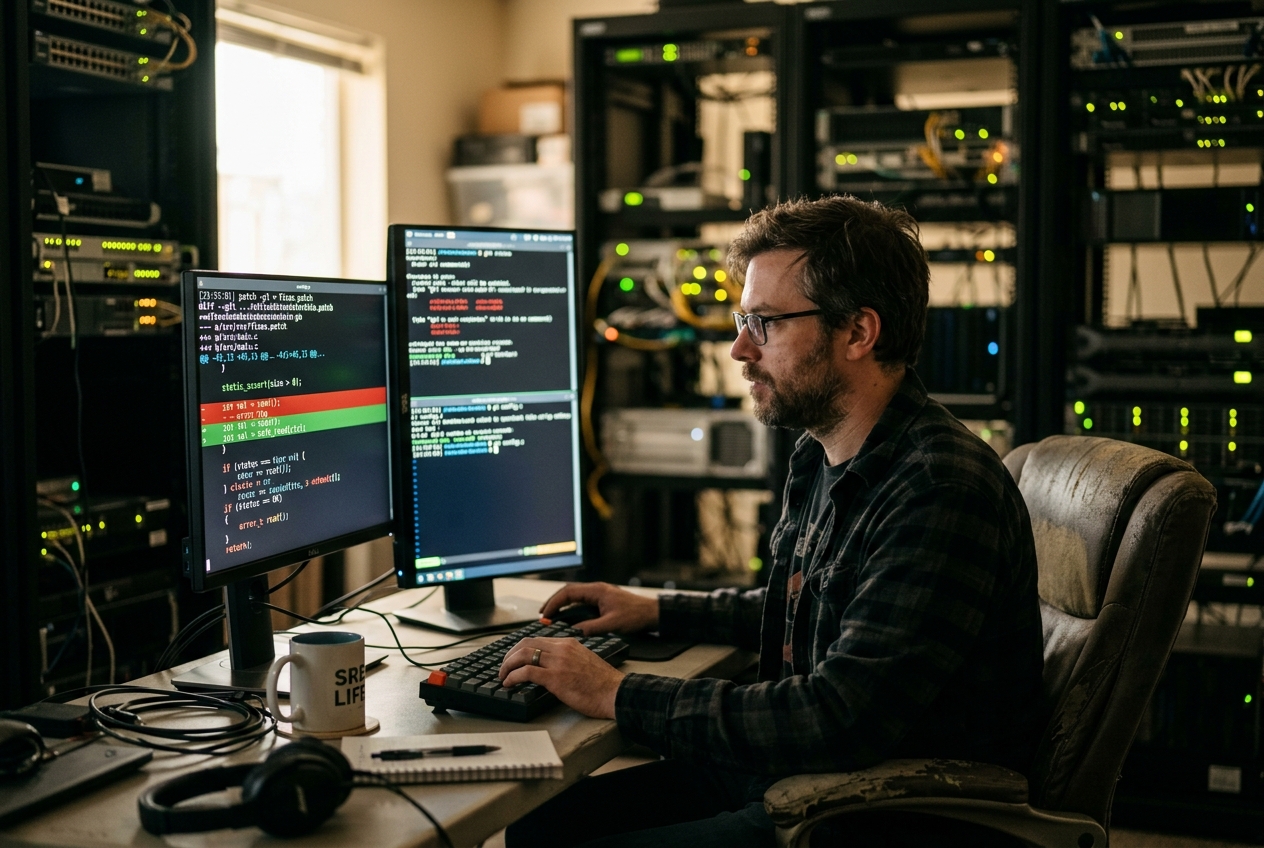
In normal daylight hours, deploying a software fix follows a familiar, reassuring ceremony. Developers write code, automated testing pipelines spin up, container images compile, compliance scans execute, and staging clusters verify the rollout. But that comforting machinery takes forty-five minutes to grind through from start to finish. In the middle of an active breach, forty-five minutes is an eternity you simply do not have. You do not need to rebuild the entire digital universe; you need surgical precision in seconds.
Fortunately, the upstream software maintainers have published a minimal, eight-line fix. It is not a massive container image or an enormous installer package, but a tiny plain-text delta showing the exact flaw to remove and the safe instructions to put in its place. To apply this surgical strike directly to live servers without tearing down running processes, engineers turn to one of the most enduring, battle-tested utilities in Unix history: the patch command.
With the mitigation file downloaded to your server, a single concise invocation validates the changes, applies the fix, and automatically preserves a backup of the original code in case you need an immediate retreat:
patch -p1 -b < security_mitigation.patch
Within a few milliseconds, the utility scans your local files, locates the vulnerable logic—even if local edits have shifted surrounding line numbers—splices in the correction, and leaves a clean safety copy behind. The vulnerability is neutralized, the service continues serving traffic without an orchestrator-level reboot, and you can finally catch your breath.
WHAT IT DOES IN PLAIN ENGLISH
At its heart, patch works like the "Track Changes" feature in a modern word processor, but for pure text files, system scripts, and source code.
When software changes over time, version control tools like Git or classic utilities like diff compare the old file with the new one. Instead of saving two complete copies of a 5,000-line file, they record a concise list of instructions called a "diff". A diff reads like a recipe: go to line 140, delete line 144, and insert these three new lines in its place.
The patch command is the automated engine that reads those recipe instructions and applies them directly to the files sitting on your machine. What makes patch uniquely powerful is its spatial intelligence:
1. It handles shifting lines: If someone previously added five lines of comments near the top of your file, patch will not blindly overwrite the wrong code at line 140. It looks at the surrounding text ("context lines"), discovers that the target has moved down to line 145, and applies the change in the correct spot.
2. It fails safely: If your local file has drifted so drastically that patch cannot be sure where the change belongs, it refuses to corrupt your file. Instead, it rejects the change, saves the unapplied snippet into an inspection file ending in .rej, and exits with an error code.
3. It protects your safety net: With a single flag, patch makes a duplicate of your original file before touching a single byte on disk, giving you an instantaneous rollback mechanism.
1. CONCEPTUAL FOUNDATION & CORE ARCHITECTURE
To use patch safely in mission-critical environments, it helps to look under the hood at how it parses diff streams, reconciles positional divergence, and handles filesystem changes.
1.1 Algorithmic Foundations of Unified Diff Parsing
The universal format consumed by modern implementations is the Unified Diff format, standardized originally in the IEEE Std 1003.1 (POSIX.1-2017) Specification for patch and expanded within the GNU Diffutils Documentation.
A unified diff stream consists of file headers followed by one or more self-contained modification blocks known as hunks. Each hunk represents a localized cluster of edits wrapped in surrounding, unchanged text called context lines.
--- old_runtime.c   2026-08-10 10:00:00.000000000 +0000
+++ new_runtime.c   2026-08-18 02:00:00.000000000 +0000
@@ -140,7 +140,8 @@
     if (!buffer)
         return STATUS_ERR_NOMEM;

-    memcpy(dest, buffer, input_length);
+    if (input_length > MAX_CAPACITY)
+        return STATUS_ERR_OVERFLOW;
+    memcpy(dest, buffer, input_length);

     return STATUS_OK;
 }
The coordinate header defines the mathematical boundaries of the change:
$$\text{@@ } -l_o, s_o \quad +l_n, s_n \text{ @@}$$
Where: * $l_o$ denotes the starting line number in the original source document. * $s_o$ specifies the total line count spanned by the hunk in the original document. * $l_n$ denotes the starting line number in the modified destination document. * $s_n$ specifies the line span in the modified destination document.
Within the hunk body, patch interprets three distinct operational markers:
* (Leading space): Context lines. Invariant lines that must match your local file to confirm positional certainty.
* - (Minus sign): Deletion directives. Lines that must be matched and cleanly excised.
* + (Plus sign): Insertion directives. Lines that must be injected into the target file at that exact position.
1.2 Line Offset Calculations, Heuristic Fuzz Factors, and Hunk Rejections
In production systems, configuration files and source code often diverge from upstream releases due to local customizations or earlier fixes. To prevent false failures, patch incorporates a multi-pass reconciliation algorithm.
Positional Offsets
When patch evaluates line $l_o$ and finds that the context lines do not match, it searches bidirectionally away from $l_o$ across the target file. If the full sequence of context lines is discovered at line $l_o + \Delta$, patch applies the edit at the new position and logs an offset notice:
Hunk #1 succeeded at 148 (offset 8 lines).
The Fuzz Factor Algorithm
If an exact match for all context lines cannot be located anywhere in the file, patch can temporarily relax its strictness using its fuzz factor heuristic (governed by the -F flag, which defaults to a maximum of 2 lines of ignored context in GNU patch).
At fuzz level 1 (-F 1), patch ignores the outermost line of context at the top and bottom of the hunk. At fuzz level 2 (-F 2), it ignores the two outermost lines, requiring only the single line immediately touching the edit boundary to match. If a match is found under relaxed rules, it logs a warning:
Hunk #1 succeeded at 150 with fuzz 2 (offset 10 lines).
Hunk Rejection
If the context fails to match even under the maximum permitted fuzz level (or if -F 0 is set to forbid fuzzy matching), patch refuses to guess. It leaves the target file untouched at that location, writes the failed hunk to a .rej file, and returns a non-zero exit status code ($? = 1$) to signal the failure to your terminal or CI/CD pipeline.
1.3 Rejection Artifacts (.rej), Backup Topologies (.orig), and Text Encoding Anomalies
When a patch fails to apply cleanly, patch protects system integrity by generating a rejection file (suffixed with .rej). The .rej artifact contains only the specific hunks that failed, formatted as standard unified diffs so you can inspect them immediately.
When backup mechanisms are activated via -b (--backup), patch saves an unmutated clone of the target file before writing changes to disk (defaulting to the .orig suffix). GNU patch also supports numbered versioning via -V (--version-control):
* numbered (or t): Creates sequentially numbered backups (e.g., runtime.c.~1~, runtime.c.~2~).
* existing (or nil): Generates numbered backups if they already exist; otherwise creates simple .orig copies.
* simple (or never): Always creates standard .orig single backups.
Line-Ending Divergence (CRLF vs LF)
In mixed operating system environments, text files often mix Unix line feeds (LF, \n) with Windows carriage returns (CRLF, \r\n). If a patch generated on Linux is applied to a configuration file containing CRLF line endings, byte-level context matching will fail. GNU patch addresses this with:
* --ignore-whitespace (-l): Treats any sequence of spaces and tabs as equivalent.
* --binary: Enforces byte-for-byte fidelity without translating newline characters across operating systems.
1.4 Path Strip Level Arithmetic (-p0, -p1, -pN)
Diffs generated by version control systems typically prefix paths with dummy directory prefixes—usually a/ for the original version and b/ for the modified version:
--- a/src/net/http/v2/client.go
+++ b/src/net/http/v2/client.go
The -p (strip count) option instructs patch to remove a specific number of leading directory path segments separated by slashes.
Mathematically, if a filepath is broken down into a sequence of directory tokens:
$$\mathcal{P} = \langle t_1, t_2, t_3, \dots, t_k \rangle$$
The strip operation $\sigma_N(\mathcal{P})$ discards the first $N$ tokens:
$$\sigma_N(\mathcal{P}) = \langle t_{N+1}, t_{N+2}, \dots, t_k \rangle$$
| Strip Parameter | Transformation | Resulting File Target | Common Operational Context |
|---|---|---|---|
-p0 |
$\sigma_0(\mathcal{P}) \to \langle \text{a}, \text{src}, \text{net}, \text{http}, \text{v2}, \text{client.go} \rangle$ | a/src/net/http/v2/client.go |
Applying patches created from the direct parent directory. |
-p1 |
$\sigma_1(\mathcal{P}) \to \langle \text{src}, \text{net}, \text{http}, \text{v2}, \text{client.go} \rangle$ | src/net/http/v2/client.go |
Standard production convention: Applied from the root of a Git repository. |
-p4 |
$\sigma_4(\mathcal{P}) \to \langle \text{v2}, \text{client.go} \rangle$ | v2/client.go |
Applying patches while already standing inside the src/net/http/ directory. |
If you omit the strip flag or pass the wrong number, patch will fail to find the file and will prompt you interactively on standard input, which will cause non-interactive automation scripts to stall indefinitely.
2. CORE FLAGS & QUICK START
The table below provides a reference of the most critical command-line flags in POSIX and GNU patch, referenced in the ArchWiki Patching Guide and standard manual pages.
| Flag / Option | GNU Long Option | Functional Purpose & Production Utility |
|---|---|---|
-p<num> |
--strip=<num> |
Strips num leading directory components from file paths parsed in the diff header. |
-R |
--reverse |
Reverses the patch direction: converts additions to deletions and deletions to additions (disaster recovery rollback). |
-C |
--dry-run |
Executes complete validation, offset calculation, and fuzz matching without altering files on disk. |
-b |
--backup |
Creates a duplicate copy of each target file before applying changes (defaults to .orig). |
-B <prefix> |
--prefix=<prefix> |
Prepends a directory path or string prefix to backup files instead of appending .orig. |
-F <num> |
--fuzz=<num> |
Configures maximum context line fuzz tolerance ($0 \le \text{num} \le 3$). |
-N |
--forward |
Ignores patches that appear to be already applied; prevents accidental double-application. |
--batch |
--batch |
Suppresses interactive keyboard prompts; immediately fails when inputs are ambiguous or missing. |
-i <file> |
--input=<file> |
Reads the unified diff directly from a file path rather than standard input. |
The Standard Quick-Start Command
When validating and applying an upstream patch in a clean workspace, the canonical production invocation combines input redirection, strip level selection, and backup retention:
patch -p1 -b < security_mitigation.patch
Expected Terminal Output:
patching file src/core/security_parser.c
Hunk #1 succeeded at 214 (offset 3 lines).
Hunk #2 succeeded at 405 (offset 3 lines).
In this output, patch stripped the leading a/ and b/ repository paths (-p1), identified the target file as src/core/security_parser.c, matched the code blocks (shifted 3 lines down from the patch author's original file), applied the modifications in-place, and created a pre-patch safety backup at src/core/security_parser.c.orig.
3. FIVE REAL-WORLD PRODUCTION USE CASES
The following end-to-end case studies demonstrate how patch operates across critical engineering workflows.
USE CASE 1: Emergency Zero-Downtime Hotpatching in Active Deployments
Scenario
A critical memory leak in an active Python or Node.js runtime service is triggering Out-Of-Memory (OOM) process crashes across twenty production instances. A standard full image rebuild, end-to-end regression test suite, and regional rollout takes 35 minutes—far too slow to prevent service disruption. The engineering team provides an emergency patch (leak_fix.patch) that fixes the event loop listener. Site Reliability Engineers apply this hotfix directly to live application mounts across nodes and trigger a graceful worker process reload (SIGHUP) without restarting containers.
Exact Command Execution
patch -p1 --forward --batch --backup-if-mismatch < /var/run/security/leak_fix.patch
Realistic Terminal Output
patching file lib/transport/event_loop.py
Hunk #1 succeeded at 88 (offset 2 lines).
Hunk #2 succeeded at 142 (offset 2 lines).
Line-by-Line Technical Analysis
patching file lib/transport/event_loop.py:patchstrips the leading path component, locates the target script relative to the current directory, and confirms write permissions.Hunk #1 succeeded at 88 (offset 2 lines): The first edit was originally created against line 86.patchlocated the exact context lines shifted 2 lines down and updated the code cleanly.Hunk #2 succeeded at 142 (offset 2 lines): The second hunk was similarly aligned and written. The--forwardand--batchflags ensure that if this command is executed multiple times across instances via an automation playbook (such as Ansible), it exits cleanly without hanging on interactive prompts.
Sysadmin Action Plan
- Confirm the runtime process is healthy:
ps aux | grep [e]vent_loop. - Issue a graceful reload signal to the worker master:
kill -HUP <PID>orsystemctl reload app-worker. - Monitor system telemetry dashboards to confirm memory consumption stabilizes and OOM errors cease.
USE CASE 2: Non-Destructive Pre-Flight Validation with Dry-Runs in CI/CD Runners
Scenario
An automated deployment runner applies local system configuration and kernel tuning overlays (sysctl_hardening.patch) to bare-metal servers during provisioning. Over time, underlying operating system updates can cause base configuration files to drift. Applying a patch blindly could result in a partial application, leaving servers in an inconsistent state. The CI/CD runner must execute an authoritative dry-run check; if even one hunk fails, the deployment pipeline must abort before touching any files on disk.
Exact Command Execution
patch --dry-run --batch --forward -p1 < overlays/sysctl_hardening.patch
Realistic Terminal Output (Simulated Success)
checking file etc/sysctl.d/99-kubernetes-security.conf
checking file etc/security/limits.d/30-nofile.conf
Hunk #1 succeeded at 12 (offset -1 lines).
Realistic Terminal Output (Simulated Drift Conflict)
checking file etc/sysctl.d/99-kubernetes-security.conf
Hunk #1 FAILED at 12.
1 out of 1 hunk FAILED -- saving rejects to file etc/sysctl.d/99-kubernetes-security.conf.rej
Line-by-Line Technical Analysis
checking file ...: The--dry-runflag instructspatchto parse diff headers, compute offsets, and validate context lines completely in memory without flushing changes to disk.Hunk #1 FAILED at 12: Context validation failed; the existing lines on the target server do not match the expected context in the patch.1 out of 1 hunk FAILED -- saving rejects to file ...:patchsimulates the failure. In dry-run mode, even the.rejfile creation is simulated. Crucially,patchexits with status code 1, immediately stopping any script configured withset -e.
Sysadmin Action Plan
- Wrap the pre-flight check in an automated pipeline guard:
bash if ! patch --dry-run --batch --forward -p1 < overlays/sysctl_hardening.patch; then echo "CRITICAL: Configuration drift detected on $(hostname). Aborting rollout." | mail -s "Pipeline Failure" sre-alerts@example.com exit 1 fi - For nodes reporting drift conflicts, inspect the active configuration and regenerate the patch against the updated baseline.
USE CASE 3: Instant Disaster Recovery Rollbacks via Reverse Patching
Scenario
A hotfix applied to an enterprise database connection pooler (pg_pool.c) introduces an intermittent deadlock under heavy query traffic. Monitoring alerts fire for thread pool exhaustion across all database gateway nodes. Reverting via a full continuous deployment cycle or package downgrade is blocked by permission locks. Because the original patch file (pg_deadlock_hotfix.patch) remains on disk, the on-call engineer executes an instant reverse patch to restore the proven pre-incident byte state.
Exact Command Execution
patch -R -p1 --batch < /opt/patches/pg_deadlock_hotfix.patch
Realistic Terminal Output
patching file src/backend/interfaces/pg_pool.c
Unreversed patch detected!  Ignore -R? [n]
Applying reversed patch...
Hunk #1 succeeded at 310 (offset 1 line).
Hunk #2 succeeded at 584 (offset 1 line).
Line-by-Line Technical Analysis
patch -R: The-R(--reverse) flag swaps the logic of the patch parser: additions (+) become deletions, and deletions (-) become additions.Unreversed patch detected!:patchchecks the target file and verifies that the post-patch modifications are currently present, confirming that reversing the patch is the mathematically correct operation.Applying reversed patch...: The utility excises the problematic code and restores the original logic.Hunk #1 succeeded at 310: The file is restored to its exact pre-incident state without recompiling untouched modules.
Sysadmin Action Plan
- Validate file checksums against known good hashes:
sha256sum src/backend/interfaces/pg_pool.c. - Issue a fast worker process restart to clear lingering deadlocked threads.
- Observe telemetry metrics to confirm database query latency returns to normal baselines.
USE CASE 4: Automating Kernel & Out-of-Tree Driver Source Patching
Scenario
During automated server provisioning, an out-of-tree hardware driver (such as a high-performance network interface card driver) must be compiled against a custom Linux kernel distribution. The vendor driver requires sequential compatibility patches to build against newer kernel headers. To maintain complete auditability and recover from any failed build stage, the build script must create sequentially numbered backups of every source file modified during the patching sequence.
Exact Command Execution
patch -b -V numbered -p1 -i patches/0001-kernel-6.8-dma-mapping-compat.patch
Realistic Terminal Output
patching file drivers/net/ethernet/custom_nic/nic_main.c
patching file drivers/net/ethernet/custom_nic/nic_dma.c
Hunk #1 succeeded at 78 with fuzz 1.
patching file drivers/net/ethernet/custom_nic/nic_compat.h
Line-by-Line Technical Analysis
-b -V numbered: Configures GNUpatchto preserve numbered backups. Ifnic_dma.cis modified, the system savesnic_dma.c.~1~. A subsequent patch run createsnic_dma.c.~2~.-i patches/...: Specifies the patch file directly without relying on shell stdin redirection (<), improving clarity in build logs.Hunk #1 succeeded at 78 with fuzz 1: Indicates minor context divergence (1 line shifted), whichpatchresolved cleanly within acceptable fuzz tolerances.
# Verify directory backup artifacts post-execution:
$ ls -l drivers/net/ethernet/custom_nic/nic_dma.c*
-rw-r--r-- 1 builder builder 45102 Aug 18 02:20 nic_dma.c
-rw-r--r-- 1 builder builder 44980 Aug 18 02:18 nic_dma.c.~1~
Sysadmin Action Plan
- Proceed with driver compilation:
make -C /lib/modules/$(uname -r)/build M=$PWD modules. - If compilation fails at a later stage, immediately diff against the numbered backup (
diff -u nic_dma.c.~1~ nic_dma.c) to verify that the fuzz heuristic did not alter unintended code blocks.
USE CASE 5: Triaging Hunk Rejections & Enforcing Strict Merge Boundaries
Scenario
You are applying an upstream security patch to an internal fork of a high-throughput proxy daemon (haproxy or envoy). The patch modifies the HTTP header parsing loop. Because your internal fork includes custom tracing and metrics instrumentation, applying the patch with default settings could cause unsafe fuzzy matching against similar-looking loop constructs. You must enforce a strict zero-fuzz policy (-F 0), capture any rejected hunks into a .rej artifact, and resolve conflicts manually.
Exact Command Execution
patch -F 0 -p1 --backup < upstream_cve_http_parser.patch
Realistic Terminal Output
patching file src/proto_http.c
Hunk #1 succeeded at 1045 (offset 12 lines).
Hunk #2 FAILED at 1120.
1 out of 2 hunks FAILED -- saving rejects to file src/proto_http.c.rej
Line-by-Line Technical Analysis
-F 0: Disables fuzzy context matching completely. Every single context line must match the target file byte-for-byte.Hunk #1 succeeded at 1045 (offset 12 lines): Offset matching succeeded because all context lines matched identically, despite being shifted down by 12 lines.Hunk #2 FAILED at 1120: The context lines for Hunk #2 could not be found with 100% fidelity. Because fuzzing was disabled,patchhalted execution on this hunk to protect code safety.-- saving rejects to file src/proto_http.c.rej:patchisolated Hunk #2 and wrote it into the rejection file.
Sysadmin Action Plan
- Inspect the rejection file to view the unapplied code:
bash
   cat src/proto_http.c.rej
text --- src/proto_http.c +++ src/proto_http.c @@ -1120,6 +1120,7 @@ while (p < end) { if (*p == '\r') { *p = '\0'; + validate_header_termination(p, end); break; } p++; - Open
src/proto_http.cin an editor and navigate to line 1120. - Locate the conflicting local code (such as internal metrics statements like
LOG_DEBUG("Parsing byte: %c", *p);). - Manually insert the required security validation call (
validate_header_termination(p, end);) in the correct logical position. - Clean up temporary rejection and backup files once verified:
bash
   rm src/proto_http.c.rej src/proto_http.c.orig
4. PRODUCTION BEST PRACTICES & OPERATIONAL PITFALLS
Operating patch reliably across large-scale server fleets requires strict attention to automation safety, security constraints, and platform differences.
| Best Practice Rule | Recommended Syntax | Operational Rationale |
|---|---|---|
| Idempotent Automation | --batch --forward |
Suppresses interactive prompts and skips already-applied hunks during automated re-runs. |
| Privilege Boundaries | Run as unprivileged user | Prevents directory traversal attacks and unintentional root filesystem modification. |
| Strict Context Rules | -F 0 |
Disables fuzzy matching in critical codebases where lookalike logic could be corrupted. |
| Mandatory Backups | -b or -V numbered |
Automatically creates rollback copies before performing any write operations to disk. |
| Pre-Flight Simulation | --dry-run |
Validates patch application in memory before touching files on disk. |
Idempotency and Non-Interactive Automation
In automated provisioning scripts, CI/CD pipelines, and configuration management tools (like Ansible or Puppet), running patch without safety flags can freeze your pipeline:
- The Problem: If a patch fails to match cleanly or has already been applied, standard
patchpauses and prompts the user on standard input:text File to patch: Skip this patch? [y]In a headless CI/CD runner without a human keyboard attached, this causes the runner to hang until the overall job times out. - The Solution: Always combine
--batchwith--forward(or-N). The--batchflag turns off all interactive prompts and forces immediate failure on ambiguity, while--forwardautomatically skips hunks that are already present in the file, allowing playbooks to re-run safely.
# Recommended standard for automation scripts and pipelines:
patch -p1 --batch --forward --dry-run < patchfile.patch && \
patch -p1 --batch --forward < patchfile.patch
Security Considerations When Running with Elevated Privileges
Running patch as the root user—especially on diffs submitted via third-party repositories, automated webhooks, or external bug submissions—introduces notable security risks:
- Path Traversal Vulnerabilities: Historically, crafted patch files containing relative traversal paths (such as
--- ../../../etc/shadow) or symlink chains could trickpatchinto writing files outside the intended working directory (documented in CVE-2015-1395 and CVE-2018-1000156). While modern GNU releases include safeguards against symlink traversal, runningpatchas an unprivileged user remains the gold standard defense. - Embedded Metadata Handling: Diffs generated by modern version control tools often include extended headers or permissions metadata. Standard POSIX
patchsafely ignores non-diff metadata, whereas specialized tools likegit applyprocess extended metadata differently (see the Git Documentation on Format-Patch and Am). - Resource Exhaustion on Massive Diffs: Gigantic diff streams generated by automated testing tools can consume significant memory during offset searches. In automated environments, enforce memory limits using
ulimit -vor run patch operations within isolated containers.
POSIX Compliance vs GNU Extensions
When writing cross-platform infrastructure scripts designed to execute across Linux (GNU coreutils/diffutils) and BSD or macOS environments, keep these differences in mind:
- Unified Diff Auto-Detection: POSIX defines context diffs (
diff -C) and unified diffs (diff -u). GNUpatchautomatically detects the format from the diff headers, whereas minimal POSIX implementations may require explicit flags if headers vary. - Empty File Removal (
-E): Both GNU and POSIX support-E(--remove-empty-files), which automatically deletes target files if a patch removes all their contents. This ensures clean directory trees when applying refactoring patches that retire obsolete files.
5. WHAT CAN GO WRONG (FAILURE MODES & RECOVERY MATRIX)
The following operational matrix diagnoses common errors encountered during patch operations and provides exact remediation steps.
| Error Message / Operational Symptom | Root Cause Diagnosis | Remediation & Recovery Workflow |
|---|---|---|
Can't find file to patch at input line 3File to patch: (Stalls) |
Incorrect -p strip count. patch cannot locate the target file from the path given in the diff header. |
Press Ctrl+C to abort. Check the diff header (head -n 5 <patchfile>). Count the path segments and supply the matching strip level (usually -p1). |
Reversed (or previously applied) patch detected! Assume -R? [n] |
The modifications are already present in the file, or the patch is being applied in reverse. | If running in automation, add --forward so patch skips already-applied code. If triaging manually, pass -R if you wish to roll back the change. |
Hunk #1 FAILED ... saving rejects to .rej |
Local code has drifted significantly. Context lines in the target file do not match the patch within permissible fuzz limits. | Open the .rej file. Locate the target file and manually insert the changes at the correct structural location. Delete the .rej file once verified. |
patch: **** malformed patch at line 45 |
The patch file was corrupted in transit (e.g., through email word-wrapping, tab-to-space expansion, or CRLF mismatch). | Re-download the raw patch. Convert line endings with dos2unix or pass --ignore-whitespace (-l) to allow whitespace tolerance. |
| Corrupted code after patch application with no errors logged | Excessive fuzz tolerance (-F 2 or -F 3) caused patch to match a lookalike block elsewhere in the file. |
Restore the file immediately from backup: mv file.c.orig file.c. Re-run the patch with strict zero-fuzz validation: patch -F 0 -p1 < patchfile.patch. |
6. TODAY'S TAKEAWAY
You can master the mechanics of patch in five minutes right now on your local machine. Open a terminal, create a test file (echo "PORT=8080" > app.conf), duplicate it (cp app.conf app.conf.new), make a change (echo "PORT=9090" > app.conf.new), and generate your own unified diff:
diff -u app.conf app.conf.new > port_update.patch
Now test applying that change safely. Run a dry run (patch --dry-run -p0 < port_update.patch), apply it with an automatic backup (patch -b -p0 < port_update.patch), and inspect the resulting app.conf and app.conf.orig files. Finally, roll it back with patch -R -p0 < port_update.patch. Committing these core options—-p1, --dry-run, --batch, --forward, and -b—to memory transforms emergency patching from a high-stress gamble into a calm, precise, and repeatable engineering procedure.