Parted: Manipulating GPT Partition Tables, Enforcing 4KiB Sector Alignment, and Resizing Dynamic Storage Volumes in Production
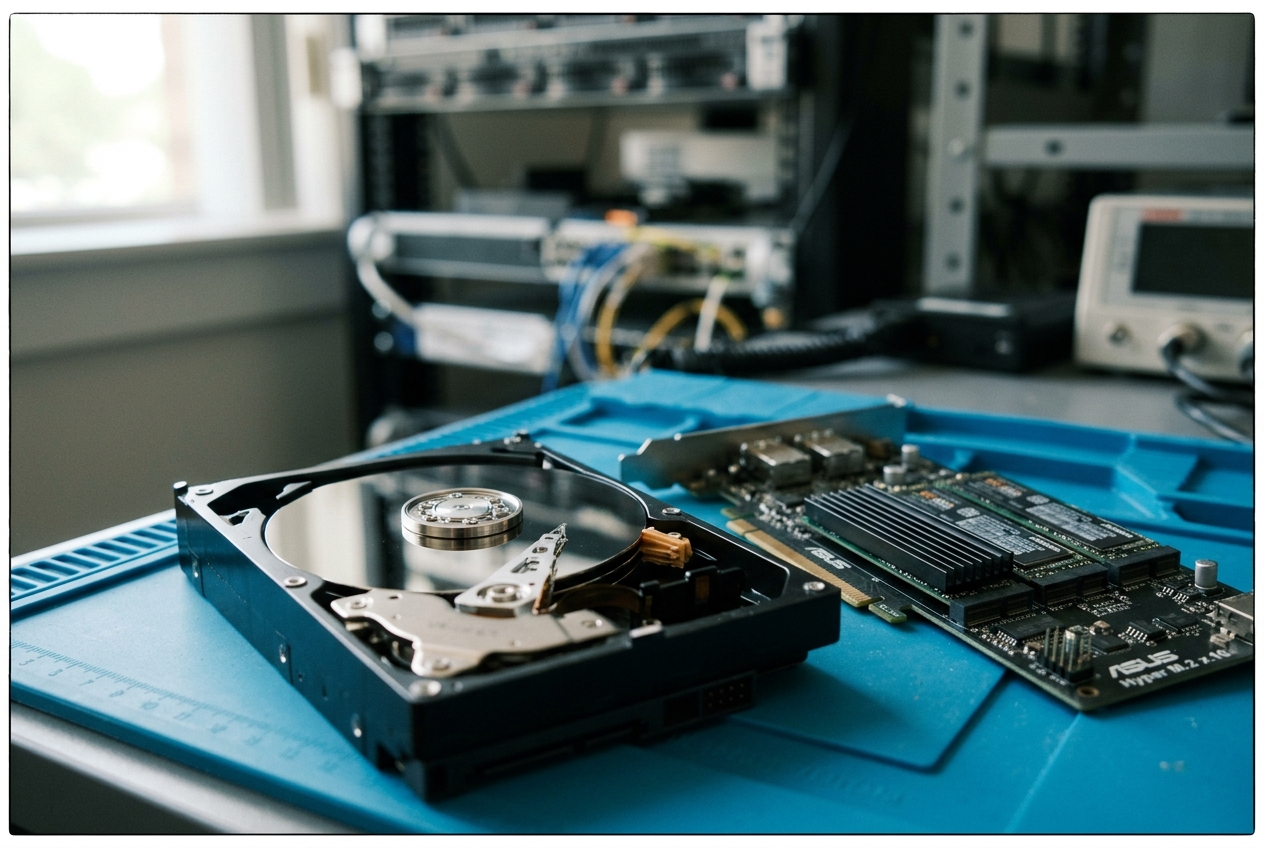
The underlying failure is a scenario every system administrator eventually meets. Earlier in the night, a storage engineer expanded the server's virtual hard drive in the cloud console to avert a low-disk warning, yet the operating system remains completely oblivious to the fresh gigabytes. To the running Linux kernel, that extra breathing room does not exist; the drive remains jammed at one hundred per cent capacity, locking database tables in a desperate read-only defence. Worse, disk write latency on secondary processing workers has skyrocketed by four hundred per cent, choking the server in a bottleneck of unserviced input-output requests.
When storage shifts underneath live enterprise workloads, systems engineers turn to GNU Parted. While standard tools manage individual files and folders, Parted acts as the master architect of the raw storage medium itself. It reads, rearranges, resizes, and repairs the foundational partition tables that tell the operating system where data physically begins and ends—all without forcing you to unmount critical filesystems or take live clusters offline.
Before touching a single sector on a live server, every engineer needs an instantaneous, reliable map of the disk's layout. The single most useful diagnostic command in the administrator’s daily toolkit is non-destructive, lightning-fast, and formats raw byte offsets into crystal-clear binary gigabytes:
parted -s /dev/nvme0n1 unit GiB print
Model: Samsung SSD 980 PRO 2TB (nvme)
Disk /dev/nvme0n1: 1863.02GiB
Sector size (logical/physical): 512B/512B
Partition Table: gpt
Disk Flags:

Number  Start    End        Size       File system  Name                  Flags
 1      0.00GiB  0.98GiB    0.98GiB    fat32        EFI System Partition  boot, esp
 2      0.98GiB  1863.01GiB 1862.03GiB ext4         Linux Primary Root
In this single line, the -s flag enforces non-interactive script mode (preventing the utility from pausing for confirmation during automated diagnostics), /dev/nvme0n1 specifies the enterprise NVMe drive, unit GiB standardises all dimensions in binary gigabytes, and print outputs the partition table. Within milliseconds, you can confirm whether the disk uses a modern GUID Partition Table (gpt), identify the exact boundaries of boot and root partitions, and spot any unallocated space lurking past the final partition boundary.
What It Does in Plain English
GNU Parted (Partition Editor) is a low-level disk management utility designed to create, inspect, manipulate, resize, and safeguard partition tables on physical and virtual block storage devices. While everyday filesystem tools format folders and manage directory structures within an already carved-out boundary, Parted operates beneath filesystems at the raw storage geometry level.
It constructs and edits the primary index of sectors that defines where storage partitions begin, where they terminate, and how they align with the physical hardware below. By offering robust native support for modern GUID Partition Tables (GPT) as well as legacy Master Boot Record (MBR) formats, Parted enables systems engineers to dynamically expand running cloud volumes, orchestrate bare-metal server installations, and calculate physical sector alignment with mathematical exactness.
Core Flags and Quick Reference
Parted can run inside an interactive command shell or as a silent, automated command within deployment pipelines and configuration playbooks:
| Flag / Option | Description | Production Use Case |
|---|---|---|
-s, --script |
Suppresses interactive prompts, automatically selecting defaults or halting on syntax errors. | CI/CD bare-metal provisioning, cloud-init boot scripts, and automated Ansible playbooks. |
-m, --machine |
Emits parseable, colon-separated tabular data rather than human-oriented text. | Parsing disk partition layouts inside custom telemetry scripts and deployment daemons. |
-a <type>, --align <type> |
Enforces sector alignment constraints (none, cylinder, minimal, optimal). |
Preventing severe 4KiB sector misalignment penalties across modern SSDs and SAN arrays. |
-l, --list |
Enumerates partition layouts across all detected block devices attached to the host. | Initial host discovery, storage auditing, and hardware inventory collection. |
-v, --version |
Displays utility version and build metadata. | Validating command-line feature compatibility during automated OS image builds. |
Architectural Mechanics: GPT Layouts, LBA Geometry, and Sector Alignment Mathematics
To safely manipulate storage partitions on live production machines, engineers must understand the underlying data structures governing modern GUID Partition Tables and the physics of physical sector alignment.
(Guards against legacy disk utilities overwriting GPT data)"] LBA1["LBA 1: Primary GPT Header
(Disk GUID, Header Size, CRC32 Checksums, Primary/Backup LBA pointers)"] LBA2_33["LBA 2–33: Primary Partition Entry Array
(128 partition records, 128 bytes per entry)"] LBA34_N34["LBA 34 to N-34: Usable Data Payload
(Filesystems, LVM Volume Groups, Database Raw Storage)"] LBAN33_2["LBA N-33 to N-2: Backup Partition Entry Array
(Redundant secondary copy of all partition records)"] LBAN1["LBA N-1: Secondary / Backup GPT Header
(Terminal disaster-recovery header at physical end of disk)"] end LBA0 --> LBA1 LBA1 --> LBA2_33 LBA2_33 --> LBA34_N34 LBA34_N34 --> LBAN33_2 LBAN33_2 --> LBAN1
1. GUID Partition Table (GPT) vs. Legacy Master Boot Record (MBR)
The computing industry's original partitioning standard, the Master Boot Record (MBR), dates back to 1983. MBR relies on 32-bit Logical Block Addressing (LBA). Assuming standard logical sectors of 512 bytes, the maximum addressable disk capacity is strictly limited by mathematics:
$$2^{32} \times 512\text{ bytes} = 4,294,967,296 \times 512\text{ bytes} = 2,199,023,255,552\text{ bytes} \approx 2.199\text{ TiB}$$
If an administrator formats a modern 8 TB enterprise drive with a legacy MBR table, any capacity beyond roughly 2.2 TiB becomes completely invisible to the operating system.
Modern computing resolves this limitation through the UEFI Specification / GPT Layout. GPT employs 64-bit logical block addresses, raising the theoretical ceiling to an astronomical scale:
$$2^{64} \times 512\text{ bytes} \approx 9.44 \times 10^{21}\text{ bytes} = 9.44\text{ Zettabytes (ZB)}$$
Beyond capacity, GPT eliminates single-point-of-failure vulnerabilities by maintaining dual copies of all structural metadata across the disk:
- Protective MBR (LBA 0): Occupies the disk's opening sector. It contains a legacy partition record marked with partition type
0xEEspanning the entire drive, preventing legacy utilities from mistaking the disk for unpartitioned space and destroying live data. - Primary GPT Header (LBA 1): Records the disk's unique GUID, structural boundaries, pointers to primary and secondary tables, and CRC32 integrity checksums.
- Primary Partition Entry Array (LBAs 2–33): Houses at least 128 individual partition entries (each entry consuming 128 bytes, allowing four entries per 512-byte sector across 32 sectors).
- Usable Payload Area (LBA 34 to $N-34$): The addressable block storage reserved for filesystems, databases, and container storage.
- Secondary / Backup GPT Structures (LBAs $N-33$ to $N-1$): A byte-for-byte replica of the header and partition array written to the very end of the physical media. If the primary header at LBA 1 is corrupted by a bad sector or an errant write, the Linux kernel reconstructs the storage map automatically from LBA $N-1$.
2. The Mathematics of 4KiB Physical Sector Alignment and Write Amplification
Traditional spinning hard drives historically grouped data into 512-byte physical sectors. Modern solid-state drives (SSDs), NVMe media, and Advanced Format hard drives store data in physical pages of 4,096 bytes ($4\text{ KiB}$) or larger. To maintain backward compatibility with legacy operating systems, storage controllers emulate 512-byte logical sectors—a hybrid design known as 512e (512 emulation), whereas native modern drives operate as 4Kn (4K Native).
When a partition begins at an arbitrary, unaligned sector (such as sector 63, the historical default of legacy DOS-era partitioning software), every single $4\text{ KiB}$ operating system block write ends up straddling two separate physical $4\text{ KiB}$ flash pages.
This misalignment triggers a costly Read-Modify-Write (RMW) cycle within the SSD firmware. Instead of executing a single write operation, the drive controller must: 1. Read the contents of Physical Sector 0 into internal cache. 2. Read the contents of Physical Sector 1 into internal cache. 3. Modify the intersecting data bytes in controller memory. 4. Program an erase/write cycle across Physical Sector 0. 5. Program an erase/write cycle across Physical Sector 1.
This unnecessary churn increases the drive's Write Amplification Factor (WAF), slashes random write performance by 50 to 80 per cent, introduces erratic latency spikes under load, and accelerates the premature wear of flash memory cells.
To ensure perfect physical alignment, a partition's starting logical sector $S_{\text{start}}$ must satisfy the alignment equation:
$$(S_{\text{start}} \times L) \pmod P = 0$$
Where $L$ is the logical sector size (512 bytes) and $P$ is the physical sector size (4,096 bytes).
The universal industry standard is to align partition starting boundaries to $1\text{ MiB}$ ($1,048,576\text{ bytes}$), which corresponds precisely to Sector 2048 on standard 512e media:
$$2048 \text{ sectors} \times 512 \text{ bytes/sector} = 1,048,576 \text{ bytes} = 1 \text{ MiB}$$
Because $1,048,576$ is evenly divisible by $4\text{ KiB}$, $8\text{ KiB}$, $64\text{ KiB}$, $1\text{ MiB}$, and $2\text{ MiB}$ flash erase blocks, $1\text{ MiB}$ alignment provides universal protection against write amplification across all modern storage technologies. Detailed kernel parameters are documented in the Linux Kernel Block Device Architecture Documentation and the Arch Linux Partitioning and Alignment Guide.
5 Production-Grade Real-World Use Cases
The following real-world operational workflows illustrate how Parted is used to manage enterprise storage systems safely and reliably.
Use Case 1: Non-Interactive Scriptable Creation of GPT Partition Tables on Raw Enterprise NVMe Disks
Scenario
A fresh 3.84 TB NVMe solid-state disk (/dev/nvme1n1) has been mounted to a high-throughput search indexing node. You must clear out any residual storage signatures, write a clean GUID Partition Table, and establish a single aligned partition spanning the entire drive using an automated script.
Production Command Execution
parted -s /dev/nvme1n1 \
    mklabel gpt \
    mkpart primary ext4 1MiB 100%
Verification Command & Terminal Output
parted -s /dev/nvme1n1 unit s print
Model: NVMe INTEL SSDPF2KX038TZ (nvme)
Disk /dev/nvme1n1: 7501476528s
Sector size (logical/physical): 512B/4096B
Partition Table: gpt
Disk Flags:

Number  Start     End           Size          File system  Name     Flags
 1      2048s     7501474894s   7501472847s   ext4         primary
Line-by-Line Technical Analysis
parted -s /dev/nvme1n1: Invokes Parted in silent batch mode targeting the raw NVMe block device.mklabel gpt: Writes a fresh GUID Partition Table header across LBA 1 and secondary structures at LBA $N-1$, erasing any legacy MBR structures.mkpart primary ext4 1MiB 100%: Creates a partition labeledprimary, marks its type code forext4, anchors the starting sector to $1\text{ MiB}$ (Sector 2048), and stretches the boundary to 100% of the last usable block.- In the verification output,
Start: 2048sconfirms that the partition begins exactly on sector 2048 ($2048 \times 512 = 1,048,576\text{ bytes}$), guaranteeing flawless $4\text{ KiB}$ hardware sector alignment.
Explicit Next Step for the System Administrator
Instruct the Linux kernel to refresh its partition registers, then format the newly exposed block partition /dev/nvme1n1p1 with an optimized ext4 filesystem:
udevadm settle
mkfs.ext4 -F -E nodiscard -m 1 /dev/nvme1n1p1
Use Case 2: Calculating and Verifying Optimal 1MiB / 2048-Sector Boundary Alignment for High-Throughput SSD Arrays
Scenario
A Kubernetes node hosting high-throughput message queues is experiencing abnormal CPU I/O wait times. You suspect that an older SSD storage device (/dev/sda) was initialized with historical sector offsets, causing severe flash write degradation. You must verify whether Partition 1 matches the storage controller's optimal hardware geometry.
Production Command Execution
parted -s /dev/sda align-check optimal 1
Terminal Output
1 aligned
(Alternative failure output when misaligned: 1 not aligned)
Line-by-Line Technical Analysis
parted -s /dev/sda: Runs Parted in script mode against storage device/dev/sda.align-check optimal 1: Evaluates the starting offset of Partition 1 against hardware attributes published by the kernel in/sys/block/sda/queue/optimal_io_sizeand/sys/block/sda/alignment_offset.- The confirmation output
1 alignedproves that $(S_{\text{start}} \times S_{\text{logical}}) \pmod{S_{\text{optimal_io_size}}} = 0$. The storage controller can execute parallel writes directly without splitting data transfers across multiple physical flash blocks.
Explicit Next Step for the System Administrator
If the command reports 1 not aligned, schedule an immediate maintenance window to back up partition data, re-create the partition starting at Sector 2048 ($1\text{ MiB}$) using parted -s /dev/sda mkpart primary ext4 2048s <End>, and restore the workload to eliminate the latency penalty.
Use Case 3: Online Non-Destructive Partition Expansion on Expanded Cloud LUNs / AWS EBS Volumes
Scenario
An Amazon Web Services (AWS) Elastic Block Store (EBS) gp3 volume attached to a production PostgreSQL database was expanded from 500 GiB to 2 TiB in the AWS Console. The virtual disk geometry grew at the hypervisor layer (/dev/nvme2n1), but the live database partition (/dev/nvme2n1p1) remains restricted to 500 GiB. You must expand the live partition without unmounting the filesystem or restarting the database engine.
Production Command Execution
parted -s /dev/nvme2n1 resizepart 1 100%
Verification Command & Terminal Output
parted -s /dev/nvme2n1 unit GiB print
Model: Amazon Elastic Block Store (nvme)
Disk /dev/nvme2n1: 2048.00GiB
Sector size (logical/physical): 512B/512B
Partition Table: gpt
Disk Flags:

Number  Start    End        Size       File system  Name     Flags
 1      0.00GiB  2048.00GiB 2048.00GiB ext4         primary
Line-by-Line Technical Analysis
parted -s /dev/nvme2n1: Targets the expanded cloud storage block volume non-interactively.resizepart 1 100%: Modifies the end sector marker of partition index1in the GPT arrays, extending it to the final sector of the resized storage volume without altering the start sector, leaving all stored data completely untouched.- The output confirms the ending boundary expanded to
2048.00GiB, successfully allocating the full 2 TiB capacity.
Explicit Next Step for the System Administrator
The kernel's partition boundary is now enlarged, but the overlying filesystem must be instructed to fill the newly available sectors. For ext4 filesystems, execute:
resize2fs /dev/nvme2n1p1
(For systems running the XFS filesystem, run: xfs_growfs -d /mount/point)
Use Case 4: Parsing Machine-Readable Partition Layouts with parted -m in Automated Infrastructure Orchestration Pipelines
Scenario
You are writing an automated server provisioning script in Python and Bash that inspects hardware configurations during network boot. The script must parse disk capacities, partition boundaries, and filesystem signatures reliably without breaking on localized strings or varying column widths.
Production Command Execution
parted -m -s /dev/nvme0n1 unit B print
Terminal Output
BYT;
/dev/nvme0n1:2000398934016B:nvme:512:512:gpt:Samsung SSD 980 PRO 2TB:;
1:1048576B:1074790399B:1073741824B:fat32:EFI System Partition:boot, esp;
2:1074790400B:2000397885439B:1999323095040B:ext4:Linux Primary Root:;
Line-by-Line Technical Analysis
-m,--machine: Activates Parted's machine-readable format, terminating each record with a semicolon (;) and separating individual fields with colons (:).unit B: Forces exact byte-level integer accounting, preventing rounding discrepancies common with human-readable suffixes (KB,MB,GB).Line 1 (BYT;): Declares that the output follows standard byte-formatted parsing rules.Line 2 (Disk Header): Outlines<Device Path>:<Size in Bytes>:<Transport Type>:<Logical Sector Size>:<Physical Sector Size>:<Partition Table Scheme>:<Model Name>:<Disk Flags>;.Lines 3-4 (Partition Entries): Outlines<Partition Number>:<Start Byte>:<End Byte>:<Total Size in Bytes>:<Filesystem>:<Partition Name>:<Applied Flags>;. Partition 1 begins at byte1048576($1\text{ MiB}$) and spans1073741824bytes ($1\text{ GiB}$).
Explicit Next Step for the System Administrator
Feed the structured output directly into an awk stream within your deployment script to extract partition boundaries programmatically:
START_BYTE=$(parted -m -s /dev/nvme0n1 unit B print | awk -F: '$1=="2"{print $2}' | tr -d 'B')
echo "Partition 2 Starts at Byte Offset: ${START_BYTE}"
Use Case 5: Repairing Relocated Backup GPT Headers After Underlying SAN LUN Expansion
Scenario
A Storage Area Network (SAN) administrator expanded an enterprise Fiber Channel multipath storage volume (/dev/mapper/mpatha) from 2 TB to 8 TB. While the primary GPT header at LBA 1 remains intact, the secondary backup GPT header is now stranded in the middle of the drive at the old 2 TB boundary. The Linux kernel issues warnings that the backup GPT table is not at the end of the disk, blocking any partition expansion.
Protective MBR"] --> Prim1["LBA 1
Primary GPT"] Prim1 --> Part1["LBA 34..Old End
Live Partitions"] Part1 --> StrandedGPT["LBA N_old
Stranded Backup GPT"] StrandedGPT --> Unalloc["LBA N_old..N_new
Inaccessible Space"] end subgraph Repaired["Repaired Storage LUN (Backup Relocated to End)"] direction LR PMBR2["LBA 0
Protective MBR"] --> Prim2["LBA 1
Primary GPT"] Prim2 --> Part2["LBA 34..Old End
Live Partitions"] Part2 --> Usable["LBA N_old..N_new-34
Reclaimed Usable Space"] Usable --> MovedGPT["LBA N_new-1
Relocated Backup GPT"] end
Production Command Execution
To repair and relocate the backup GPT structure to the true physical end of the expanded SAN LUN in non-interactive batch mode, execute:
parted -s /dev/mapper/mpatha ---pretend-input-tty print
(Alternatively, administrators can run interactive Parted repair or invoke sgdisk -e /dev/mapper/mpatha)
Terminal Output
Warning: Not all of the space available to /dev/mapper/mpatha appears to be used,
you can fix the GPT to use all of the space (perhaps by moving the backup
GPT to the end of the disk) or continue with the current settings?
Fix/Ignore? Fix
Model: Linux device-mapper (multipath) (dm)
Disk /dev/mapper/mpatha: 8589.93GiB
Sector size (logical/physical): 512B/4096B
Partition Table: gpt
Disk Flags:

Number  Start    End        Size       File system  Name     Flags
 1      1.00MiB  2048.00GiB 2047.99GiB ext4         data-vol
Line-by-Line Technical Analysis
- When a virtual storage LUN expands, the total physical sector count increases from $N_{\text{old}}$ to $N_{\text{new}}$.
- The primary GPT header at LBA 1 still points to the old backup position at $N_{\text{old}}-1$.
- Executing Parted queries the kernel for the true disk dimension using the
ioctl(BLKGETSIZE64)system call. Detecting that $N_{\text{new}} > N_{\text{old}}$, Parted identifies the anomaly. - By supplying
---pretend-input-tty print, Parted recalculates the CRC32 checksums and writes the secondary GPT backup header to the true terminal sector $N_{\text{new}}-1$, unlocking the remaining unallocated capacity.
Explicit Next Step for the System Administrator
With the backup GPT relocated to the physical end of the block device, expand the partition to claim the remaining six terabytes:
parted -s /dev/mapper/mpatha resizepart 1 100%
udevadm settle
resize2fs /dev/mapper/mpatha1
What Can Go Wrong: Operational Hazards and Remediation
Direct manipulation of raw block structures carries inherent risk. Understanding how the kernel tracks storage state protects infrastructure against downtime and data loss.
| Operational Hazard | Root Cause & System Impact | Recommended Remediation |
|---|---|---|
Kernel In-Memory Partition Table Lock (EBUSY / Error Code 16) |
Modifying an active, mounted disk leaves the kernel operating on stale in-memory partition geometry. | Force a kernel re-scan with partx -u /dev/sdX and udevadm settle; avoid blind server reboots. |
| Destructive Filesystem Boundary Truncation | Shrinking a partition before shrinking the filesystem instantly severs trailing metadata and inodes. | Strictly follow the Filesystem-First Shrinking Order: shrink filesystem with resize2fs, then partition with parted. |
| Automation & Playbook Non-Idempotency | Re-executing raw mkpart scripts on existing disks causes partition overlap errors or exit failures. |
Validate state using parted -m or execute idempotent tasks via Ansible's community.general.parted. |
1. The Kernel In-Memory Partition Table Lock (EBUSY / Error Code 16)
- The Hazard: Attempting to alter a partition table on a disk with mounted filesystems, active swap partitions, or assigned LVM physical volumes causes Parted's internal
ioctl(fd, BLKRRPART)(Re-Read Partition Table) system call to fail with:text Error: Partition(s) on /dev/sdb are being used.While the on-disk partition table is updated, the running Linux kernel continues to operate against its stale in-memory partition map. - The Remediation: Never reboot a production server blindly in this state. Force the kernel to re-read the updated partition boundaries for the specific disk without disturbing neighboring drives using partx(8):
bash
    partx -u /dev/sdb
    udevadm settle
If the kernel lock persists due to active processes holding open file handles on the raw device, identify them withlsof /dev/sdborfuser -vm /dev/sdb1.
2. Filesystem Boundary Truncation During Partition Shrinking
- The Hazard: Running
parted resizepartto shrink a partition before shrinking the overlying filesystem causes immediate, severe data corruption. Parted adjusts boundary markers in the partition table, but it does not modify the filesystem's internal superblocks, block groups, or inode tables. If the partition end sector is moved to a position smaller than the filesystem's total block count, trailing data and metadata are abruptly chopped off. - The Remediation: Always adhere strictly to the Filesystem-First Shrinking Order:
- Unmount the filesystem:
umount /mnt/data - Verify filesystem consistency:
e2fsck -f /dev/sdb1 - Shrink the filesystem to a size smaller than your ultimate target:
resize2fs /dev/sdb1 400G - Shrink the partition with Parted:
parted -s /dev/sdb resizepart 1 450G - Expand the filesystem to fill the exact partition boundary:
resize2fs /dev/sdb1
- Unmount the filesystem:
3. Ansible and Cloud-Init Idempotency Pitfalls
- The Hazard: Placing raw
parted -s /dev/sdb mkpart ...shell commands inside bootstrap scripts or generic automation tasks is not idempotent. On subsequent runs, Parted encounters an already partitioned disk, shifts sector offsets, raises an error code, or creates unwanted overlapping slices. - The Remediation: Use dedicated, declarative automation modules such as Ansible’s
community.general.partedor inspect the drive usingparted -mbefore executing write commands:
- name: Ensure deterministic aligned partition exists on NVMe storage
  community.general.parted:
    device: /dev/nvme1n1
    number: 1
    state: present
    label: gpt
    fs_type: ext4
    part_start: 1MiB
    part_end: 100%
    align: optimal
For comprehensive syntax options, flag parameters, and scripting capabilities, consult the official Linux man-pages: parted(8).
Today's Takeaway
The difference between a resilient, high-performance storage architecture and a degraded system plagued by unexplained latency spikes comes down to deterministic sector mathematics. Take five minutes right now to log into one of your non-production Linux servers or local development machines and audit the partition geometry of your primary drive: run parted -s /dev/nvme0n1 unit s print (replacing the device path with your local drive name) followed by parted -s /dev/nvme0n1 align-check optimal 1. Confirming that your primary data partition begins precisely at Sector 2048 ($1\text{ MiB}$) and returns 1 aligned is the single most valuable check you can make today to guarantee that your infrastructure is operating at peak physical efficiency.