Column: Formatting Delimited Stream Outputs, Aligning Monospace Terminal Tables, and Structuring Production Telemetry
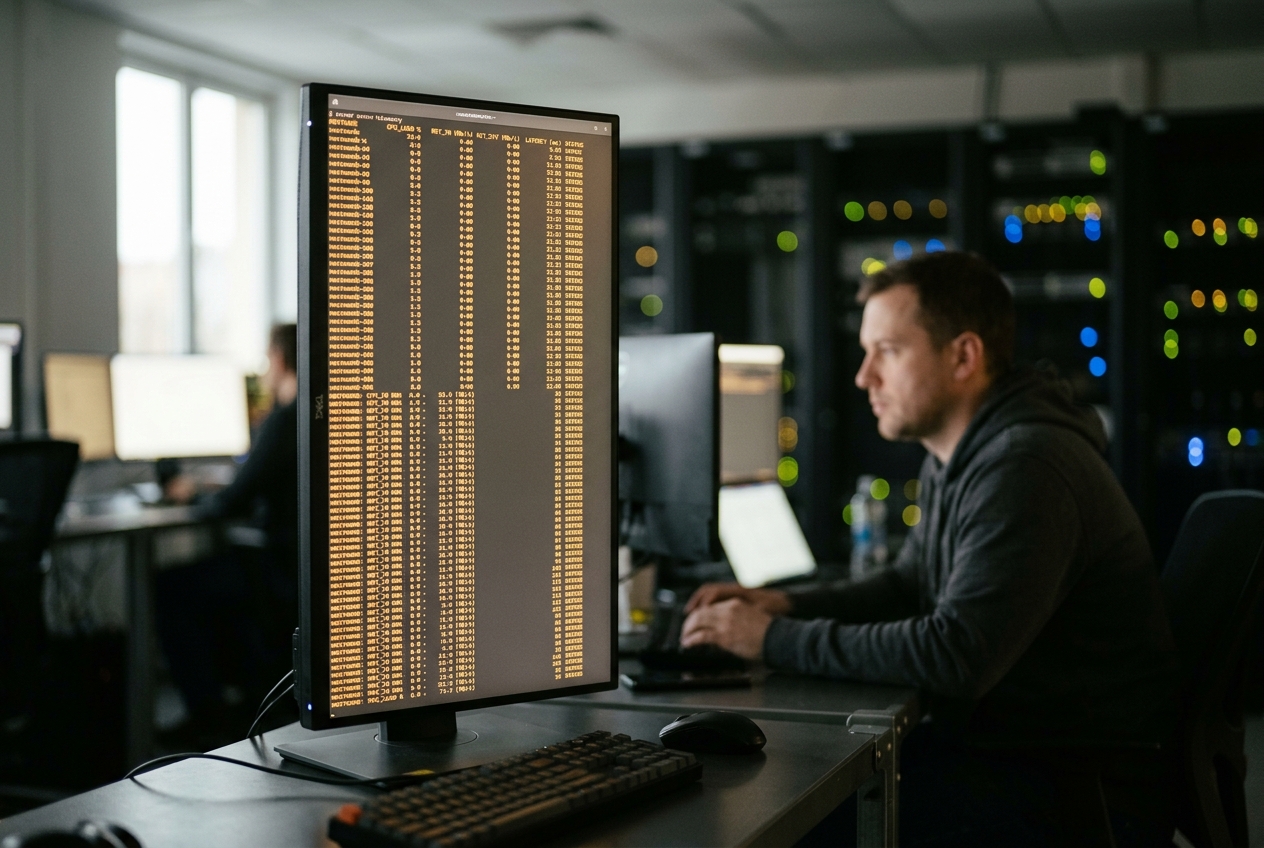
In modern infrastructure operations, telemetry that cannot be parsed rapidly by human eyes is functionally indistinguishable from noise. When an incident is active, squinting at ragged text streams and manually counting character offsets to identify a failing node is a recipe for compounded downtime. While organizations often assume that resolving this operational friction requires heavyweight observability platforms or custom graphical dashboards, the most elegant solution is already installed on virtually every Linux machine on the planet.
That quiet saviour is the column utility, a foundational tool maintained under the Linux util-linux suite. For decades, command-line diagnostic tools have emitted raw, space-delimited text streams designed primarily for programmatic consumption rather than human reading. The column command acts as an intelligent visual typesetter for the terminal, computing the optimal geometry of any incoming data stream and transforming jagged logs into structured, readable tables.
The single most useful command you can commit to muscle memory is appending | column -t to the end of any messy command output. For example, querying the operating system's mounted storage filesystems with the standard mount command normally produces an overwhelming, wrapped mess. Piping that same output into column -t instantly creates a clean, predictable layout:
mount | column -t
Representative Output:
sysfs                  on  /sys       type  sysfs     (rw,nosuid,nodev,noexec,relatime)
proc                   on  /proc      type  proc      (rw,nosuid,nodev,noexec,relatime)
udev                   on  /dev       type  devtmpfs  (rw,nosuid,noexec,relatime,size=16348988k,nr_inodes=4087247,mode=755)
devpts                 on  /dev/pts   type  devpts    (rw,nosuid,noexec,relatime,gid=5,mode=620,ptmxmode=000)
/dev/mapper/vg00-root  on  /          type  ext4      (rw,relatime,errors=remount-ro)
/dev/nvme0n1p1         on  /boot/efi  type  vfat      (rw,relatime,fmask=0077,dmask=0077,codepage=437,iocharset=ascii,shortname=mixed,utf8,errors=remount-ro)
With just nine extra characters, the cognitive fog lifts. By analyzing the entire input stream before rendering, the utility calculates the exact spacing required so that device paths, mount points, and filesystem flags align into unambiguous vertical columns.
| Stream State | Terminal Representation |
|---|---|
| Raw Stream | 10.0.4.12:5432 postgres_main active 142ms 884MB IDLE_IN_TX10.0.128.254:5432 pg_replica_01 sync 12ms 12GB COPY_STREAMING10.0.2.1:5432 pg_stat_activity active 4102ms 4MB WAITING_LOCK_EXCLUSIVE |
Aligned via column -t |
HOST SERVICE STATE LATENCY MEM STATUS10.0.4.12:5432 postgres_main active 142ms 884MB IDLE_IN_TX10.0.128.254:5432 pg_replica_01 sync 12ms 12GB COPY_STREAMING10.0.2.1:5432 pg_stat_activity active 4102ms 4MB WAITING_LOCK_EXCL |
1. What It Does in Plain English
At its core, column is a text formatter designed to take delimited or irregularly spaced data and organize it into tidy columns. Whether you are dealing with comma-separated values (CSV), tab-separated logs, colon-delimited configuration files, or arbitrary whitespace, column scans the input, determines where each column starts and stops, and expands or pads each field so that every row shares consistent boundaries.
In modern Linux distributions, column is powered by the libsmartcols library. This modern engine elevates the utility from a basic spacing filter into a sophisticated data manipulation tool capable of right-aligning numerical data, wrapping long error strings across multiple lines within a cell, hiding sensitive fields, and even converting raw command-line output into structured JSON for automated ingestion.
2. Core Flags & Operational Interface
To harness column effectively during live troubleshooting and automated scripting, engineers rely on a concise set of command-line flags:
-t, --table: Activates the multi-pass table layout engine, dynamically calculating optimal column widths across the input.-s, --separator <string>: Defines the input delimiter characters used to split lines into individual tokens (such as commas or colons).-o, --output-separator <string>: Specifies the exact string rendered between columns in the output (e.g., custom padding, vertical bars, or Markdown pipes).-N, --table-columns <names>: Explicitly supplies a comma-separated list of column headers, dynamically injecting schema definitions.-J, --json: Converts the parsed tabular data directly into a standards-compliant JSON object containing an array of records.-R, --table-right <columns>: Right-aligns text within specified column indexes or names, ensuring numerical metrics align along decimal places.-H, --table-hide <columns>: Suppresses specific columns from the final rendered output while retaining their positions during stream parsing.-W, --table-wrap <columns>: Enforces intra-cell line wrapping for specified columns, preventing ultra-wide text like stack traces from breaking the display.-c, --output-width <width>: Manually sets the character width of the output canvas, preventing unexpected truncation in non-interactive scripts.
3. The Algorithmic Mechanics of libsmartcols
Understanding how column functions internally explains both its immense power and its unique operational constraints. Traditional Unix filters like sed or cut operate on a single-pass, line-by-line model, passing data through with constant $O(1)$ memory usage. In contrast, column -t operates as a multi-pass, full-buffer algorithm.
- Split lines by delimiter (-s)
- Parse UTF-8 multi-byte strings
- Construct in-memory cell matrix"] B --> C["Pass 2: Geometric & Width Analysis
- Query terminal dimensions via ioctl
- Calculate column width as max cell width
- Evaluate wrapping (-W) and truncation (-T)"] C --> D["Pass 3: Serialization & Rendering
- Format output as Plain text, Markdown, or JSON
- Apply numeric right-alignment (-R)
- Stream formatted table to stdout"]
Multi-Pass Stream Buffering
To construct an optimal table layout without knowing the contents of future lines, the formatting engine must determine the global maximum width of every column $j$:
$$\text{Width}j = \max{1 \le i \le N} \left( \text{DisplayWidth}(\text{Cell}_{i,j}) \right)$$
where $N$ represents the total number of lines in the input stream. Consequently, column must buffer the entire input stream into memory before emitting the first line of output.
Terminal Boundary Detection and Multi-Byte Typography
When calculating column widths, column does not merely count raw bytes or ASCII characters. Under modern UTF-8 locales, string width calculations are handled via the wcwidth(3) POSIX API, which correctly determines the visual terminal cell footprint of multi-byte glyphs, emojis, and wide characters.
Simultaneously, column queries the terminal driver using the ioctl(STDOUT_FILENO, TIOCGWINSZ, &ws) system call to obtain the active terminal viewport width. If the cumulative column widths exceed the physical terminal boundary, libsmartcols applies internal truncation or line-wrapping algorithms depending on whether flags like -W or -c are set. When standard output is redirected into a Unix pipe or file descriptor, the utility defaults to an unbounded canvas according to standard POSIX Utility Conventions.
4. Five Production-Grade Use Cases
Use Case 1: Live Triage of Irregular Delimited Security Audit Logs
The Scenario
During an active authentication attack, an on-call engineer needs to inspect incoming SSH authentication logs from /var/log/auth_stream.log. The raw log stream contains variable-length usernames, IPv6 addresses, authentication mechanisms, and status codes separated by uneven spaces. The jagged lines make it nearly impossible to spot whether repeated failures originate from a single attacker or distributed sources.
The Command
grep "sshd" /var/log/auth_stream.log | \
  awk '{print $1" "$2" "$3":"$9":"$11":"$14":"$16}' | \
  column -t -s ":" -o " | " -N "TIMESTAMP,USER,SOURCE_IP,AUTH_METHOD,STATUS"
Realistic Terminal Output
TIMESTAMP            | USER      | SOURCE_IP        | AUTH_METHOD | STATUS
Aug 18 02:11:04.102  | deploy    | 192.168.10.45    | publickey   | SUCCESS
Aug 18 02:11:05.882  | admin     | 2001:db8::8a2e   | password    | FAILED
Aug 18 02:11:06.114  | admin     | 2001:db8::8a2e   | password    | FAILED
Aug 18 02:11:06.940  | admin     | 2001:db8::8a2e   | password    | FAILED
Aug 18 02:11:07.451  | root      | 2001:db8::8a2e   | password    | FAILED
Aug 18 02:11:08.012  | systemd   | 127.0.0.1        | internal    | SUCCESS
Analytical Breakdown
grep "sshd"isolates SSH authentication events from general system noise.awk '{print ...}'constructs an intermediate stream using colon delimiters, combining multi-word timestamps into a single column.-tenables tabular mode.-s ":"sets the input delimiter strictly to a colon, preventing spaces inside timestamps from creating accidental extra columns.-o " | "defines a clean vertical bar output separator for distinct visual boundaries.-N "TIMESTAMP,USER,SOURCE_IP,AUTH_METHOD,STATUS"dynamically injects clear, human-readable headers over the data.
The Next Operational Action
The structured table reveals that the IPv6 address 2001:db8::8a2e is conducting a dictionary attack against privileged accounts. The engineer immediately blocks the malicious address using the Linux packet filtering firewall:
sudo nft add element inet filter blackhole { 2001:db8::8a2e }
Use Case 2: Generating Automated Markdown Tables for Incident Runbooks
The Scenario
During an ongoing incident post-mortem, engineers need to document active network socket allocations and process bindings directly into a GitHub issue or Markdown runbook. Manually copying and reformatting ss command output is slow and prone to formatting errors.
The Command
ss -tunlp | awk 'NR>1 {print $1"|"$2"|"$5"|"$6"|"$7}' | \
  column -t -s "|" -o " | " -N "PROTO,RECV_Q,LOCAL_ADDRESS,PEER_ADDRESS,PROCESS" | \
  sed '1 {p; s/[^|]/--/g; s/--|/|/g}'
Realistic Terminal Output
PROTO | RECV_Q | LOCAL_ADDRESS         | PEER_ADDRESS | PROCESS
----- | ------ | --------------------- | ------------ | -----------------------------------------------------
tcp   | 0      | 0.0.0.0:443           | 0.0.0.0:*    | users:(("nginx",pid=14201,fd=6))
tcp   | 0      | 127.0.0.1:5432        | 0.0.0.0:*    | users:(("postgres",pid=882,fd=7))
tcp   | 128    | 127.0.0.1:6379        | 0.0.0.0:*    | users:(("redis-server",pid=1024,fd=4))
tcp   | 0      | 0.0.0.0:9100          | 0.0.0.0:*    | users:(("node_exporter",pid=441,fd=3))
tcp   | 256    | 10.0.1.15:8080        | 0.0.0.0:*    | users:(("java-api",pid=9941,fd=82))
Analytical Breakdown
ss -tunlpqueries the kernel socket subsystem to retrieve active listening ports and queue depths.awk 'NR>1 {print ...}'strips the default header and reconstitutes the essential fields using pipe (|) delimiters.column -t -s "|" -o " | "aligns all columns and injects pipe delimiters between them.-N "..."defines the column names for the table header.sed '1 {p; s/[^|]/--/g; s/--|/|/g}'duplicates the first header row and transforms non-pipe characters into Markdown dashes (---), producing a fully compliant GitHub-Flavored Markdown table directly in the terminal.
The Next Operational Action
The engineer pastes the table directly into the incident report, highlighting that the java-api service on port 8080 has accumulated a RECV_Q of 256, confirming that incoming requests are backing up due to thread starvation.
Use Case 3: Serializing Plain-Text System Telemetry into Valid JSON
The Scenario
An operations team needs to collect virtual memory statistics from a fleet of legacy servers and send them to a centralized log aggregator (such as Vector or Fluentbit) that strictly requires JSON-formatted payloads.
The Command
vmstat 1 3 | tail -n 3 | \
  column -t \
    -N "proc_run,proc_block,swp_used,free_mem,buff_mem,cache_mem,si,so,bi,bo,in_rate,cs_rate,usr,sys,idle,wait,st" \
    -J
Realistic Terminal Output
{
   "table": [
      {
         "proc_run": "2",
         "proc_block": "0",
         "swp_used": "0",
         "free_mem": "4194304",
         "buff_mem": "262144",
         "cache_mem": "8388608",
         "si": "0",
         "so": "0",
         "bi": "12",
         "bo": "44",
         "in_rate": "1204",
         "cs_rate": "3411",
         "usr": "14",
         "sys": "6",
         "idle": "79",
         "wait": "1",
         "st": "0"
      },
      {
         "proc_run": "4",
         "proc_block": "1",
         "swp_used": "0",
         "free_mem": "4182016",
         "buff_mem": "262144",
         "cache_mem": "8388608",
         "si": "0",
         "so": "0",
         "bi": "0",
         "bo": "88",
         "in_rate": "1450",
         "cs_rate": "4102",
         "usr": "22",
         "sys": "11",
         "idle": "65",
         "wait": "2",
         "st": "0"
      },
      {
         "proc_run": "1",
         "proc_block": "0",
         "swp_used": "0",
         "free_mem": "4190208",
         "buff_mem": "262144",
         "cache_mem": "8388608",
         "si": "0",
         "so": "0",
         "bi": "0",
         "bo": "12",
         "in_rate": "980",
         "cs_rate": "2810",
         "usr": "8",
         "sys": "3",
         "idle": "89",
         "wait": "0",
         "st": "0"
      }
   ]
}
Analytical Breakdown
vmstat 1 3 | tail -n 3captures three 1-second system metrics samples while stripping out the initial descriptive banner.-ttreats the space-separated output as distinct tabular columns.-N "..."maps each numeric column to an explicit JSON key name.-Jconverts the tabular matrix into a fully valid JSON document containing an array of records named"table", eliminating any need for custom Python or Perl parsing scripts.
The Next Operational Action
The team wraps this command into an automated telemetry agent, piping the JSON output directly to their ingestion endpoint:
vmstat 1 2 | tail -n 1 | column -t -N "..." -J | \
  curl -s -X POST -H "Content-Type: application/json" -d @- https://telemetry.internal.net/v1/metrics
Use Case 4: Right-Aligned Numeric Formatting to Isolate Latency Spikes
The Scenario
During an API performance investigation, an engineer dumps endpoint response latency metrics into a CSV file. Because standard command-line tools left-align all text by default, numbers like 4ms, 180ms, and 11200ms all align on their leftmost digit, making it easy to miss severe latency spikes during rapid visual inspection.
The Command
cat << 'EOF' > /tmp/api_metrics.csv
ENDPOINT,METHOD,P50_MS,P95_MS,P99_MS,ERROR_RATE
/v1/auth,POST,4,12,18,0.001
/v1/payments/charge,POST,42,180,9450,0.045
/v1/user/profile,GET,2,5,8,0.000
/v1/inventory/query,GET,15,48,11200,0.082
/v1/health,GET,1,1,2,0.000
EOF

column -t -s "," -R P50_MS,P95_MS,P99_MS,ERROR_RATE -o "  " /tmp/api_metrics.csv
Realistic Terminal Output
ENDPOINT             METHOD  P50_MS  P95_MS  P99_MS  ERROR_RATE
/v1/auth             POST         4      12      18       0.001
/v1/payments/charge  POST        42     180    9450       0.045
/v1/user/profile     GET          2       5       8       0.000
/v1/inventory/query  GET         15      48   11200       0.082
/v1/health           GET          1       1       2       0.000
Analytical Breakdown
-s ","splits the input data along comma boundaries according to standard RFC 4180 specifications.-R P50_MS,P95_MS,P99_MS,ERROR_RATEinstructscolumnto right-align the numerical columns, placing padding on the left so that digits line up by order of magnitude.-o " "inserts clean two-space spacing between adjacent columns.
The Next Operational Action
The right-aligned columns make it immediately obvious that /v1/payments/charge (9,450 ms) and /v1/inventory/query (11,200 ms) are suffering from catastrophic 99th-percentile latency. The engineer immediately attaches a performance profiler to the inventory service process:
sudo perf top --pid=$(pgrep -f "inventory_service")
Use Case 5: Sanitizing Ultra-Wide Data Dumps via Truncation, Wrapping, and Hidden Columns
The Scenario
An engineer inspecting a production error log extracts an export containing authentication tokens and multi-line Java stack traces. Displaying lines that exceed 300 characters in width causes chaotic wrapping across the terminal, pushing critical status codes out of view and exposing sensitive session tokens on shared screen sessions.
The Command
cat << 'EOF' > /tmp/transactions.csv
TX_ID,TIMESTAMP,CLIENT_IP,AUTH_JWT_TOKEN,STATUS,STACK_TRACE
0x8fa1,02:14:01,10.0.14.2,eyJhbGciOiJIUzI1NiIsInR5cCI6IkpXVCJ9.e30.t-z,COMPLETED,none
0x8fa2,02:14:02,10.0.18.9,eyJhbGciOiJIUzI1NiIsInR5cCI6IkpXVCJ9.e30.x-y,FAILED,java.net.ConnectException: Connection refused to redis_master:6379 at com.app.pool.acquire(Pool.java:142)
0x8fa3,02:14:03,10.0.14.2,eyJhbGciOiJIUzI1NiIsInR5cCI6IkpXVCJ9.e30.w-z,COMPLETED,none
EOF

column -t -s "," \
  -H AUTH_JWT_TOKEN \
  -W STACK_TRACE \
  -c 100 \
  -o " | " \
  /tmp/transactions.csv
Realistic Terminal Output
TX_ID  | TIMESTAMP | CLIENT_IP  | STATUS    | STACK_TRACE
0x8fa1 | 02:14:01  | 10.0.14.2  | COMPLETED | none
0x8fa2 | 02:14:02  | 10.0.18.9  | FAILED    | java.net.ConnectException: Connection refused to
       |           |            |           | redis_master:6379 at com.app.pool.acquire(Pool.
       |           |            |           | java:142)
0x8fa3 | 02:14:03  | 10.0.14.2  | COMPLETED | none
Analytical Breakdown
-H AUTH_JWT_TOKENhides the authentication token column completely from the rendered output, preventing credential exposure during incident triage.-W STACK_TRACEenables intra-cell line wrapping for the stack trace column, cleanly breaking long exceptions across multiple sub-rows without misaligning the other columns.-c 100enforces a fixed 100-character canvas width, ensuring predictable wrapping regardless of the current terminal window size.
The Next Operational Action
The cleanly wrapped stack trace reveals that the application is failing due to a Connection refused to redis_master:6379. The engineer immediately checks the status of the Redis sentinel cluster:
redis-cli -h redis_sentinel -p 26379 sentinel get-master-addr-by-name mymaster
5. Performance Engineering and Architectural Tradeoffs
Integrating column into shell scripts and operational workflows requires understanding how its computational profile compares to other core Unix utilities.
| Utility | Time Complexity | Memory Complexity | Primary Operational Role |
|---|---|---|---|
column |
$O(N \cdot M)$ | $O(N \cdot M)$ (Buffers Stream) | Visual & Geometric Alignment, JSON Export |
cut |
$O(N)$ | $O(1)$ (Single Pass) | High-Speed Linear Field Extraction |
awk |
$O(N)$ | $O(K)$ (State-Dependent) | Programmable Stream Transformation & Logic |
jq |
$O(N)$ | $O(N)$ (AST Tree Buffer) | Complex JSON Parsing and Mutation |
Memory Footprint on Massive Datasets
Because column must read every line up to the End-of-File (EOF) marker before it can calculate the maximum column widths, passing massive files directly into column -t can consume significant system memory. For a 10 GB log file containing tens of millions of lines, buffering the entire dataset will exhaust available RAM:
# ANTI-PATTERN: Unbounded buffering causes high memory usage and delays output
cat /var/log/large_audit.log | column -t
In memory-constrained environments, the Linux Out-Of-Memory (OOM) killer may terminate the process. When dealing with large files, always filter or sample the data upstream before passing it to column:
# PRODUCTION PATTERN: Filter and sample before passing to the alignment engine
grep "CRITICAL" /var/log/large_audit.log | head -n 500 | column -t
The Infinite Pipeline Deadlock
A common mistake occurs when attempting to pipe an unending real-time log stream directly into column:
# WILL PRODUCE NO OUTPUT: column waits indefinitely for EOF to compute column widths
tail -f /var/log/nginx/access.log | column -t
Because tail -f runs continuously and never sends an EOF marker, column remains stuck in its initial buffering phase, producing no visible output. For continuous real-time streaming displays, use awk with explicit printf formatting specifications, reserving column for bounded, discrete telemetry captures.
6. What Can Go Wrong: Operational Pitfalls & Mitigations
1. Delimiter Collapsing and Field Distortion
- The Danger: By default,
column -ttreats multiple adjacent whitespace characters as a single delimiter. When parsing structured formats like CSV or TSV where an empty field is represented by two adjacent delimiters (field1,,field3), standard tokenization can collapse the empty field. This shifts all subsequent columns to the left, associating data values with incorrect headers. - The Failure Signature: A
STATUScolumn displays numerical timestamps, while anERROR_CODEcolumn shows usernames. - The Mitigation: Use the
--table-empty-emptyflag to preserve empty fields within delimited inputs:bash column -t -s "," --table-empty-empty /tmp/sparse_data.csv
2. Multi-Byte Character Misalignment in Legacy Environments
- The Danger: In minimal container images or legacy environments configured with a basic POSIX/C locale,
columncannot leveragewcwidth(3). Accented characters, wide Asian glyphs, or ANSI terminal colour escape codes are treated as single-byte characters, throwing off the width calculations. - The Failure Signature: Tables generated from colourised command outputs exhibit jagged vertical borders and misaligned cells.
- The Mitigation: Ensure a valid UTF-8 locale is configured, and strip ANSI color sequences before piping text to
column:bash export LC_ALL=C.UTF-8 sed 's/\x1b\[[0-9;]*m//g' /tmp/colored_log.txt | column -t
3. Subshell Canvas Truncation
- The Danger: When executing scripts inside non-interactive automated environments (such as cron jobs, CI/CD runners, or remote SSH commands), output is attached to a pipe rather than an interactive terminal. In this mode, terminal dimension queries return zero, causing
columnto fall back to an arbitrary default width (typically 80 characters), which can cause unintended text wrapping. - The Mitigation: Explicitly set the canvas geometry using the
-cflag when running in automated pipelines:bash ssh prod-server "vmstat 1 5 | column -t -c 160"
7. Today's Takeaway
To see the power of modern columnation on your own machine right now in under five minutes, open a terminal and run this command to inspect your active listening network sockets formatted into a structured table:
ss -tulpn | awk 'NR>1 {print $1, $5, $7}' | column -t -N "PROTOCOL,LOCAL_SOCKET,PROCESS_INFO" -o " | "
In an industry increasingly reliant on complex monitoring dashboards and heavy telemetry pipelines, mastery over foundational Unix utilities remains an invaluable skill. The column command embodies the timeless Unix philosophy: small, focused tools that do one job exceptionally well, turning chaotic streams of operational noise into clear, actionable clarity.