Socat: Orchestrating Bidirectional Byte Streams, Bridging Unix Domain Sockets, and Constructing Resilient Network Relays in Production
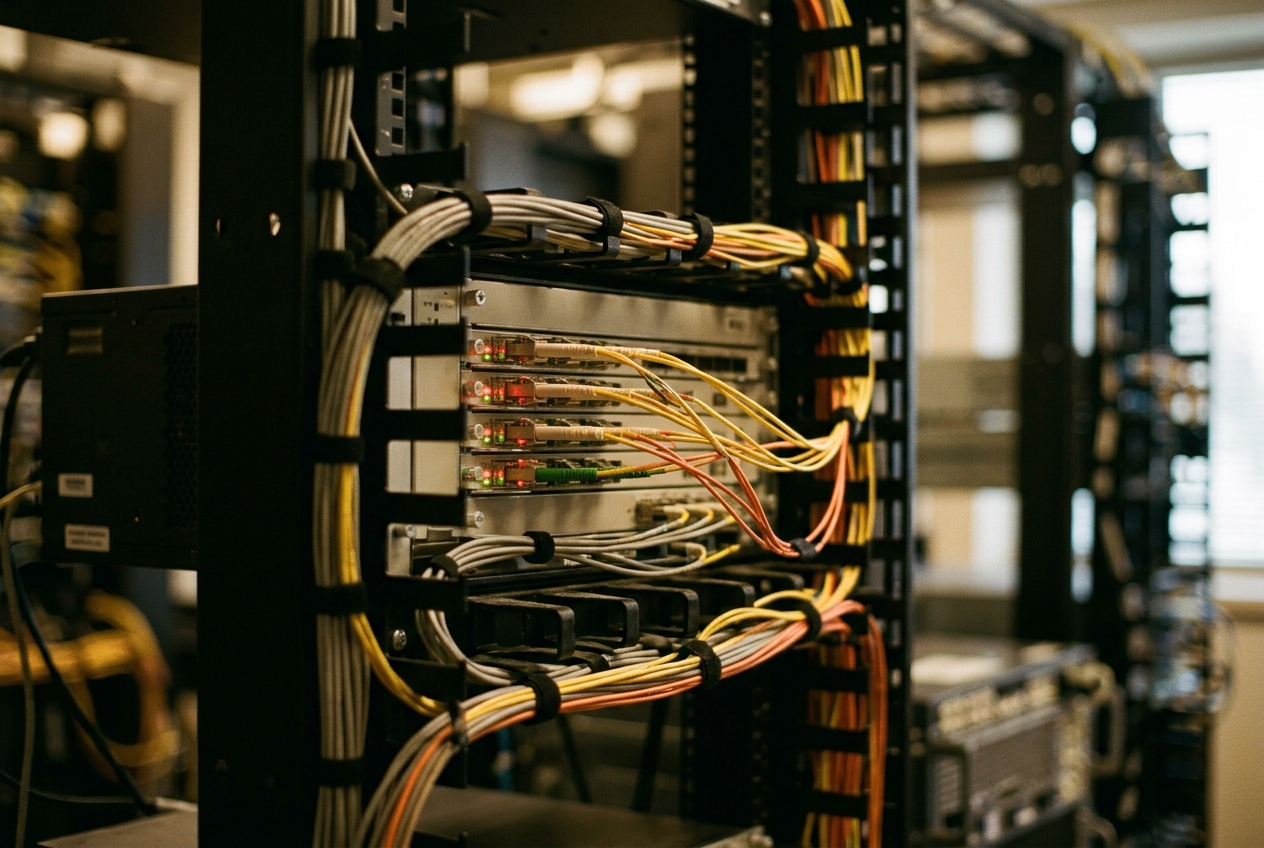
The machines are alive, but they have stopped speaking to one another. An automated software deployment in the middle of the night has shifted an internal database address, leaving the payment processor knocking on a locked door. Standard diagnostic commands report that the network cabling and routing tables are intact, but traditional tools like netcat crumble under the pressure: they drop connections without warning, cannot handle modern encryption handshakes, and fail to translate between different types of internal communication channels.
When digital systems are in freefall and restarting the whole fleet risks corrupting data, seasoned engineers reach for an unassuming Unix command-line utility called socat (short for "Socket Cat"). Think of it as the ultimate digital plumber. Where other tools can only shout down an open network pipe, socat can pick up virtually any two computing endpoints—an encrypted web connection, an internal file socket, a simulated hardware port, or a live application process—and splice them together on the fly, instantly restoring traffic flow without requiring a single line of code to be rewritten.
If you ever find yourself facing a sudden network partition where two critical systems cannot speak to each other, the single most valuable emergency command you can run is a bidirectional TCP relay:
socat -d -d TCP-LISTEN:8080,fork,reuseaddr TCP:backend-server.internal:80
In a single line, this command instructs your server to listen on port 8080, immediately fork off a dedicated background worker for every new visitor who arrives, and transparently shuttle their traffic straight to the backend server on port 80. It acts as an instant detour around a road closure, keeping services online while engineers investigate the root cause in peace.
| Incident Metric | Operational Value |
|---|---|
| Incident Context | Transport layer partition between isolated application tiers |
| Recovery Mechanism | Dynamic dual-address socket relay (socat) |
| System Downtime Impact | Zero downtime; bypasses application rebuilds and reboots |
| Protocol Compatibility | TCP, UDP, UNIX Domain Sockets, OpenSSL/TLS, POSIX Named Pipes, Pseudo-Terminals |
What It Does in Plain English
At its core, socat works on a simple and elegant principle: it takes two separate communication endpoints—referred to as "addresses"—and establishes a continuous, two-way data bridge between them. Whatever bytes enter through the first address are faithfully delivered out of the second, and vice versa.
The genius of socat is its broad definition of what an "address" can be. In traditional computing environments, network sockets (such as TCP and UDP), inter-process files, encrypted tunnels, and hardware serial ports are treated as completely different beasts requiring specialised software. socat abstracts all of them into interchangeable building blocks.
With socat, you can effortlessly connect:
* A local UNIX Domain Socket (a lightning-fast inter-process communication channel on disk) to an external internet TCP port.
* An unencrypted internal program to a strict, modern cryptographic tunnel powered by OpenSSL.
* A live stream of network packets to an interactive shell script or text logging pipeline.
* A virtual hardware serial interface (PTY) directly into a simulated software harness.
By acting as a universal adapter for byte streams, socat allows administrators to diagnose elusive networking bugs, test complex security scenarios, and glue together legacy software with modern cloud infrastructure.
Core Flags and the Syntax of Dual Endpoints
The universal syntax of socat is consistently structured around two address arguments:
socat [global-options] <address-specification-1> <address-specification-2>
Global options dictate how the overall utility behaves—such as how verbosely it logs its activity—while the modifiers attached to each address dictate specific socket behaviour, such as binding to specific network interfaces or dropping administrative privileges.
| Flag / Modifier | Practical Purpose | Why It Matters in Production |
|---|---|---|
-d -d |
Double diagnostic logging | Prints state transitions and errors to standard error for real-time debugging. |
-v |
Verbose data tracing | Dumps readable character streams and directional arrows (> and <) to your screen. |
-u |
Unidirectional transfer | Enforces one-way data flow from the first address to the second, saving memory. |
fork |
Spawn worker processes | Creates a new child process for every client, keeping the listener open for new connections. |
reuseaddr |
Allow address reuse | Prevents socket collisions when restarting commands, avoiding Address already in use errors. |
unlink-early |
Remove stale socket files | Cleans up lingering UNIX socket files on disk before attempting to bind a new one. |
su=<user> |
Privilege de-escalation | Drops root privileges to a safe system user after acquiring privileged low-number ports. |
Introductory Verification: The Bidirectional Loopback Stream
Before using socat in complex architectures, you can verify how it handles data streams on your local machine. The following command sets up an echo listener on TCP port 9999 that pipes everything it receives directly into the standard Unix cat utility:
socat -d -d -v TCP-LISTEN:9999,crlf,reuseaddr SYSTEM:"cat"
When a client connects and transmits a message, socat produces detailed diagnostic traces:
2026/08/17 02:51:14 socat[14201] N listening on AF=2 0.0.0.0:9999
2026/08/17 02:51:19 socat[14201] N accepting connection from AF=2 127.0.0.1:48210 on 127.0.0.1:9999
2026/08/17 02:51:19 socat[14201] N starting data transfer loop with FDs [5,5] and [6,7]
> 2026/08/17 02:51:22.410291  length=14 from=0 to=13
PING PRODUCTION\r\n
< 2026/08/17 02:51:22.410884  length=14 from=0 to=13
PING PRODUCTION\r\n
Here, socat logs the exact moment the connection was accepted, allocates internal file descriptors (FDs [5,5] and [6,7]), and displays incoming payload bytes marked with > alongside the echoed reply marked with <.
5 Real-World Production Use Cases
| Solution | Production Scenario | Practical Function |
|---|---|---|
| 1. UNIX-to-TCP Bridge | Database IPC Isolation | Exposing local PostgreSQL file sockets across private networks |
| 2. Zero-Code TLS/mTLS | Legacy Service Security | Wrapping plaintext TCP streams in mutual TLS authentication |
| 3. Virtual Serial Ports | Automated CI/CD Testing | Emulating hardware UART devices using kernel pseudo-terminals |
| 4. Live FIFO Taps | RPC Protocol Debugging | Non-destructively duplicating bidirectional packet streams for inspection |
| 5. Resilient UDP Relays | WAN Telemetry Ingestion | Encapsulating lossy UDP syslog datagrams into robust TCP tunnels |
1. Bridging Local UNIX Domain Sockets to Remote TCP Endpoints
Scenario
A web application deployed in a private network segment must connect to a PostgreSQL database on a central server. However, for maximum local security, the database has been configured to listen exclusively on an internal filesystem socket (/var/run/postgresql/.s.PGSQL.5432) rather than a network port. Rather than altering the database configuration and restarting the cluster, the infrastructure team uses socat to safely project the socket over a private network interface.
Production Invocations
On the database server hosting the local UNIX socket:
socat -d -d TCP-LISTEN:5433,bind=10.240.0.14,fork,reuseaddr \
    UNIX-CONNECT:/var/run/postgresql/.s.PGSQL.5432
On the client application server:
socat -d -d UNIX-LISTEN:/tmp/postgres_remote.sock,fork,reuseaddr,unlink-early \
    TCP-CONNECT:10.240.0.14:5433
Realistic Terminal Output
2026/08/17 03:02:11 socat[18940] N listening on AF=2 10.240.0.14:5433
2026/08/17 03:02:45 socat[18940] N accepting connection from AF=2 10.240.0.88:51204 on 10.240.0.14:5433
2026/08/17 03:02:45 socat[18940] N forked off child process 18948
2026/08/17 03:02:45 socat[18948] N opening connection to AF=1 "/var/run/postgresql/.s.PGSQL.5432"
2026/08/17 03:02:45 socat[18948] N successfully connected from local address AF=1 "\0\0\0\0"
2026/08/17 03:02:45 socat[18948] N starting data transfer loop with FDs [5,5] and [6,6]
Technical Line-by-Line Breakdown
socat[18940] N listening on AF=2 10.240.0.14:5433: The parent process creates anAF_INETsocket, binds strictly to internal IP10.240.0.14, and awaits incoming client requests.accepting connection from AF=2 10.240.0.88:51204: A remote application server completes the standard TCP three-way handshake.forked off child process 18948: Thanks to theforkdirective,socatcreates an isolated child process to manage this specific connection, ensuring the parent process remains free to handle incoming requests.opening connection to AF=1 "/var/run/postgresql/.s.PGSQL.5432": The child process creates anAF_UNIXsocket that talks directly to the local database file.starting data transfer loop with FDs [5,5] and [6,6]: The child process begins polling both file descriptors, piping binary database traffic seamlessly between the network and the disk socket.
What the Admin Does Next
The administrator tests the connection using psql -h /tmp/postgres_remote.sock -U dbadmin to verify low-latency database queries, and configures firewall rules (iptables or nftables) to restrict access on port 5433 solely to authorised application IPs.
2. Wrapping Legacy Plaintext Services with Mutual TLS (mTLS)
Scenario
A critical telemetry service in a manufacturing facility transmits sensor metrics over an unencrypted, plaintext TCP stream on port 7000. To comply with strict corporate security policies, all data in transit must be protected using RFC 8446 TLS 1.3 mutual authentication (mTLS). The vendor who wrote the telemetry software went out of business years ago, making application-level modifications impossible. The engineering team uses socat to wrap the legacy service in modern cryptographic protection.
Production Invocations
On the legacy server (terminating TLS encryption and proxying locally):
socat -d -d OPENSSL-LISTEN:8443,cert=/etc/pki/server.crt,key=/etc/pki/server.key,\
cafile=/etc/pki/ca.crt,verify=1,fork,reuseaddr,cipher=ECDHE-ECDSA-AES256-GCM-SHA384 \
    TCP:127.0.0.1:7000
On the remote client (encrypting outbound plaintext traffic):
socat -d -d TCP-LISTEN:7000,bind=127.0.0.1,fork,reuseaddr \
    OPENSSL-CONNECT:telemetry.internal.net:8443,cert=/etc/pki/client.crt,\
key=/etc/pki/client.key,cafile=/etc/pki/ca.crt,verify=1
Realistic Terminal Output
2026/08/17 03:14:02 socat[21044] N listening on AF=2 0.0.0.0:8443
2026/08/17 03:14:22 socat[21044] N accepting connection from AF=2 192.168.10.45:49812 on 192.168.1.10:8443
2026/08/17 03:14:22 socat[21044] N forked off child process 21050
2026/08/17 03:14:22 socat[21050] N Initializing OpenSSL context
2026/08/17 03:14:22 socat[21050] N Certificate verification passed (Depth=0, Subject=/CN=edge-node-01.internal)
2026/08/17 03:14:22 socat[21050] N SSL connection using TLS_AES_256_GCM_SHA384
2026/08/17 03:14:22 socat[21050] N opening connection to AF=2 127.0.0.1:7000
2026/08/17 03:14:22 socat[21050] N starting data transfer loop with FDs [6,6] and [7,7]
Technical Line-by-Line Breakdown
OPENSSL-LISTEN:8443,cert=...,cafile=...,verify=1: Initialises OpenSSL cryptographic routines withinsocat, mandating that any incoming connection must present a client certificate validated against the authoritative Certificate Authority file (cafile).Certificate verification passed: Confirms the client certificate was mathematically verified and matches the internal trust hierarchy.SSL connection using TLS_AES_256_GCM_SHA384: Establishes an encrypted session using modern AES-GCM ciphers with forward secrecy.opening connection to AF=2 127.0.0.1:7000: Passes decrypted data directly to the legacy binary over the local loopback interface, requiring zero modifications to the old program.
What the Admin Does Next
The administrator wraps these commands into a managed systemd service unit with security sandboxing (PrivateTmp=true and ProtectSystem=strict), and configures automated certificate renewal monitoring to avoid unexpected outages.
3. Creating Virtual Pseudo-Terminals (PTY) for Hardware Serial Emulation
Scenario
An embedded software team is building an automated test suite for aircraft navigation software. The application is programmed to read GPS data from a physical hardware serial device at /dev/ttyUSB0. However, the automated test pipelines run inside virtualised cloud containers where physical serial ports do not exist. Engineers use socat to construct a pair of linked virtual serial devices (pseudo-terminals) in software.
Reads:
/tmp/ttyVirtual0 (/dev/pts/8)"] <--> Ring["Bidirectional Kernel PTY Ring(Created by socat)"] Ring <--> Source["Mock GPS Injector Script
Writes:
/tmp/ttyVirtual1 (/dev/pts/9)"]Production Invocations
Generate the connected pair of virtual serial ports:
socat -d -d \
    PTY,link=/tmp/ttyVirtual0,raw,echo=0,mode=660,group=dialout \
    PTY,link=/tmp/ttyVirtual1,raw,echo=0,mode=660,group=dialout
In a separate terminal, inject simulated telemetry data into the second virtual port:
socat -d -d -v SYSTEM:"cat /opt/firmware/telemetry_sample.bin" \
    FILE:/tmp/ttyVirtual1,raw
Realistic Terminal Output
2026/08/17 03:30:41 socat[31990] N PTY device /dev/pts/8 successfully opened
2026/08/17 03:30:41 socat[31990] N symlinked "/tmp/ttyVirtual0" to "/dev/pts/8"
2026/08/17 03:30:41 socat[31990] N PTY device /dev/pts/9 successfully opened
2026/08/17 03:30:41 socat[31990] N symlinked "/tmp/ttyVirtual1" to "/dev/pts/9"
2026/08/17 03:30:41 socat[31990] N starting data transfer loop with FDs [5,5] and [6,6]
Technical Line-by-Line Breakdown
PTY device /dev/pts/8 successfully opened: The Linux kernel allocates a master/slave pseudo-terminal pair according to pty(7) interface semantics.symlinked "/tmp/ttyVirtual0" to "/dev/pts/8":socatcreates a convenient, fixed symbolic link so the testing suite can easily find the dynamic device.raw,echo=0: Disables line buffering, carriage return translation, and local echo, ensuring raw binary bytes are transferred with zero modification.mode=660,group=dialout: Restricts POSIX permissions so only members of thedialoutsystem group can read or write to the virtual device.
What the Admin Does Next
The engineer points the automated testing suite to /tmp/ttyVirtual0, triggers the continuous integration pipeline, and verifies that the navigation software parses binary serial frames cleanly without timing errors.
4. Non-Destructive Traffic Inspection with Intermediate FIFO Taps
Scenario
A microservice architecture experiences intermittent data corruption during custom Remote Procedure Calls (RPC). Because the protocol uses proprietary binary packing, standard packet capture tools like tcpdump are difficult to filter in real time. The team needs to tap the live stream without interrupting active connections, duplicating the inbound and outbound traffic into separate named pipes (FIFOs) for concurrent hex analysis.
(Port 9100)"] -->|Inbound Stream| TapIn["tee /tmp/stream_in.pipe"] TapIn -->|Forward Traffic| Server["Backend Server
(Port 9000)"] Server -->|Outbound Stream| TapOut["tee /tmp/stream_out.pipe"] TapOut -->|Return Traffic| Client TapIn -.->|Duplicated Bytes| LogIn["/var/log/traffic_inbound.hex"] TapOut -.->|Duplicated Bytes| LogOut["/var/log/traffic_outbound.hex"]
Production Invocations
Create the named pipes on disk:
mkfifo /tmp/stream_in.pipe /tmp/stream_out.pipe
Start the hex-dump loggers in the background:
xxd -c 16 < /tmp/stream_in.pipe > /var/log/traffic_inbound.hex &
xxd -c 16 < /tmp/stream_out.pipe > /var/log/traffic_outbound.hex &
Launch the socat interception tap:
socat -d -d -v TCP-LISTEN:9100,fork,reuseaddr \
    SYSTEM:'tee /tmp/stream_in.pipe | socat - "TCP:backend-internal.net:9000" | tee /tmp/stream_out.pipe'
Realistic Terminal Output
2026/08/17 03:45:10 socat[45012] N listening on AF=2 0.0.0.0:9100
2026/08/17 03:45:18 socat[45012] N accepting connection from AF=2 10.0.4.12:38902 on 10.0.1.5:9100
2026/08/17 03:45:18 socat[45012] N forked off child process 45020
2026/08/17 03:45:18 socat[45020] N starting data transfer loop with FDs [5,5] and [6,7]
> 2026/08/17 03:45:19.102450  length=32 from=0 to=31
\x00\x01\xa4\x0f\x00\x00\x00\x20\xde\xad\xbe\xef\x01\x02\x03\x04...
< 2026/08/17 03:45:19.105128  length=16 from=0 to=15
\x00\x01\xa4\x0f\x00\x00\x00\x10\xaa\xbb\xcc\xdd\x00\x00\x00\x00...
Technical Line-by-Line Breakdown
SYSTEM:'tee ... | socat - "TCP:..." | tee ...':socatspawns an internal shell pipeline. Incoming bytes are mirrored into/tmp/stream_in.pipebyteebefore passing to an internalsocatprocess connected to the backend. Responses are mirrored into/tmp/stream_out.pipeon the return trip.length=32 from=0 to=31: Diagnostic verbose logging timestamps and counts every individual byte slice passing through the proxy.starting data transfer loop with FDs [5,5] and [6,7]: Confirms independent descriptor allocation for input and output paths, avoiding deadlock risks.
What the Admin Does Next
The engineer inspects /var/log/traffic_inbound.hex using text-processing tools to identify byte-alignment mismatches, and confirms that named pipes are drained quickly to prevent buffer backlog.
5. Constructing Resilient UDP-to-TCP Relays for Lossy Networks
Scenario
A network of branch office appliances sends vital system logs and SNMP alerts using connectionless RFC 768 UDP datagrams across an erratic wide-area internet connection. Because intermediate firewalls and network routers drop fragmented UDP packets during congestion spikes, significant quantities of diagnostic data are lost. The architect designs an edge ingress proxy that captures UDP packets locally, packages them into a reliable, connection-oriented TCP stream across the internet, and re-emits them as standard UDP packets at the central monitoring collector.
Production Invocations
At the local branch office gateway (converting inbound UDP to outbound TCP):
socat -d -d -u UDP-LISTEN:514,fork,reuseaddr,rcvbuf=1048576 \
    TCP-CONNECT:logcentral.datacenter.net:5514,nodelay,keepalive
At the central datacenter collector (unwrapping TCP back to UDP):
socat -d -d -u TCP-LISTEN:5514,fork,reuseaddr,nodelay \
    UDP-DATAGRAM:127.0.0.1:514,broadcast
Realistic Terminal Output
2026/08/17 04:02:18 socat[58102] N listening on AF=2 0.0.0.0:514 (UDP)
2026/08/17 04:02:29 socat[58102] N opening connection to AF=2 logcentral.datacenter.net:5514 (TCP)
2026/08/17 04:02:29 socat[58102] N successfully connected to AF=2 172.16.100.2:5514
2026/08/17 04:02:29 socat[58102] N setting option SO_RCVBUF to 1048576
2026/08/17 04:02:29 socat[58102] N setting option TCP_NODELAY to 1
2026/08/17 04:02:29 socat[58102] N starting unidirectional data transfer loop with FDs [5,-1] and [-1,6]
Technical Line-by-Line Breakdown
-u: Configures strict one-way data transmission, cutting unnecessary connection overhead.UDP-LISTEN:514,rcvbuf=1048576: Listens for UDP traffic and expands the operating system's receive buffer to 1MB, preventing packet drops during traffic surges.TCP_NODELAY to 1: Disables Nagle's algorithm on the TCP connection, ensuring packets are forwarded across the wide-area network immediately without artificial buffering delays.FDs [5,-1] and [-1,6]: Indicates thatFD 5acts exclusively as an input reader andFD 6acts exclusively as an output writer.
What the Admin Does Next
The administrator checks for dropped packets using ss -u -a, tunes system buffer parameters (net.core.rmem_max), and verifies that all branch office logs arrive intact within the central log analysis engine.
Navigating the Minefield: Production Pitfalls and Safeguards
Operating low-level socket utilities gives you immense power, but it also carries real operational risks. A single misplaced flag can exhaust system resources or create security vulnerabilities.
| Operational Hazard | Root Cause | Engineering Mitigation |
|---|---|---|
| Process Starvation | Unbounded fork directives during connection surges |
Enforce max-children=64 alongside strict systemd process limits |
| Buffer Deadlocks | Intermediate shell pipes buffering bytes in 4KB blocks | Force unbuffered I/O using stdbuf -i0 -o0 -e0 |
| Privilege Leaks | Running as root leaves created sockets world-writable | Apply su=nobody and explicitly define restrictive file permissions (mode=660) |
1. Process Starvation and Resource Exhaustion
When you configure socat with the fork option, it spawns a fresh worker process for every single inbound connection. If an aggressive crawler, a misconfigured client, or a malicious actor sends thousands of connection attempts in a few seconds, your server can quickly exhaust its available process IDs (pid_max) and file handles (RLIMIT_NOFILE). When this occurs, the entire operating system may freeze, locking out administrators from SSH access.
Remediation Strategy: Always cap the maximum number of concurrent child processes using the max-children directive:
socat -d -d TCP-LISTEN:8080,fork,max-children=64,reuseaddr TCP:127.0.0.1:80
2. Intermediate Pipe Deadlocks and Buffer Freezing
When routing streams through shell utilities using SYSTEM or EXEC directives (as demonstrated in Use Case 4), Unix systems default to buffering data in 4,096-byte memory blocks. If an application sends a short 64-byte message and waits for an answer, the intermediate utility may hold those 64 bytes in its buffer waiting for more data, causing both client and server to wait forever in a silent deadlock.
Remediation Strategy: Force all intermediary utilities to operate in completely unbuffered mode using stdbuf:
stdbuf -i0 -o0 -e0 tee /tmp/stream_in.pipe
3. Inadvertent Privilege Escalation
If you launch socat as the root administrative user to bind to privileged ports (such as standard web ports 80 or 443), any UNIX socket files or subprocesses created by the tool will inherit those root permissions. By default, newly created socket files might be left world-writable, allowing unprivileged users on the system to hijack administrative communication channels.
Remediation Strategy: Instruct socat to drop root privileges immediately after acquiring the listening port:
socat TCP-LISTEN:443,fork,reuseaddr,su=nobody,setuid-children=nobody \
    UNIX-CONNECT:/var/run/internal_daemon.sock
For comprehensive protocol specifications and advanced parameter tuning, refer to the Socat 1.8 Official Documentation as well as the community-maintained ArchWiki Socat Network Multitool Guide.
Today's Takeaway
The true beauty of socat is that it breaks down artificial boundaries between different communication protocols, turning your command line into a universal bridge for byte streams. You can experience this flexibility on your own machine in less than five minutes. Open your terminal and run socat -d -d PTY,link=/tmp/test_in,raw,echo=0 PTY,link=/tmp/test_out,raw,echo=0. In a second terminal window, run cat /tmp/test_out, and in a third, run echo "Hello from socat" > /tmp/test_in. Seeing those words traverse an ad-hoc virtual serial device created purely in software makes it immediately clear why this utility is an indispensable tool in any modern systems engineer's emergency toolkit.